
Summary of Arduino 74HC595 Shift Register using ATmega328P with Proteus Simulation
This project uses three daisy-chained 74HC595 shift registers with an Arduino (ATmega328P) to expand outputs and drive LED bars using only three GPIO pins (data, shift clock, latch). Proteus VSM simulation demonstrates serial data shifting, synchronous latching, and scalable output expansion, with example firmware using the Shifter library for clear, batched control of register outputs.
Parts used in the Arduino 74HC595 Shift Register using ATmega328P with Proteus Simulation:
- Arduino (ATmega328P)
- 74HC595 Shift Registers (3×)
- LED Bar Displays
- Current-limiting resistors
- Connecting wires
- Proteus VSM (for simulation)
Introduction
Expanding output pins is a common challenge in microcontroller projects, especially when working with LEDs or displays. This project demonstrates how to use 74HC595 shift registers with an Arduino (ATmega328P) to control multiple outputs using only three pins.
Using Proteus simulation, this setup visually shows how daisy-chained shift registers can drive LED bars efficiently.This Arduino 74HC595 project is ideal for learning output expansion techniques in embedded systems using Proteus simulation.
The project is simple, scalable, and ideal for learning embedded systems, DIY electronics, and practical output expansion techniques.
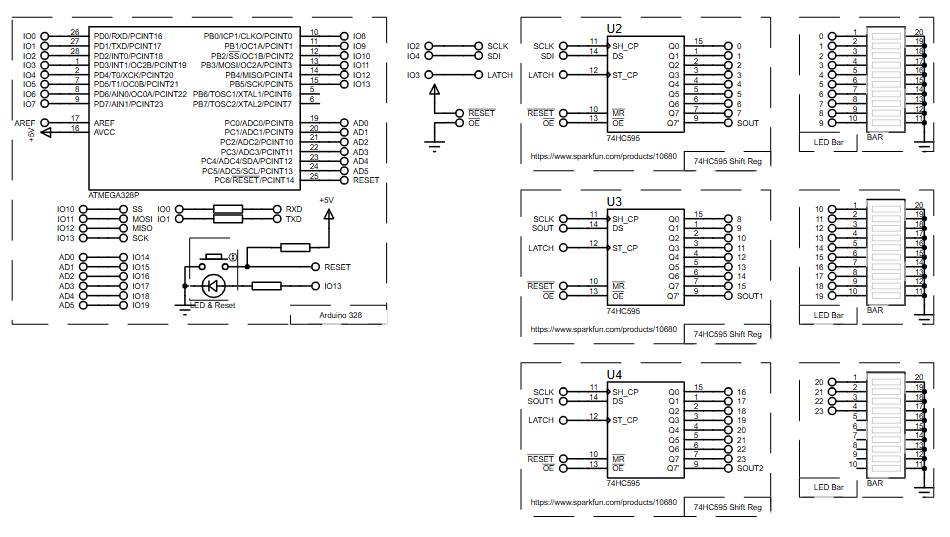
How the Project Works (Overview)
The Arduino communicates with a chain of three 74HC595 shift registers using serial data.
Instead of dedicating a separate pin for each LED, the microcontroller sends data bit-by-bit through a single data line, synchronized by clock signals.
Once all bits are shifted in, a latch signal updates all outputs simultaneously, lighting up the connected LED bars according to the programmed pattern.
Block Diagram / Workflow Explanation
-
Arduino ATmega328P generates serial data patterns
-
SER (Data Pin) sends bits into the first 74HC595
-
SRCLK (Shift Clock) moves data through the registers
-
RCLK (Latch Clock) updates outputs together
-
Daisy-chained 74HC595 ICs expand outputs
-
LED bars display the output patterns
This approach allows 24 outputs to be controlled using only three Arduino pins.
Key Features
-
Expands Arduino outputs using minimal GPIO pins
-
Daisy-chained 74HC595 shift registers
-
Synchronous LED updates using latch control
-
Simple and readable Arduino firmware
-
Fully testable using Proteus simulation
-
Scalable design (add more registers easil
Components Used
-
Arduino (ATmega328P)
-
74HC595 Shift Registers (3×)
-
LED Bar Displays
-
Current-limiting resistors
-
Connecting wires
-
Proteus VSM (for simulation)
Applications
-
LED matrix and bar graph displays
-
Digital dashboards and indicators
-
Embedded control panels
-
DIY electronics learning projects
-
Output expansion for IoT systems
-
Prototyping before real hardware implementation
Explanation of Code (High-Level)
The firmware uses the Shifter library, which simplifies communication with multiple 74HC595 ICs.
-
Initialization:
The library is configured with data, latch, and clock pins, along with the number of registers. -
Clearing Outputs:
All shift register outputs are set LOW at once. -
Selective Control:
Specific output pins across the chain are turned ON. -
Batch Update:
Changes are sent together using a singlewrite()call. -
Full Activation:
All outputs are driven HIGH to test maximum load.
This structure keeps the code clean and avoids unnecessary signal updates.
Source Code
Download
#include

#define SER_Pin 4 //SER_IN
#define RCLK_Pin 3 //L_CLOCK
#define SRCLK_Pin 2 //CLOCK

#define NUM_REGISTERS 3 //how many registers are in the chain


//initaize shifter using the Shifter library
Shifter shifter(SER_Pin, RCLK_Pin, SRCLK_Pin, NUM_REGISTERS);
Proteus Simulation
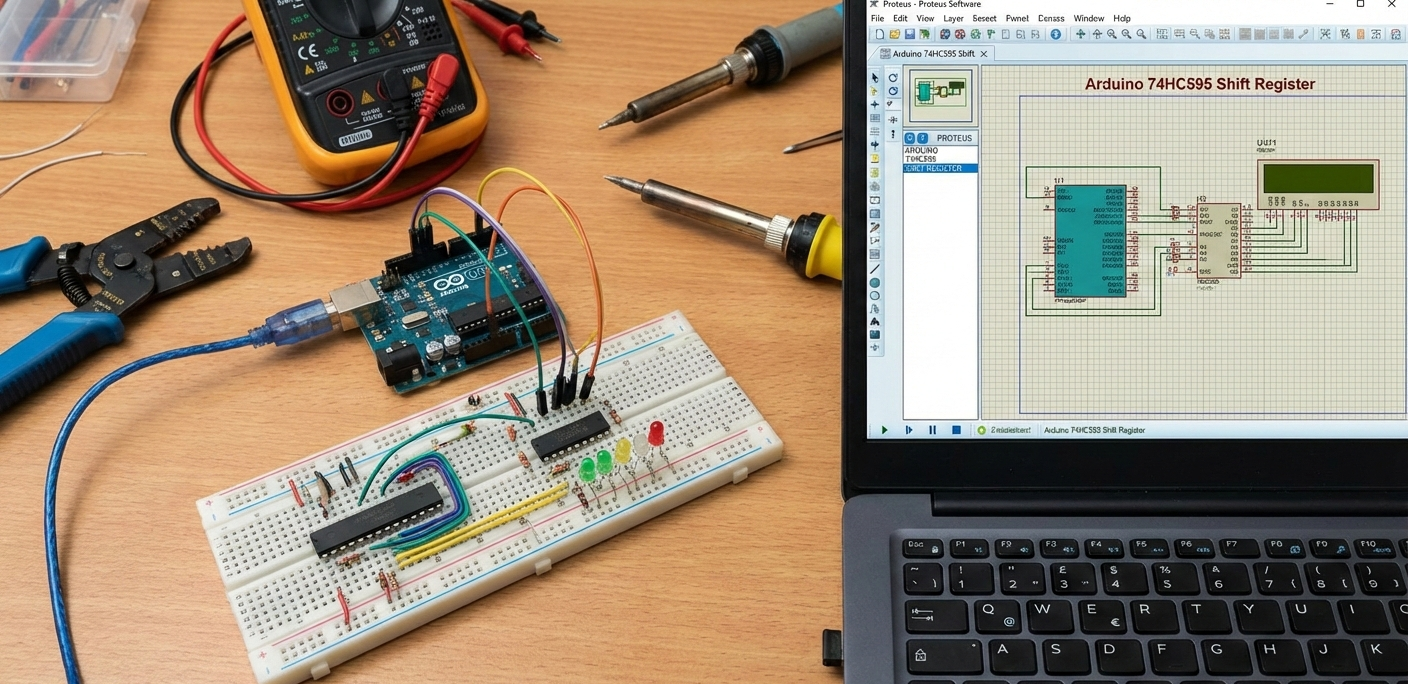
In Proteus VSM, the Arduino transmits serial data to the chained shift registers.
LED bars visibly change patterns every second, confirming correct clocking, latching, and data shifting.
This simulation helps verify timing, wiring, and logic before moving to physical hardware.
FAQs
[ultimate-faqs Include_category=”arduino-74hc595-shift-register”]Conclusion
This project clearly demonstrates how shift registers can dramatically extend Arduino capabilities.
Using Proteus simulation, learners can understand the working principle, timing, and wiring without hardware risks.Overall, this Arduino 74HC595 project provides a clear and practical example of using shift registers in microcontroller projects.
It’s an excellent hands-on example for anyone exploring embedded systems, microcontroller projects, and practical electronics design.
Complete File
Arduino 74HC595 Shift Register using ATmega328P with Proteus Simulation
- How many Arduino pins are needed to control three 74HC595 shift registers?
Three Arduino pins are used: data (SER), shift clock (SRCLK), and latch clock (RCLK). - Can multiple 74HC595 ICs be daisy-chained?
Yes, the project daisy-chains three 74HC595 ICs to expand outputs. - What does the latch signal do in this setup?
The latch signal updates all shift register outputs simultaneously after bits are shifted in. - How many outputs does three 74HC595 registers provide?
Three 74HC595 registers provide 24 outputs in total. - Does the project include a simulation environment?
Yes, the design is fully testable using Proteus VSM simulation. - What library is used in the example firmware?
The firmware uses the Shifter library to simplify communication with multiple 74HC595 ICs. - How are outputs updated in the code?
Changes are prepared and then sent together using a single write() call for batch updates. - Can this design be scaled to more outputs?
Yes, the design is described as scalable and additional registers can be added easily.
