
Summary of Weather Dashboard with MKR1000 and Losant
This project demonstrates building a weather dashboard using an Arduino MKR1000 and the Losant platform to monitor temperature and humidity. The setup involves configuring WiFi, uploading HTTPS certificates, and writing code to send sensor data via webhooks. On the Losant side, users create applications, devices, workflows, and dashboards with gauges and time-series charts to visualize real-time environmental metrics.
Parts used in the Weather Dashboard:
- Arduino MKR1000
- DHT11 Temperature & Humidity Sensor (4 pins)
- Arduino IDE
- Losant Platform
- WiFi101 Firmware Updater Sketch
- winc1500-uploader-gui.exe
This project is about building a simple weather dashboard using MKR1000 and Losant platform.
Things used in this project
Hardware components |
||||||
 |
|
× | 1 | |||
 |
|
× | 1 | |||
Software apps and online services |
||||||
 |
|
|||||
 |
|
|||||
Story
Introduction
This project shows you how to make use of MKR1000 and Losant platform to build a simple weather dashboard monitoring temperature and humidity. With additional sensors, other weather metrics can be collected and analyzed so that more complex dashboard can be built.
Setup MKR1000 with WiFI
For setup instructions on how to configure MKR1000 with WiFi, please refer to this resource. To setup WiFi, refer to this link.
HTTPS
The Arduino MKR1000 supports HTTPS, but the limited memory size requires the certificate be uploaded to WiFi chip. This is a two steps process. First we load a sketch on the board and then run a program on our computer to upload the certificates.
Use the Arduino IDE to load the Firmware Updater Sketch onto your board.
Examples -> WiFi101 -> Firmware Updater
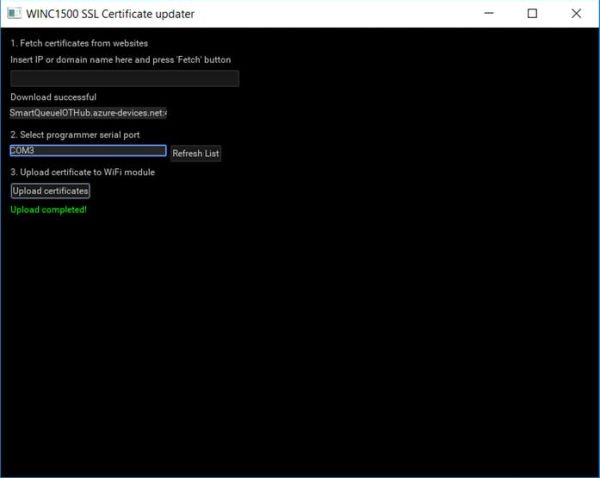
Second, download the WiFi101 Firmware Updater. Unzip the archive and run winc1500-uploader-gui.exe.
The HTTPS certificate for Losant webhooks is issued to triggers.losant.com. Enter triggers.losant.com in the text field. Choose your COM port and upload the certificates.
Arduino Code
Losant Platform and Webhooks
Losant is a simple and powerful IoT cloud platform for developing the next generation of connected experiences. Losant offers device management with robust data visualization that reacts in real-time.
In this project, Losant’s webhook is used to send the temperature and humidity data to Losant platform. Webhooks allow MKR1000 to trigger the MKR1000 Weather App application workflows via HTTP requests.
Setup Losant elements and dashboard
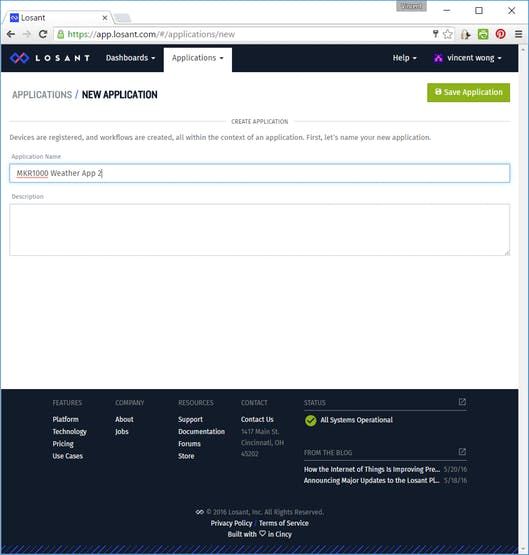
Create Application
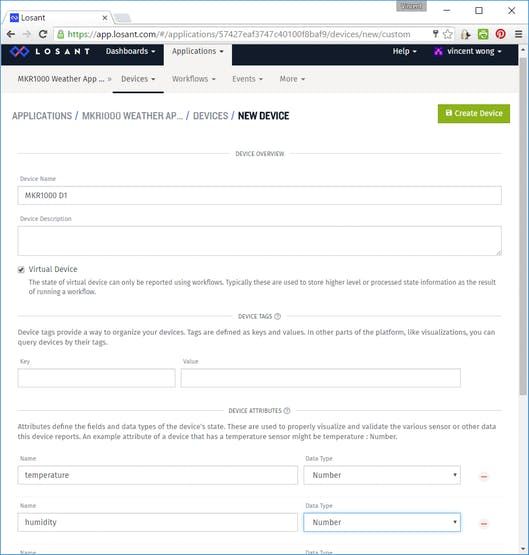
Create Device
Add two device attributes: temperature and humidity.
Create Webhook
Take note of the webhook URL.
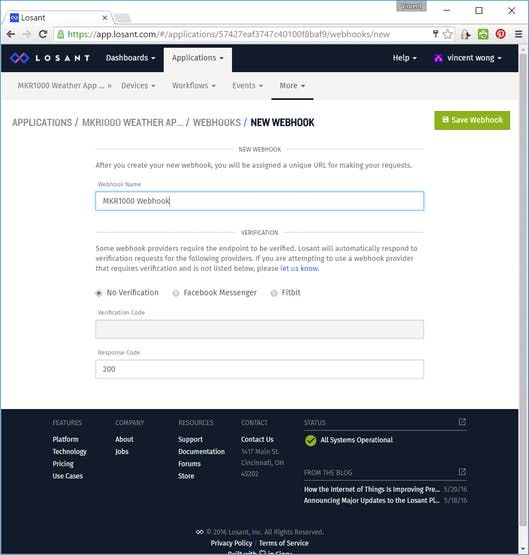
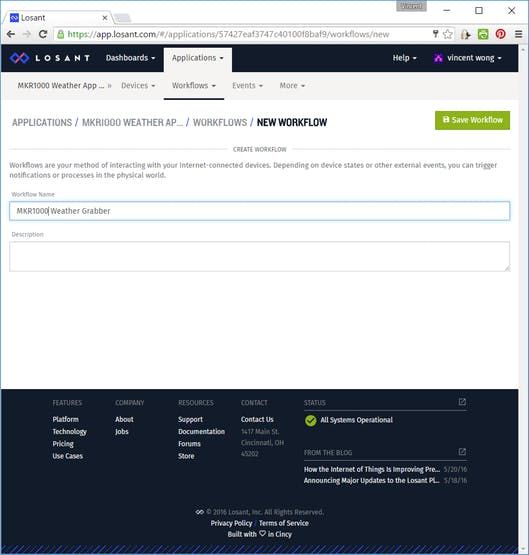
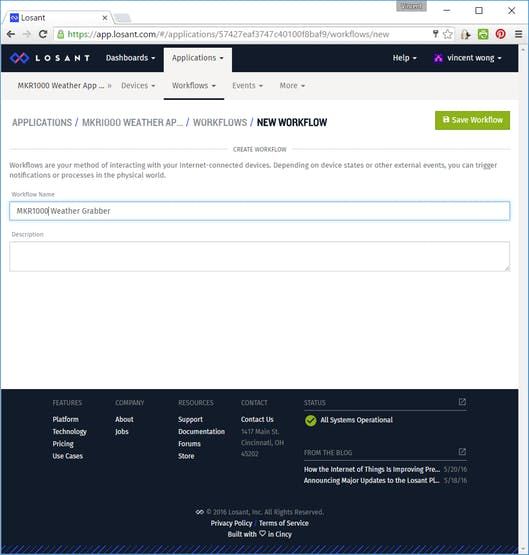
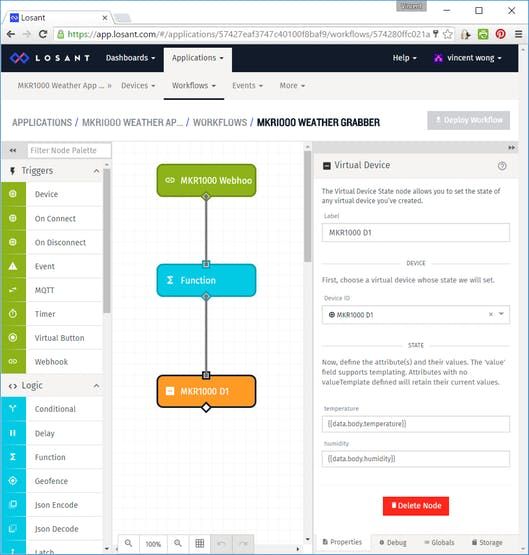
Create Workflow
Add Webhook Trigger
Select the correct webhook from the dropdown.
Add Function Logic
Leave the function logic with default values.
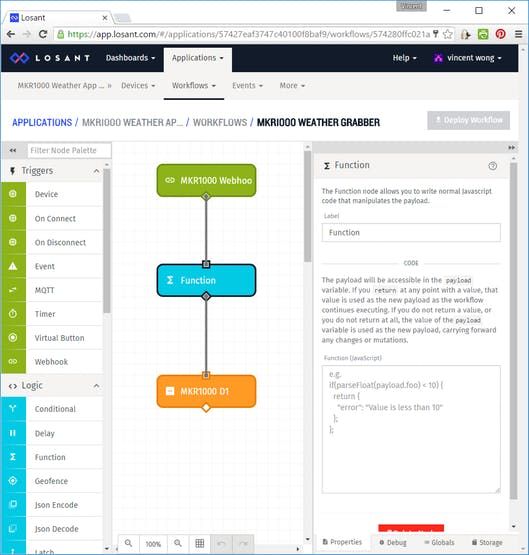
Add Device Output
Select a device ID and set temperature state as '{{data.body.temperature}}' and humidity state as ‘{{data.body.humidity}} ‘.
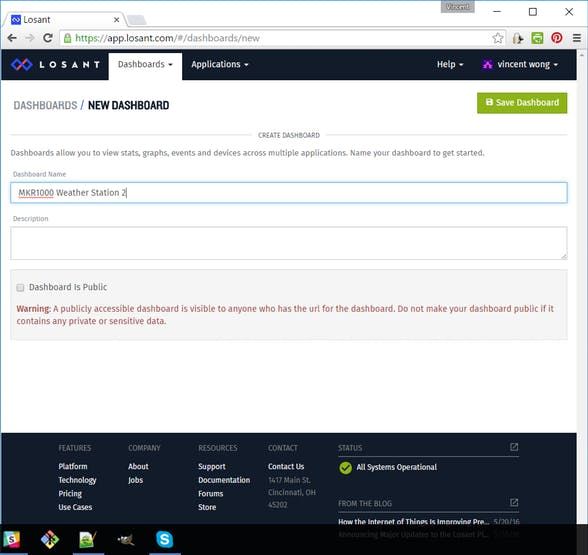
Create Dashboard
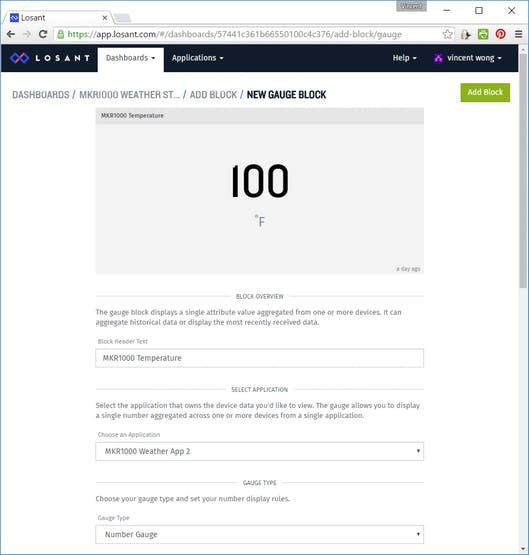
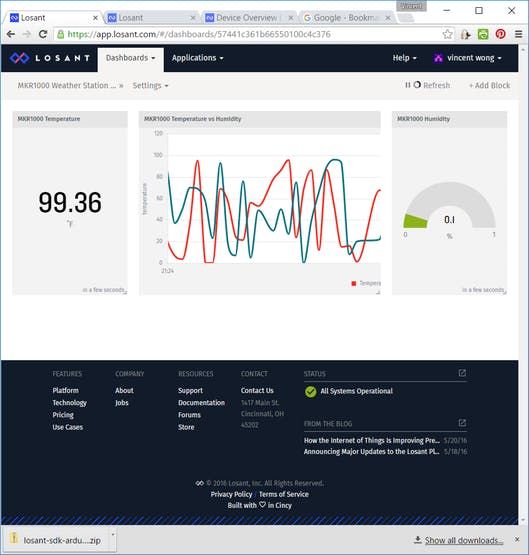
Add Temperature Block
Set temperature as Number Gauge.
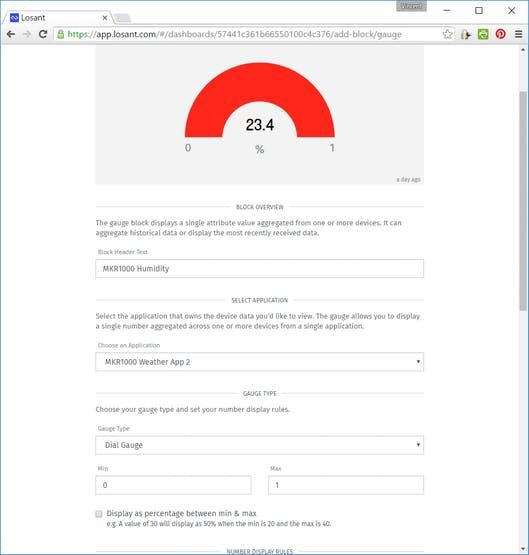
Add Humidity Block
Set humidity as Dial Gauge.
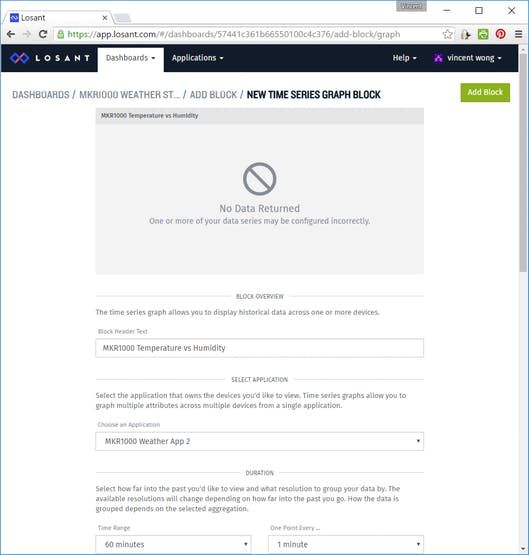
Add Temperature vs Humidity Block
This a time series block. Pick the temperature and humidity attributes as data points. Time range is 60 minutes and one data point every 1 minute.
The dashboard
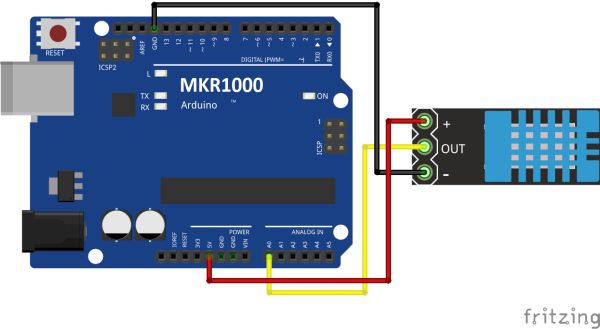
Schematics
- What is the main purpose of this project?
The project shows how to build a simple weather dashboard monitoring temperature and humidity using MKR1000 and Losant. - How do you configure the MKR1000 for HTTPS?
You must load the Firmware Updater Sketch onto the board and then run the winc1500-uploader-gui.exe program on your computer to upload certificates. - Which domain is used for the Losant webhook certificate?
The certificate is issued to triggers.losant.com. - Can other weather metrics be collected with this setup?
Yes, with additional sensors, other weather metrics can be collected and analyzed to build more complex dashboards. - How does the MKR1000 send data to the cloud?
It uses a Losant webhook to trigger application workflows via HTTP requests. - What specific blocks are added to the Losant dashboard?
The dashboard includes a Number Gauge for temperature, a Dial Gauge for humidity, and a Time Series block comparing both over 60 minutes. - What device attributes are created in the Losant application?
The two device attributes created are temperature and humidity. - How often does the time series block collect data points?
The time range is set to 60 minutes with one data point every 1 minute.
