
Summary of Arduino + Temperature + Humidity
This article outlines a DIY project to build a compost monitoring system using an Arduino, LM35 temperature sensor, and a humidity sensor. The setup measures environmental changes inside a compost bin, transmitting data via serial communication for computer analysis. It explains the hardware connections, specifically how the LM35 converts voltage to Celsius and how the humidity sensor links to the microcontroller, while also providing code setup instructions.
Parts used in the Compost Monitoring System:
- Arduino
- LM35 Precision Centigrade Temperature Sensor
- BreadBoard
- Humidity Sensor
- Wires
A simple temperature sensor using one LM35 Precision Temperature Sensor , Humidity Sensor and Arduino, so you can hookup on your future projects. The circuit will send serial information about the temperature and humidity so you can use on your computer. I have taken data from my compost. The project is related to an existing product daily dump with which anyone can convert kitchen waste into compost at home. For more details about product go to http://www.dailydump.org/content/. Digicompost displays the changes (change in temp, humidity) happening inside dump
Step 1: Materials
– Arduino (You can use other microcontroller, but then you will need to change the code).
– LM35 Precision Centigrade Temperature Sensor, you can get from any electronic store. Here is the DATA SHEET.
– BreadBoard.
– Humidity Sensor.
– Wires.
Step 2: Setting up Arduino + Temperature
Arduino is an open-source electronics prototyping platform based on flexible, easy-to-use hardware and software. It’s intended for artists, designers, hobbyists, and anyone interested in creating interactive objects or environments. For more information log on to (http://www.arduino.cc)
Connecting a temperature sensor:
The LM35 has three legs and looks like a transistor. The two outside legs are
+5v and Ground, and the middle leg develops the sample voltage.
The Analog to Digital Converter (ADC) converts analog values into a digital approximation
based on the formula ADC Value = sample * 1024 / reference voltage (+5v). So with a +5 volt
reference, the digital approximation will = input voltage * 205. (Ex. 2.5v * 205 = 512.5)
The LM35 is a precision linear temperature sensor that supplies 10mv per degree Celsius.
This means at 15 degrees Celsius, it would produce a reading of .150v or 150 millivolts.
Putting this value into our ADC conversion ( .15v * 205 = 30.75) we can get a close
approximation of the Celsius temperature by dividing the digital input count by 2.
If the LM35 were supplied by a different reference voltage (9v or 12v) we would have
to use a different conversion method. For this circuit, dividing by 2 works well.
Step 3: Connecting Humidity Sensor
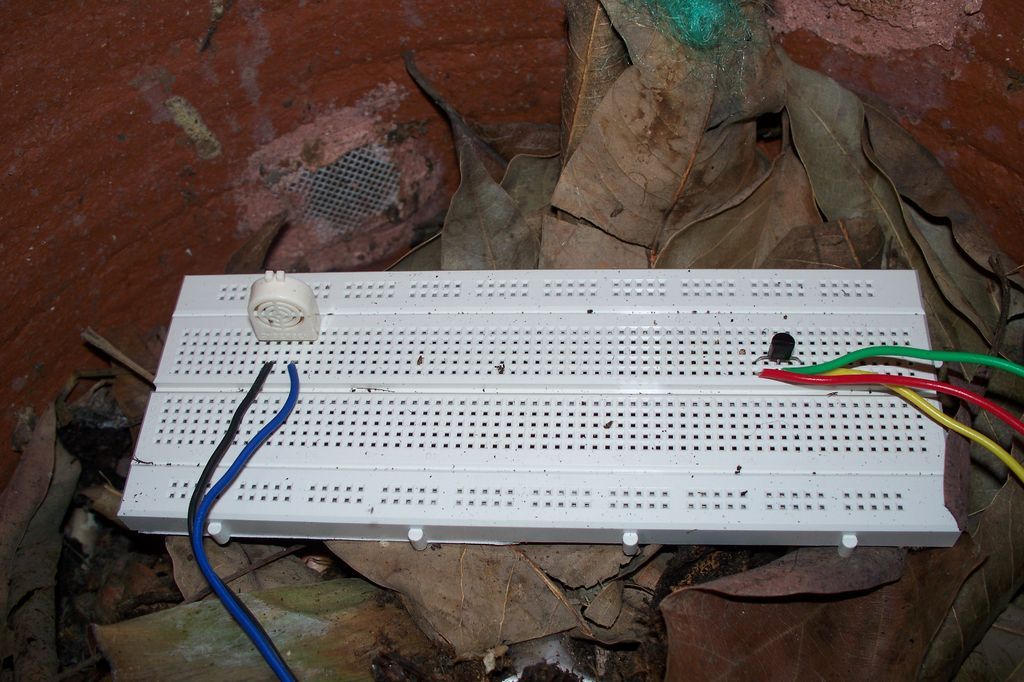
There are two pins on to the humidity sensor one is for ground and other for out which goes on the pin 3 on to arduino. I have used a local made sensor for testing humidity/ moisture but one can go for SHT15 which have both temperature and humidity.
Step 4: Setting up code!!
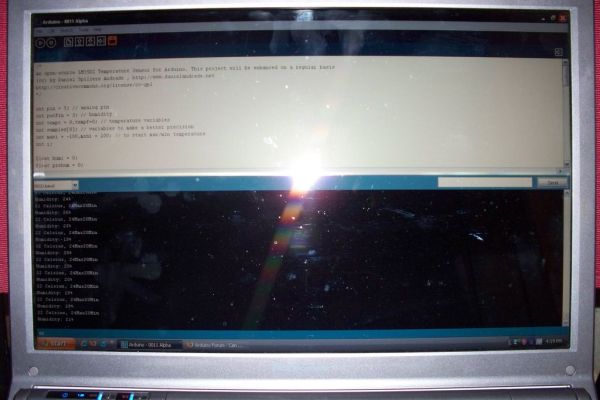
Plug in your arduino to the computer, open the application select proper port and model no. before you start any coding. After everything is done write down the code as shown below
– BreadBoard.
– Humidity Sensor.
– Wires
For more detail: Arduino + Temperature + Humidity
- What is the primary function of this project?
The circuit sends serial information about temperature and humidity from a compost bin to a computer. - How does the LM35 sensor output voltage relate to temperature?
The LM35 supplies 10mv per degree Celsius, meaning 15 degrees produces .150v or 150 millivolts. - Can I use a microcontroller other than Arduino?
Yes, you can use other microcontrollers, but you will need to change the code. - How do you calculate the digital approximation from the ADC?
The formula is input voltage multiplied by 205 when using a +5 volt reference. - What is the method to convert the digital input count to Celsius?
For this circuit with a 5v reference, you divide the digital input count by 2. - Which pins on the humidity sensor are used?
There are two pins: one for ground and one for output which connects to pin 3 on the Arduino. - Is there an alternative sensor mentioned for both measurements?
Yes, the SHT15 sensor has both temperature and humidity capabilities. - What software must be opened before starting the coding process?
You must open the Arduino application and select the proper port and model number.
