
Summary of 12×12 LEDX From Escape From Tarkov
This article details a DIY project to recreate the LEDX device from Escape From Tarkov using an Arduino microcontroller and DFPlayer mini module. The build involves constructing a sturdy housing from cardboard and polyurethane foam, reinforced with bandages and paint. The creator designed a circuit to support two lighting modes: classic red light and a nostalgic 2000s toy music mode with RGB effects. The project requires specific electronic components like 24 RGB diodes and a speaker, assembled into a custom case decorated with printed patterns.
Parts used in the LEDX Project:
- Arduino microcontroller (Uno or Mega)
- DFPlayer mini module
- MicroSD card (up to 32 Gb)
- 24 RGB diodes
- 24 wending machine capsule caps
- 1 pushbutton
- 8 Ohm speaker
- 5V source (Li-on batteries or powerbank)
- On-off switch
- Speaker mesh
- Breadboard (170 dots)
- Cardboard
- PVA glue
- Gauze bandage
- Plastic spray gun bottle
- Spray paint (Black, white, red)
- Foundation for acrylic paint
- Polyurethane foam
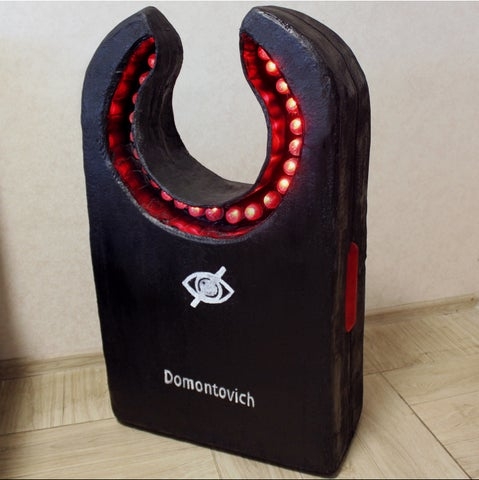
Once after Russian EFT community podcast where one of the guests said that expensive items, such as LEDX, should occupy a larger number of the slots in secure containers… It didn’t happen in 0.12,6 patch, but it did happened in my workshop.
Supplies
Things required:
- Arduino microcontroller (in different steps I used Arduino Uno and Mega)
- DFPlayer mini module
- MicroSD card (I had 8 Gb card, but DFPlayer supports cards up to 32 Gb)
- 24 RGB diodes
- 24 wending machine capsule caps
- 1 pushbutton
- 8 Ohm speaker
- 5V source (I had 4 18650 Li-on batteries, but ended up using 5V old powerbank)
- On-off switch
- Speaker mesh
- Breadboard (170 dots)
- Cardboard
- PVA glue
- Gauze bandage
- Plastiс spray gun bottle that you don’t need
- Spray paint (Black, white and red)
- Foundation for acrylic paint
- Polyurethane foam
Tools required:
- Soldering iron + solder, soldering paste ect.
- Glue gun
- Sanding paper
- Stationery knife
Software
- Arduino IDE
Step 1: Housing Frame
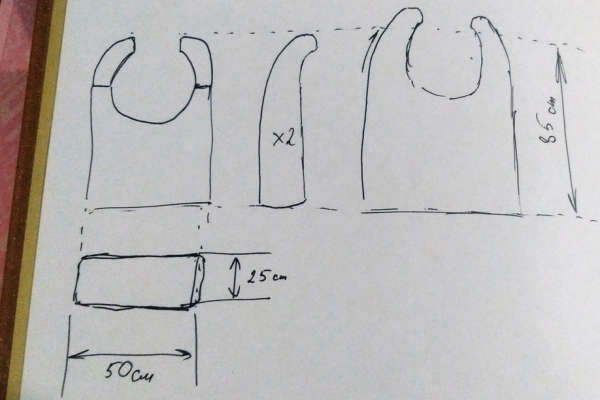
For this step we need a lot of cardboard. Unfortunately, I don’t have much of photos on the whole case on this step. The case can have some imperfections and holes, but with reinforcement I will get better. Inside I placed 5 liters of polyurethane foam to make case more stable. The neck of a plastic spray gun is LEDX’s change jack now.
Step 2: Frame Reinforcement
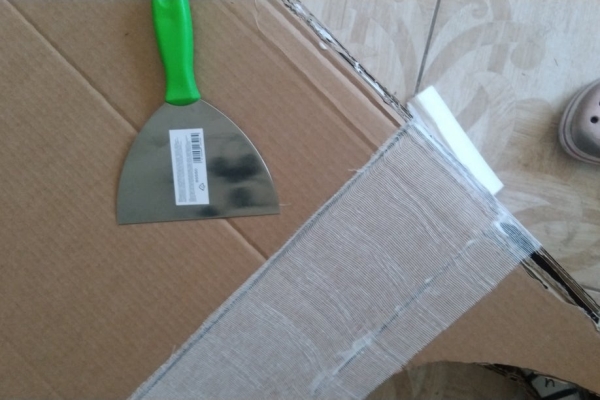
To make it more smooth and strong I used bandage and glue. After it is dry, it’s easy to cut, sand and paint it. The same way I did the buttons on sides. I repeated a few times reinforcement and applied foundation for acrylic paint on the frame in the place where LEDs are should be. Also I closed back part and saved the place for the circuit.
Step 3: Circuit Design
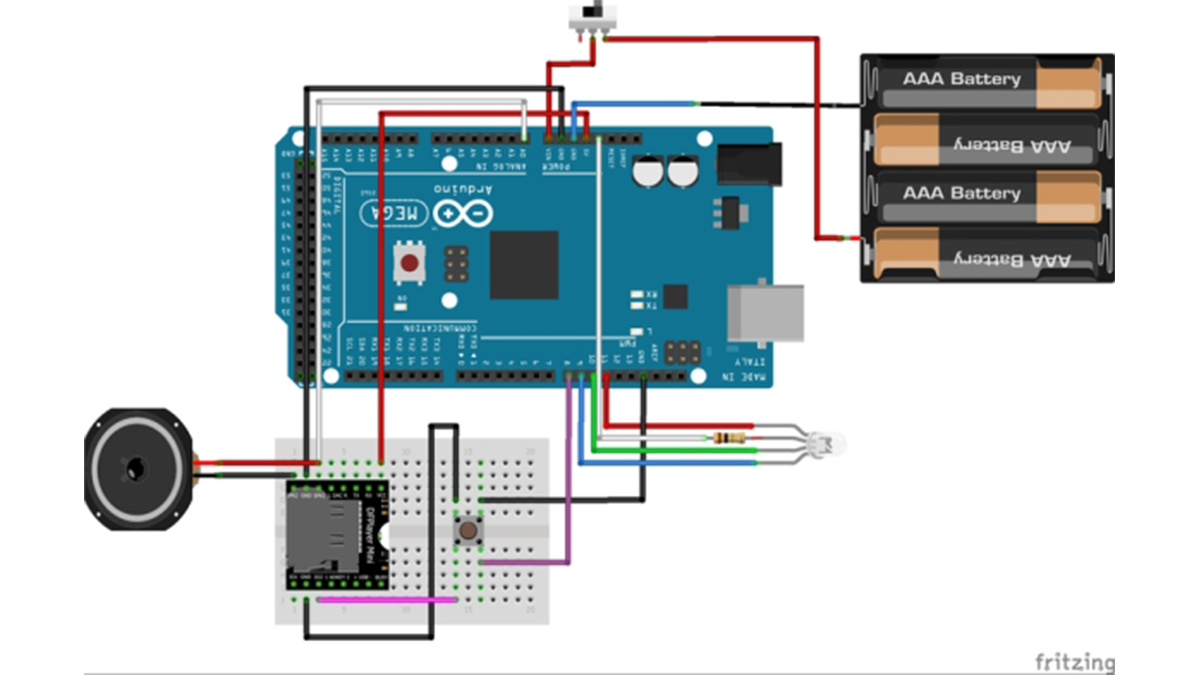
I came up with idea to make few modes for LEDX. First mode is classic red lighting as it is on original LEDX. And the second to make it sound like 00’s toy with RGB light music. I tried to do it programmatic, but for me it appeared to be difficult, so I came up with circuit that use button twice: to increase counter in microcontroller to switch lightning mode and, since the DFPlayer has its own way to switch tracks, switch the track in DFPlayer mini. Voltage from one of the speakers goes to arduino pin to create logic for RGB diodes.
Step 4: Bulbs Connection
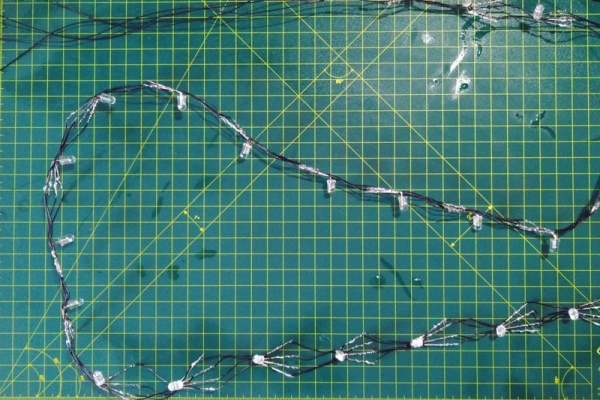
I didn’t want to make any kind of address LED strip, so I made parallel connection of 24 diodes and 1 Ohm resistor. To make it look like big LEDs I used wending machine toy capsules. After that I painted in black lightning place on frame and started to glue LEDs on it with gluegun, after that I used glue gun on LEDs’ caps. The last two photos is the check for correct working with battery.
Step 5: Applying Foundation on LEDX
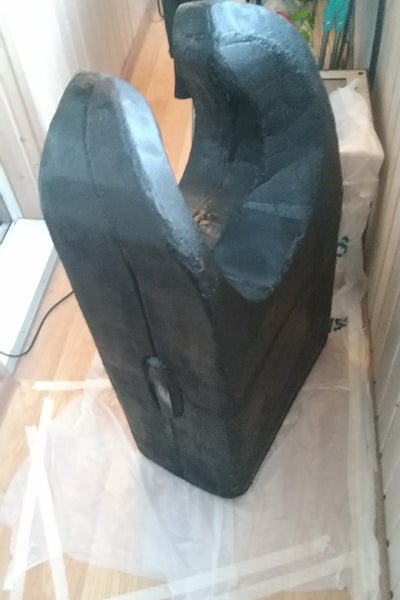
I applied acrylic foundation on the case, sanded it and painted in black, so I was time to to start assemble circuit and to write the code for it.
Step 6: Circuit Assembling and Coding
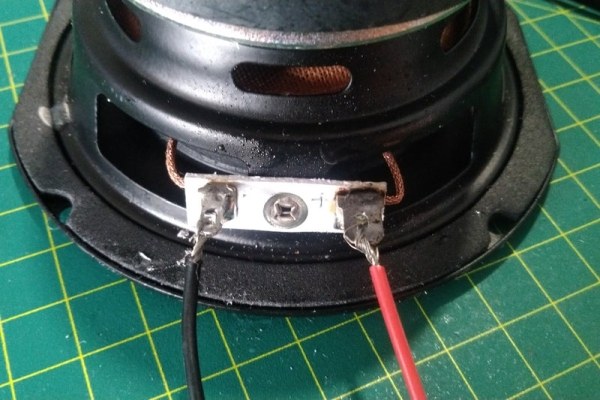
For lightning and music modes I wanted to have two modes (and also save a place for future increasing number of modes), so for the first one it was easy: I need to pick the colour in RGB system, so I picked: R=255, G=8 and B=0, so I got something like scarlett colour. And i need the player stay silent on first mode, so I prepared two mp3 files: first one the short one with total silence and the second with 00’s toys music (I’m your little butterfly by Smile.dk).
You can see the screenshot of the code (let me know if you want the .ino file).
Step 7: Decorating

LEDX has case paintings, I made patterns in LibreOffice, printed them out, placed them on double sided tape and cut with stationery knife. After that I transferred them on the case and painted with a sponge.
Step 8: Assembling
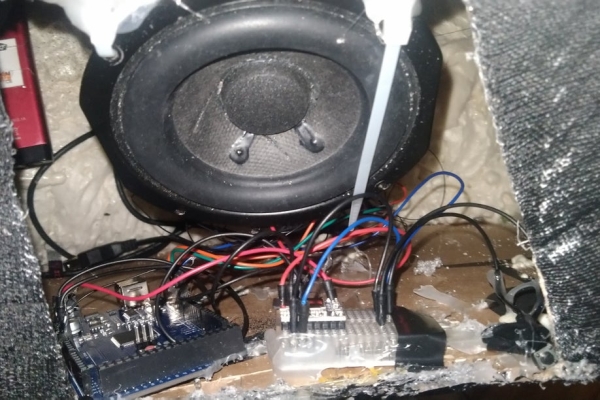
After all decorations done I started to assemble LEDX. To do that I used glue gun, basically, I’ve just glue the circuit inside. Long wires from LEDS went inside the frame through small the hole and connected to 3.7V power supply on anode and the three channels to 9,10 and 11 Arduino pins. It works. I made circuit hatch out of old metal speaker mesh.
Source: 12×12 LEDX From Escape From Tarkov
- What is the purpose of the DFPlayer mini module?
The DFPlayer mini module is used to play music tracks, specifically allowing the user to switch between silence and 2000s toy music like Smile.dk. - How does the user switch between lighting modes?
The user switches modes by pressing the button twice, which increases a counter in the microcontroller to change the lighting and track settings. - Can the MicroSD card capacity be exceeded?
No, the DFPlayer module supports cards up to 32 Gb, though the author used an 8 Gb card. - How are the 24 diodes connected?
The diodes are connected in parallel with a 1 Ohm resistor to create a non-addressable strip effect. - What material was used to reinforce the housing frame?
The author used gauze bandage and PVA glue to reinforce the cardboard frame, making it smooth and strong enough to cut and sand. - Which colors were selected for the first lighting mode?
The first mode uses R=255, G=8, and B=0 in the RGB system to produce a scarlet color. - How is the audio signal processed for the LEDs?
Voltage from one of the speakers is sent to an Arduino pin to create logic for controlling the RGB diodes. - What tool was used to transfer patterns onto the case?
Patterns created in LibreOffice were printed, placed on double-sided tape, cut with a stationery knife, and transferred to the case before being painted with a sponge.
