
Summary of Using the 3.2″ HX8357B Color TFT Display with Arduino
The article explains how to use a low-cost 3.2" color TFT (HX8357B) display with Arduino boards (Mega or Due). It describes the display features—262K color, 480×320 resolution, 16-wire databus, SD socket, SPI flash, and built-in 5V–3.3V level shifting—notes it plugs directly as a shield, and shows using the UTFT Arduino library to draw images, text, and an animated graph (oscilloscope-like demo). No separate wiring schematic is required since the module inserts into the Arduino.
Parts used in the 3.2" HX8357B Color TFT Display with Arduino:
- 3.2” TFT display module (HX8357B controller, shield form)
- Arduino Due
- Arduino Mega
The display demand for every project is unique, a project may require just a simple, single character OLED display, while another project may require something bigger, all based on the function the display is to perform. For this reason, as a maker or electronics hobbyist, anyone needs to know how to work with as many displays as possible, that’s why today, we will take a look at how to use the super cheap, 3.2″ color TFT display with Arduino.
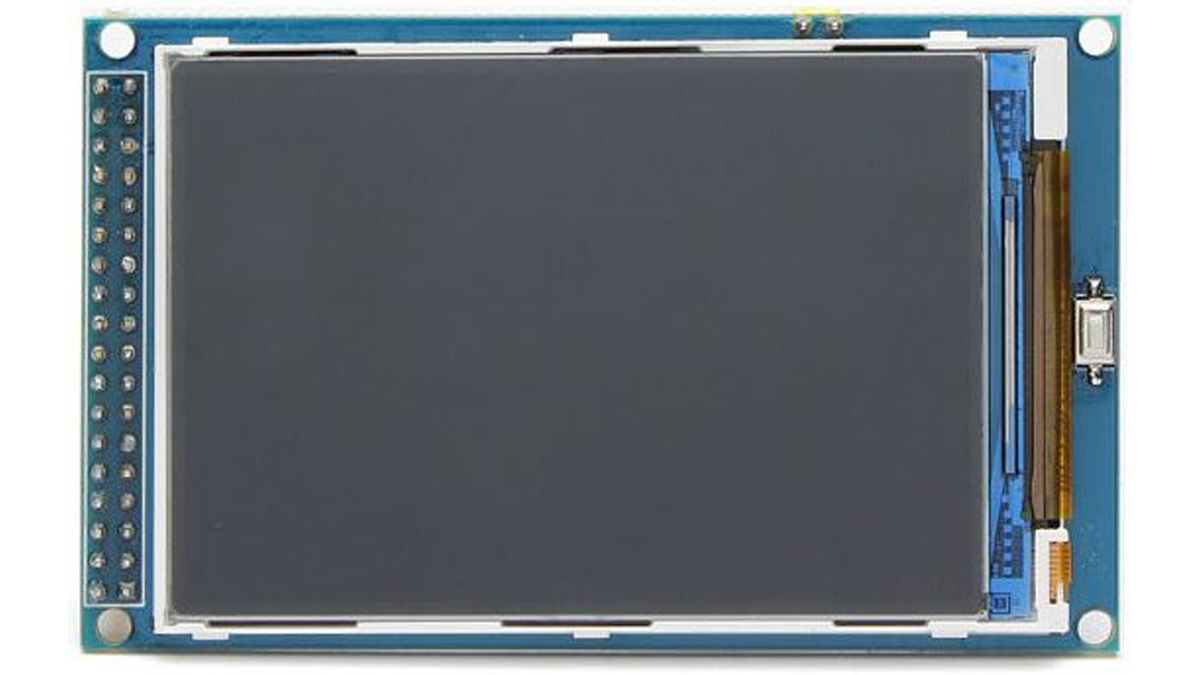
For this tutorial, we will use the 3.2″ TFT display from banggood. The display which is based on the HX8357B LCD Controller, supports 16-wire DataBus interface and comes with 262K color at 480 x 320 resolution. The module includes an SD card socket, an SPI FLASH circuit and a 5V-3.3V power and Logic Level conversion circuit which makes it easy to use with any microcontroller that uses either 5v or 3.3v logic voltage level. The module can be directly inserted into an Arduino Mega or Due board.
To demonstrate how the display works, we will use the UTFT LCD library for Arduino to display some images and text on the display including an animated graph. All these will show how the display could be used for something like an oscilloscope.
Required Components
The following components are required to build this project:
These components can each be bought via the links attached. The 3.2″ TFT display, as at the time I bought it was listed on the website as a 3″ display but after buying and measuring, the size of the display is 3.2″.
Schematics
The display comes in a shield form, which means it can be plugged directly into the Arduino with which it is going to be used, as such, no schematic is needed. Plug the display into your Arduino Mega or Due as shown in the image below.
Read more: Using the 3.2″ HX8357B Color TFT Display with Arduino
- What display controller does the 3.2" TFT use?
It uses the HX8357B LCD controller according to the article. - What resolution and color depth does the display support?
The display supports 480 x 320 resolution and 262K color. - Can the 3.2" TFT be used with 5V Arduinos?
Yes, it includes a 5V-3.3V power and logic level conversion circuit making it easy to use with 5V or 3.3V microcontrollers. - Does the module require separate wiring schematics to connect to an Arduino?
No schematic is needed because the display comes in a shield form that plugs directly into Arduino Mega or Due. - Which Arduino libraries are used to drive the display in the tutorial?
The tutorial uses the UTFT LCD library for Arduino to display images, text, and animated graphs. - Does the module include additional features like storage or flash?
Yes, the module includes an SD card socket and an SPI FLASH circuit. - Is the physical display size exactly 3" as listed?
The article notes the listing said 3", but after measuring the display size is 3.2". - Can the display be used to create an oscilloscope-like animated graph?
Yes, the tutorial demonstrates an animated graph to show how the display could be used like an oscilloscope.
