
Summary of Teleoperated Robot for Sensing the Toxic Gases
This project describes a low-cost, remotely operated ground vehicle designed to detect toxic gases for firefighters and researchers. It utilizes various Arduino boards (Yun, MKR1000, UNO, WiFi 1010) paired with Grove air quality and gas sensors. The system connects via the Thinger.io cloud platform, allowing users to control the rover and visualize gas density data in real-time using an Android smartphone and FPV glasses.
Parts used in the Toxic Gas Sensing Robot:
- Arduino Yun
- Arduino MKR1000
- Seeed Grove - Air quality sensor v1.3
- Seeed Grove - Gas Sensor(MQ2)
- Arduino UNO & Genuino UNO
- Arduino MKR WiFi 1010
- Android device
- Rover chassis
- Soldering iron
- Hot glue gun
- Motor driver
- Battery
- FPV camera with VR system
Remotely operated ground vehicle for sensing the toxic gases which is helpful for firefighters and researchers.
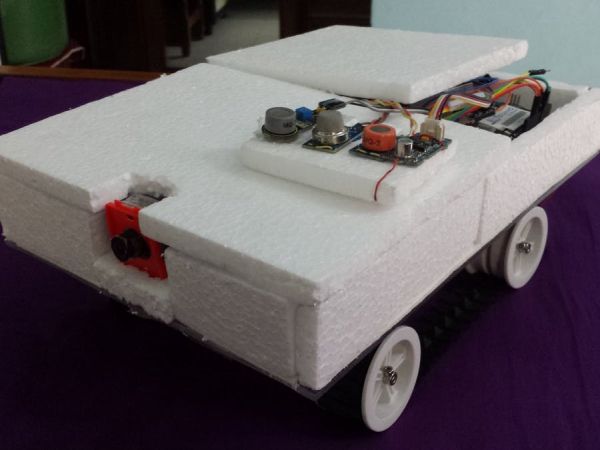
Things used in this project
Hardware components |
||||||
 |
|
× | 1 | |||
 |
|
× | 1 | |||
 |
|
× | 1 | |||
 |
|
× | 1 | |||
 |
|
× | 1 | |||
 |
|
× | 1 | |||
 |
|
× | 1 | |||
|
× | 1 | ||||
Software apps and online services |
||||||
 |
|
|||||
Hand tools and fabrication machines |
||||||
 |
|
|||||
 |
|
|||||
Story
Demo
Introduction
Robots are the helping hand for human. The number of application field of robots are increasing day by day. Some of the application fields are listed below:
- Remote surveillance/monitoring,
- Remote sensing,
- Security patrol,
- Agriculture,
- Entertainment,
- As well as so many other use cases.
Building a robot with high quality sensor and actuators are too much costly. But building a prototype from sketch is cost efficient. Low cost robots are helpful for school or college level students as well as the awesome tools for university level students.
In this project, we are presenting an cost efficient robot for sensing the toxic gas level remotely. Determining the toxic gas level is helpful for firefighter, researcher or others.
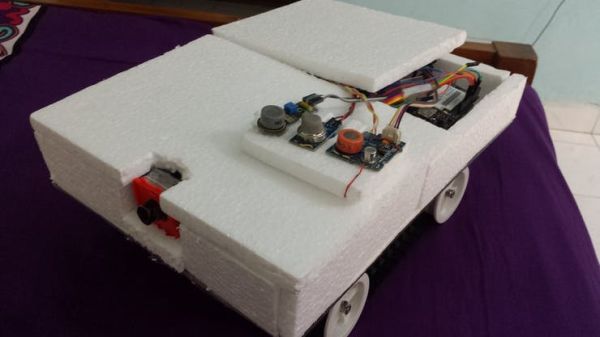
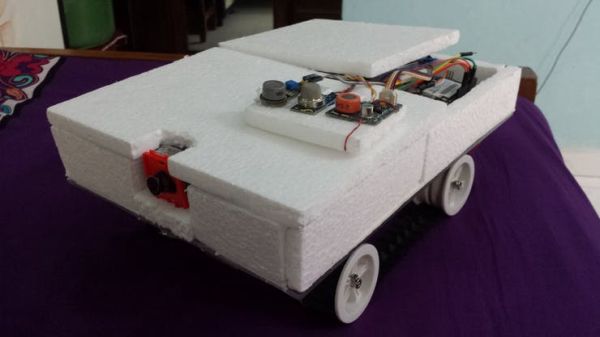
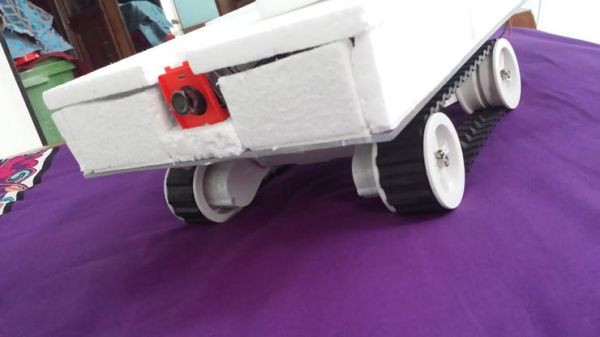 Gas sensing robot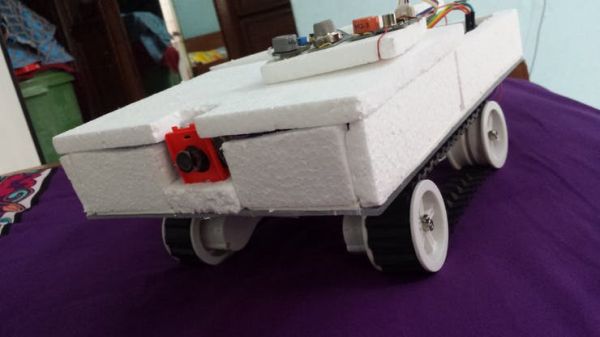
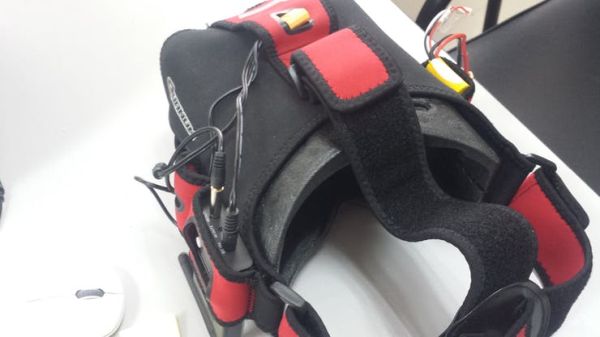 FPV glasses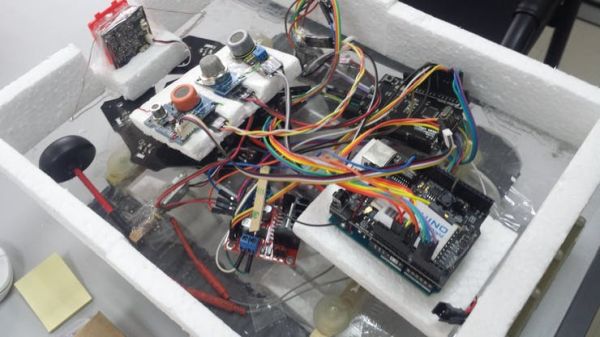
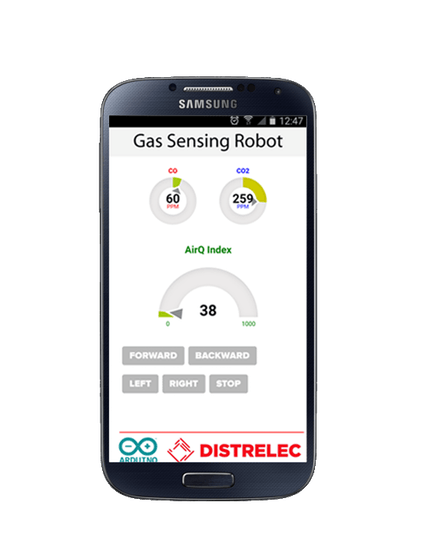 Apps
Apps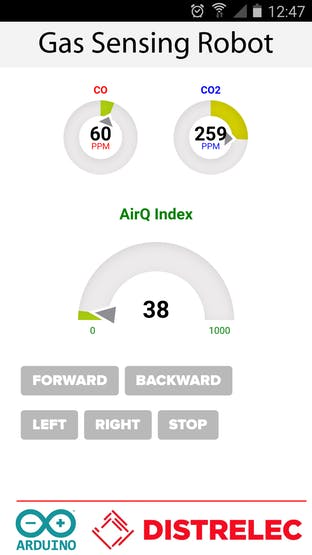
Things
- Ground vehicle base
- Wide range of IoT boards with WiFi (MKR1000 and Yún Rev2) and GSM/narrowband connectivity (MKR FOX 1200, MKR WAN 1300, and MKR GSM 1400). [For prototyping this project I used Arduino Leonardo with Yun Shield]
- Motor driver
- Internet connectivity
- Gas sensors
- Wires
- Battery
- Smartphone
- FPV camera with VR system
Building the Robot
https://github.com/Mohammadsalahuddin/toxic-gas-sensing-robot.git
- Place the FPV camera in front of the robot and provide sufficient power. Check the FPV glasses whether you receive the video feedback properly.
- Place the toxic gas sensing device in the middle of the robot. Do not cover the gas sensor.
- The mobile app is used for controlling the robot as well as gas density visualization purpose. Make sure that, you have Internet connectivity, since the apps receives and sends data to cloud. The sensing device also need internet connectivity.
- The Arduino source code is available in my git repository, download and flash the source code. The flashing details are available in this link Arduino Yun.
Download the firmware (source code) and upload it to the Arduino board. Before uploading make sure that, you have include all the libraries. Please refer this tutorials for connecting the Arduino Yun with Internet.
Circuit Diagram
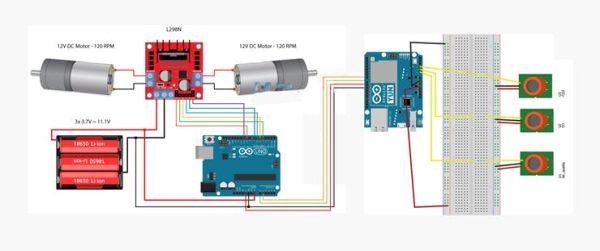
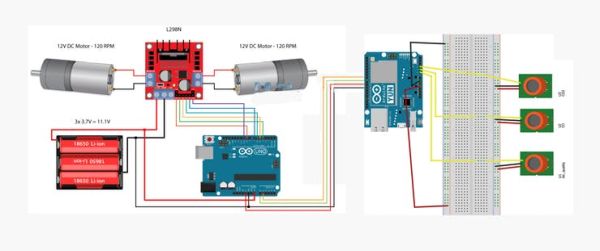
Cloud Connectivity
Please refer the documentation section of thinger.io for cloud connectivity http://docs.thinger.io/arduino
***Attention***
The Mobile Application Collects data from my own iot-cloud account as a result if the device is offline, the mobile application does not shows any data (NaN). If you want to test the APK perfectly, mail me for powering up the device. Other wise please check the demo apps. The demo apps works without device. Thanks for yourkindunderstanding.
Reference
Schematics
circuit diagram
Code
Source : Teleoperated Robot for Sensing the Toxic Gases
-
What is the primary purpose of this robot?
The robot is designed to sense toxic gases remotely to assist firefighters and researchers. -
Can I use different Arduino boards for this project?
Yes, the project supports a wide range of IoT boards including MKR1000, Yún Rev2, Leonardo with Yun Shield, and others. -
How do I view the video feed from the robot?
You must place the FPV camera in front of the robot and check your FPV glasses to receive the video feedback properly. -
Does the mobile app require internet connectivity?
Yes, the app requires internet connectivity because it receives and sends data to the cloud for gas density visualization. -
Why might the app show NaN when the device is offline?
The mobile application collects data from a specific IoT-cloud account, so if the device is offline, no data is displayed. -
Where can I find the source code for this robot?
The Arduino source code is available in the GitHub repository named toxic-gas-sensing-robot by Mohammadsalahuddin. -
Which cloud platform is used for connectivity?
The project uses the Thinger.io Platform for cloud connectivity and data transmission. -
Is there a way to test the app without the physical device?
Yes, demo apps are available that work without the actual device to help you test the interface.
