arduino

Designing and building an synthesizer with Meeblip and Arduino

Designing and building an synthesizer with Meeblip and Arduino, added videos!

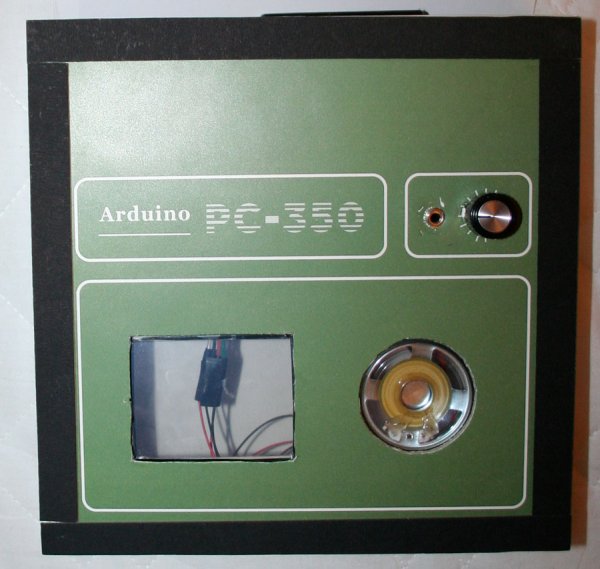
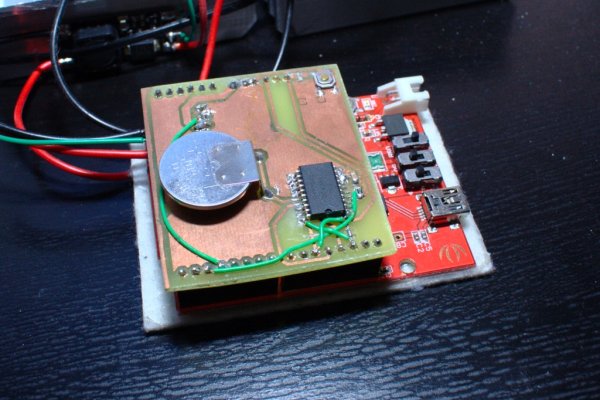
For my internship at Create Digital Music/Meeblip I’ve created quite a fun little synthesizer. This thing is meant to be more flexible than other synthesizer by making it completely independent; it is battery powered, has its own amplifier/speaker and is controlled by a manually operated sequencer. Inspiration for this form comes from my frustrations with most synthesizers: […]

Designing and building an synthesizer with Meeblip and Arduino, added videos! Continue Reading

Rome Ambassador kit with an Arduino Uno

Discover the MakerFaire Rome Ambassador kit with an Arduino Uno limited edition

MakerFaire Rome, for the first time gathering makers from all over Europe, is coming up and the clock is ticking while the Call for Makers closes next 2nd of June. That’s why we thought to launch a call for collaboration to local hubs, makerspaces and fablab into helping us spreading the word. If you are

Discover the MakerFaire Rome Ambassador kit with an Arduino Uno limited edition Continue Reading

webpage in real time using Arduino

Drive a webpage in real-time using Arduino, SensorMonkey and Processing.js

Remote visualization of real-time sensor data. This tutorial describes in detail how to use the free SensorMonkey service to push real-time sensor data from an Arduino to a webpage for visualization using Processing.js. No server-side coding or Ethernet shield is required. A standard, run of the mill Arduino will work perfectly. You’ll also need a sensor to

Drive a webpage in real-time using Arduino, SensorMonkey and Processing.js Continue Reading

control arduino board using an android phone and a bluetooth module

How to control arduino board using an android phone and a bluetooth module

In this tutorial you’ll learn how to use a bluetooth module and MIT’s app inventor to create a wireless serial link between an android phone and an arduino board. Here is a short video showing an example app I created. I’ll describe how to do the wiring, write an arduino sketch that can accept basic

How to control arduino board using an android phone and a bluetooth module Continue Reading

Arduino Row column Scanning to control an 8x8 LED Matrix

Arduino Row-column Scanning to control an 8×8 LED Matrix Code

LED displays are commonly packaged as arrays of LEDs organized in rows with shared positive terminals and columns with shared negative terminals, or vice versa. Here is a standard illustration, along with its diagram: These exhibits can be very useful. To control a matrix, you connect its rows and columns to your microcontroller. The columns

Arduino Row-column Scanning to control an 8×8 LED Matrix Code Continue Reading

Make a Mind Controlled Arduino Robot by Tero Karvinen Kimmo Karvinen E Book

Make a Mind-Controlled Arduino Robot by Tero Karvinen, Kimmo Karvinen E-Book

Build a robot that responds to electrical activity in your brain—it’s easy and fun. If you’re familiar with Arduino and have basic mechanical building skills, this book will show you how to construct a robot that plays sounds, blinks lights, and reacts to signals from an affordable electroencephalography (EEG) headband. Concentrate and the robot will

Make a Mind-Controlled Arduino Robot by Tero Karvinen, Kimmo Karvinen E-Book Continue Reading

Arduino Matrix sound machine

Matrix sound machine: Generative music with a particle system using Arduino

This project is a part of experiments done while doing an artist in residence at Instructables. You can see the other projects here. Creating emergent patterns that can be converted into sounds fascinates me. So this is my first experiment in building an arduino platform for creating such patterns. This version uses a Gameduino as its

Matrix sound machine: Generative music with a particle system using Arduino Continue Reading

Mr. Indecision

Mr. Indecision – a small felt version of yourself that turns its head and looks at you using Arduino

This is a tutorial on how to use 123D Catch to get a 3D scan of your whole body. Once you have the scan or “catch” the tutorial will take you through a technique to clean it up and manipulate it ready for 123D Make. The tutorial will go through how to slice the model

Mr. Indecision – a small felt version of yourself that turns its head and looks at you using Arduino Continue Reading

Scroll to Top