
Summary of Raspberry Pirate Radio
This article describes a method to transform a Raspberry Pi into an FM transmitter using minimal hardware. By adding just a single wire to the standard setup (SD card, power source, and board), users can broadcast audio within the 87.5MHz–108.0MHz range. The project utilizes PiFM software and the PirateRadio.py script for automated music playback without command-line usage, covering formats like home or event broadcasting while warning against interference with government bands.
Parts used in the Raspberry Pi FM Transmitter:
- Raspberry Pi board
- SD card
- Power source
- Single length of wire
- PiFM software
- PirateRadio.py script
This simple hack turns your Raspberry Pi into a powerful FM transmitter! It has enough range to cover your home, DIY drive-in movie, a high school ball game, or even a bike parade (depending on the stragglers).
PiFM software not only boldly enhances the capability of your Pi, but does so with nothing more than a single length of wire. This hack starts with the absolute minimum you need to run a Raspberry Pi — an SD card, a power source, and the board itself — and adds one piece of wire. It’s the coolest Pi device we’ve ever seen with so few materials.
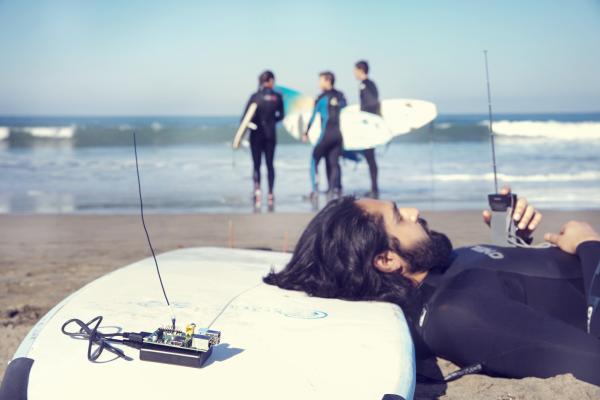
PiFM was originally created by Oliver Mattos and Oskar Weigl, and revised by Ryan Grassel. We’d like to thank the whole PiFM community for inspiration. MAKE’s contribution to the project, the PirateRadio.py script, now enables playback without using the command line, and handles all the most common music file formats automatically. It was written by MAKE Labs engineering intern Wynter Woods. You can find the source code here.
NOTE: The Raspberry Pi’s broadcast frequency can range between 1Mhz and 250Mhz, which may interfere with government bands. We advise that you limit your transmissions to the standard FM band of 87.5MHz–108.0MHz (see Step 3) and always choose a frequency that’s not already in use, to avoid interference with licensed broadcasters.
For more detail: Raspberry Pirate Radio
- What is the minimum hardware required to run this project?
You need an SD card, a power source, the Raspberry Pi board itself, and one piece of wire. - How much range does this FM transmitter provide?
The range is sufficient to cover a home, a DIY drive-in movie, a high school ball game, or a bike parade. - Can I play music files without using the command line?
Yes, the PirateRadio.py script enables playback without using the command line and handles common music file formats automatically. - Who created the original PiFM software?
Oliver Mattos and Oskar Weigl originally created it, and Ryan Grassel revised it. - Does the broadcast frequency interfere with government bands?
Yes, the frequency can range between 1Mhz and 250Mhz which may interfere with government bands. - What is the recommended safe frequency range for transmission?
You should limit transmissions to the standard FM band of 87.5MHz–108.0MHz to avoid interference. - Who wrote the PirateRadio.py script?
MAKE Labs engineering intern Wynter Woods wrote the script.
