
Summary of Arduino DotStar LED Strip Control using Arduino Uno with Proteus Simulation
This project shows how to control APA102C (DotStar) RGB LED strips with an Arduino Uno inside a Proteus simulation. Using SPI-style data and clock lines and the Adafruit DotStar library, the firmware animates a moving group of LEDs cycling red, green, and blue. The design is simulation-friendly, reliable, scalable, and suited for learning addressable LED control and SPI fundamentals before hardware deployment.
Parts used in the Arduino DotStar LED Strip Control using Arduino Uno with Proteus Simulation:
- Arduino Uno (ATmega328P)
- APA102C (DotStar) RGB LED strip
- Proteus VSM (AVR simulation environment)
- Arduino AVR compiler
- SPI communication interface (DATA and CLOCK digital lines, e.g., D4 and D5)
Introduction
This microcontroller project demonstrates how to control APA102C (DotStar) RGB LED strips using an Arduino Uno in a Proteus simulation environment. The project uses the SPI-style interface of DotStar LEDs to create smooth, colorful lighting effects with minimal timing issues. It is a practical embedded systems example for anyone exploring DIY electronics, LED control, and Arduino-based Proteus simulations. The setup is ideal for learning how addressable LEDs work in real-world electronics applications.
How the Project Works (Overview)
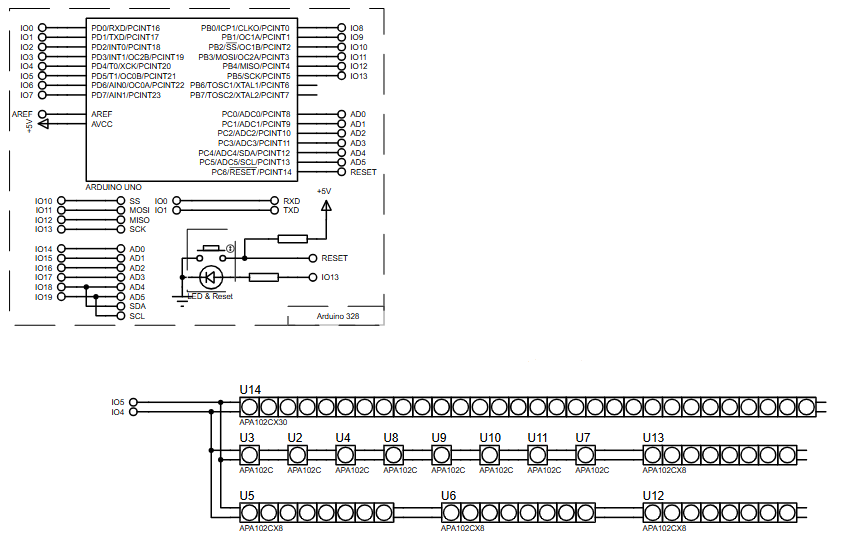
The Arduino Uno communicates with the APA102C DotStar LED strip using two digital lines: data and clock. Unlike timing-sensitive LED protocols, DotStar LEDs use a clocked data stream, making them more reliable in simulation and real hardware.
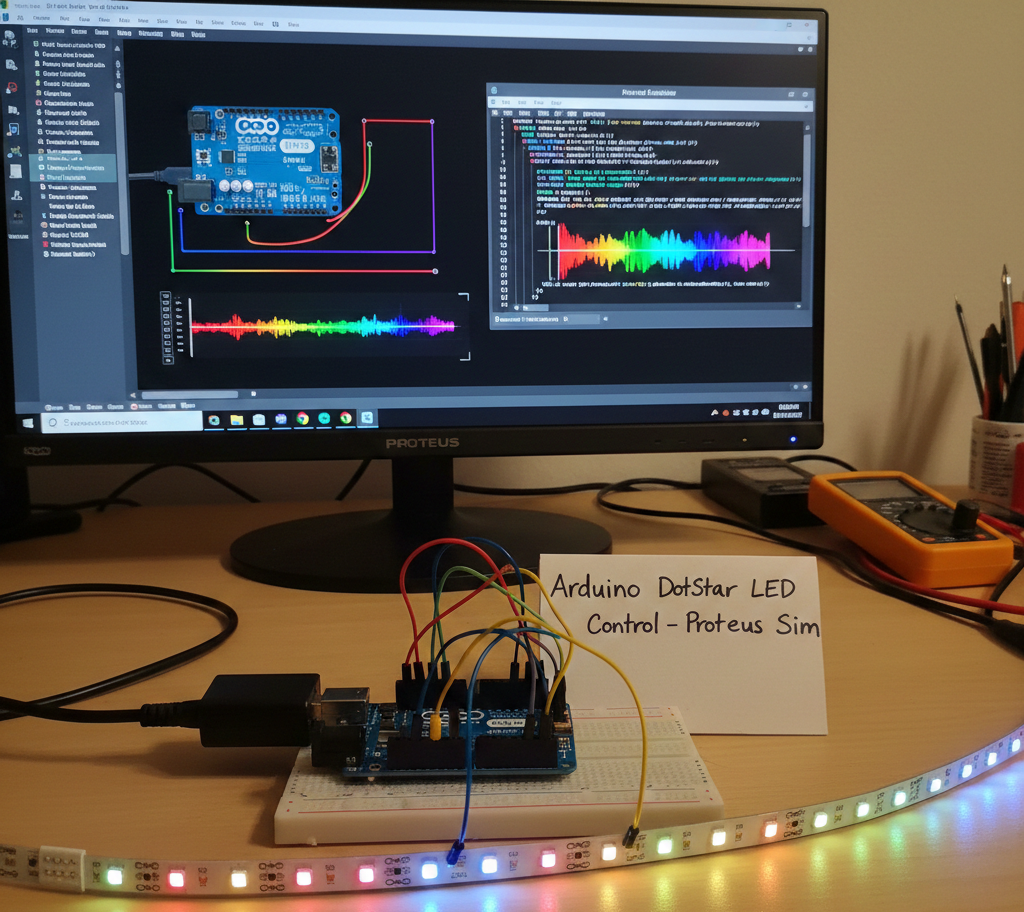
The firmware initializes the LED strip using the Adafruit DotStar library. During operation, a moving group of LEDs lights up in red, green, and blue colors sequentially. The animation continuously shifts along the strip, confirming correct wiring, SPI communication, and LED functionality.
Block Diagram / Workflow Explanation
-
Arduino Uno initializes SPI-style output pins
-
DotStar library configures communication parameters
-
Arduino sends color data (RGB) through DATA pin
-
Clock pulses on CLOCK pin synchronize LED updates
-
APA102C LEDs latch and display color data
-
Animation loops with timed delays
This workflow allows smooth LED animation without strict timing constraints.
Key Features
-
SPI-based control of APA102C DotStar LEDs
-
Smooth color-cycling LED animation
-
Uses Arduino Uno digital GPIO pins
-
Reliable operation in Proteus simulation
-
Easily scalable to longer LED strips
-
Beginner-friendly diagnostic LED test
Components Used
-
Arduino Uno (ATmega328P)
-
APA102C (DotStar) RGB LED strip
-
Proteus VSM (AVR simulation environment)
-
Arduino AVR compiler
-
SPI communication interface
Applications
-
Decorative LED lighting projects
-
Embedded systems LED diagnostics
-
Smart ambient lighting prototypes
-
Wearable and art installations
-
Learning SPI communication fundamentals
-
Arduino-based LED controllers
Explanation of Code (High-Level)
The firmware starts by including the Adafruit DotStar and SPI libraries. Two digital pins are defined for data and clock communication. The LED strip object is initialized with the total number of LEDs and color format.
In the main loop:
-
One LED is turned on at the head position
-
One LED is turned off at the tail position
-
Colors rotate between red, green, and blue
-
The strip updates at ~50 frames per second
This structure verifies LED data flow and animation logic without complex graphics processing.
Source Code
Download
// Runs 10 LEDs at a time along strip, cycling through red, green and blue.
// This requires about 200 mA for all the 'on' pixels + 1 mA per 'off' pixel.

int      head  = 0, tail = -10; // Index of first 'on' and 'off' pixels
uint32_t color = 0xFF0000;      // 'On' color (starts red)

void loop() {

  strip.setPixelColor(head, color); // 'On' pixel at head
  strip.setPixelColor(tail, 0);     // 'Off' pixel at tail
  strip.show();                     // Refresh strip
  delay(20);                        // Pause 20 milliseconds (~50 FPS)

  if(++head >= NUMPIXELS) {         // Increment head index.  Off end of strip?
    head = 0;                       //  Yes, reset head index to start
    if((color >>= 8) == 0)          //  Next color (R->G->B) ... past blue now?
color = 0xFF0000; // Yes, reset to redProteus Simulation
In Proteus, the Arduino Uno is connected to a chain of APA102C LED modules through digital pins D4 (DATA) and D5 (CLOCK). When the simulation runs, LEDs animate smoothly across the strip, cycling through RGB colors. This confirms correct SPI-style signaling and validates firmware behavior before real hardware deployment.
FAQs
[ultimate-faqs Include_category=”arduino-dotstar-led-strip-control”]Conclusion
This Arduino DotStar LED project is a clean and practical example of embedded systems design using Proteus simulation. It helps learners understand SPI-style LED control, firmware animation logic, and Arduino-based hardware testing. Ideal for beginners and hobbyists, the project delivers strong educational value while remaining easy to expand and customize.
Complete File
Arduino DotStar LED Strip Control using Arduino Uno with Proteus Simulation
- How does the Arduino communicate with the APA102C DotStar LEDs?
It uses two digital lines for a clocked SPI-style data stream (DATA and CLOCK) to send RGB color data. - Can this project be simulated in Proteus?
Yes, the project is implemented and demonstrated in the Proteus VSM simulation environment. - What library does the firmware use to control the DotStar strip?
The firmware uses the Adafruit DotStar library (along with SPI). - How is the LED animation implemented?
A moving group of LEDs turns on at the head position and off at the tail position while rotating colors between red, green, and blue. - Does the DotStar protocol require strict timing like other addressable LEDs?
No, DotStar uses a clocked data stream which is less timing-sensitive than some other LED protocols. - What Arduino pins are used for DATA and CLOCK in the Proteus setup?
The Proteus setup connects DATA to digital pin D4 and CLOCK to digital pin D5. - How fast does the strip update in the example animation?
The strip updates with a delay of 20 milliseconds between frames, about 50 frames per second. - Is this project scalable to longer LED strips?
Yes, the article states the setup is easily scalable to longer LED strips.
