
Summary of Arduino with Cyrillic LCD using ATmega328P with Proteus Simulation
This project demonstrates displaying Cyrillic characters on a standard HD44780 16×2 LCD using an Arduino ATmega328P. A CyrillicLiquidCrystal library recodes Windows-1251 text to the LCD charset; millis() controls timed phrase switching. Fully testable in Proteus by selecting a Cyrillic charset BMP, it illustrates software-based character mapping for multilingual embedded interfaces and educational projects.
Parts used in the Arduino with Cyrillic LCD using ATmega328P with Proteus Simulation:
- ATmega328P microcontroller
- Arduino (platform)
- Arduino LCD Shield (16×2, HD44780-type)
- CyrillicLiquidCrystal library
- Windows-1251 encoded text
- 5V power supply
- Proteus VSM simulation environment
- Cyrillic charset BMP file for LCD properties
Introduction
Displaying non-English characters on standard LCDs is a common challenge in embedded systems. This microcontroller project demonstrates how to use an Arduino (ATmega328P) with an LCD that supports a Cyrillic character set, fully tested in Proteus simulation.
The project shows how national characters can be rendered correctly using character recoding, making it useful for multilingual embedded interfaces.
It is a practical example for students and hobbyists working with embedded systems, DIY electronics, and LCD-based user interfaces.
How the Project Works (Overview)
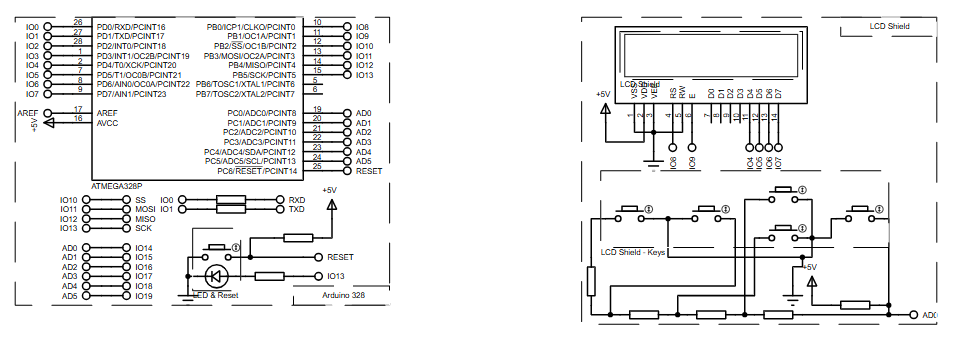
The system uses an Arduino ATmega328P connected to an LCD shield. A custom LCD library recodes text from Windows-1251 encoding into a Cyrillic-compatible LCD character set.
During runtime, the Arduino prints Cyrillic text strings and updates the display based on elapsed time using the millis() function. The LCD continuously switches between phrases to demonstrate proper character mapping and display behavior.
Block Diagram / Workflow Explanation
-
ATmega328P microcontroller initializes the LCD interface
-
CyrillicLiquidCrystal library translates text encoding
-
LCD Shield (16×2) displays Cyrillic characters
-
Timer logic (millis) controls text updates
-
LCD refreshes content dynamically in real time
This workflow ensures correct character rendering without modifying the LCD hardware.
Key Features
-
Cyrillic character display on standard HD44780-type LCD
-
Software-based character set recoding
-
Compatible with Arduino LCD Shield
-
Time-based text switching demonstration
-
Fully testable using Proteus simulation
Components Used
-
ATmega328P microcontroller
-
Arduino LCD Shield (16×2)
-
5V power supply
-
Proteus VSM simulation environment
Applications
-
Multilingual embedded display systems
-
Educational microcontroller projects
-
User interfaces for regional products
-
Embedded control panels with local language support
-
LCD testing and character encoding experiments
Explanation of Code (High-Level)
The code initializes a Cyrillic-enabled LCD object using custom libraries.
During setup, the LCD is configured for a 16×2 display and prints an initial Cyrillic message.
Inside the loop:
-
millis()tracks elapsed time -
A
switchstatement updates displayed Cyrillic text -
Character recoding can be enabled or disabled dynamically
This approach avoids low-level LCD manipulation while keeping the firmware readable and modular.
Source Code
Download
/*
* This is a demonstration of how to use LCD with national character set.
*
* CyrillicLiquidCrystal recodes symbols from Win1251 to Cyrillic LCD charset.
*
* To set custom character set to the display, open the LCD display's properties
* and select corresponding .BMP file in the Advanced Properties - Charset.
*
* Using Arduino with ATmega328P and Arduino LCD Shield
*/

// include the library code:
#include
#include "CyrillicLiquidCrystal.hpp"

// initialize the library with the numbers of the interface pins
CyrillicLiquidCrystal lcd(8, 9, 4, 5, 6, 7);
Proteus Simulation
In Proteus, the Arduino ATmega328P interfaces with the LCD Shield exactly as in hardware.
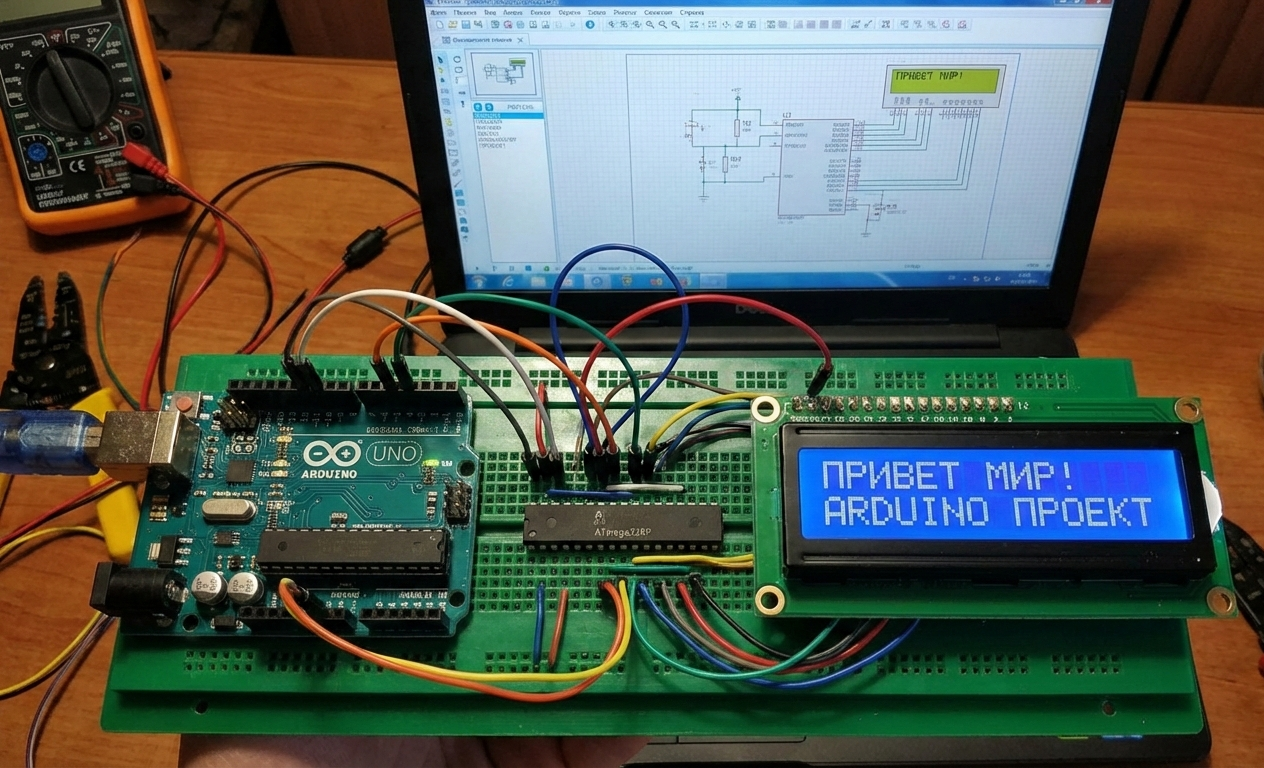
By selecting the appropriate Cyrillic charset BMP file in the LCD properties, the simulation correctly renders national characters. The display updates text every second, demonstrating stable operation and accurate encoding behavior.
FAQs
[ultimate-faqs Include_category=”arduino-with-cyrillic-lcd”]Conclusion
This project is a clean and practical demonstration of handling Cyrillic text on Arduino LCDs using software recoding. It’s an excellent learning exercise for embedded systems, LCD interfacing, and character encoding concepts.
Whether used in simulation or real hardware, it provides solid groundwork for multilingual embedded display applications.
Complete File
Arduino with Cyrillic LCD using ATmega328P with Proteus Simulation
- How does the project display Cyrillic characters on a standard LCD?
It uses the CyrillicLiquidCrystal library to recode Windows-1251 text to the LCD charset and selects a Cyrillic BMP charset in the LCD properties. - Can the project be tested without real hardware?
Yes, it is fully testable in Proteus VSM by selecting the appropriate Cyrillic charset BMP file. - What controls the timing of text updates on the display?
The Arduino millis() function controls timed switching of displayed phrases. - Does the project require modifying the LCD hardware?
No, correct character rendering is achieved via software recoding without modifying the LCD hardware. - What LCD type is used in the project?
A standard HD44780-type 16×2 Arduino LCD Shield is used. - How is the custom charset applied in Proteus?
By opening the LCD properties and selecting the corresponding Cyrillic BMP file in Advanced Properties - Charset. - What encoding does the library recode from?
It recodes symbols from Windows-1251 encoding to the Cyrillic LCD charset. - Is low-level LCD manipulation required in the code?
No, the approach avoids low-level manipulation by using the custom library for recoding and LCD control.
