
Summary of Arduino 168 DDS Sinewave Generator using ATmega168 with Proteus Simulation
This project implements a Direct Digital Synthesis (DDS) sinewave generator on an ATmega168 in Proteus, using a 256-point sine lookup table, a 32-bit phase accumulator, and Timer2-driven interrupts. PWM output (OC2A) is low-pass filtered to produce an analog sine; a potentiometer on ADC0 adjusts frequency in real time. The design demonstrates timers, interrupts, ADC control, and embedded math, and includes serial debug output and Proteus visualization (oscilloscope, virtual terminal).
Parts used in the DDS Sinewave Generator:
- ATmega168 microcontroller
- Arduino-compatible board (ATmega168 based)
- Potentiometer (for ADC frequency control)
- RC low-pass filter components (resistors and capacitors)
- Resistors
- Capacitors
- Proteus virtual terminal
- Proteus oscilloscope
Introduction
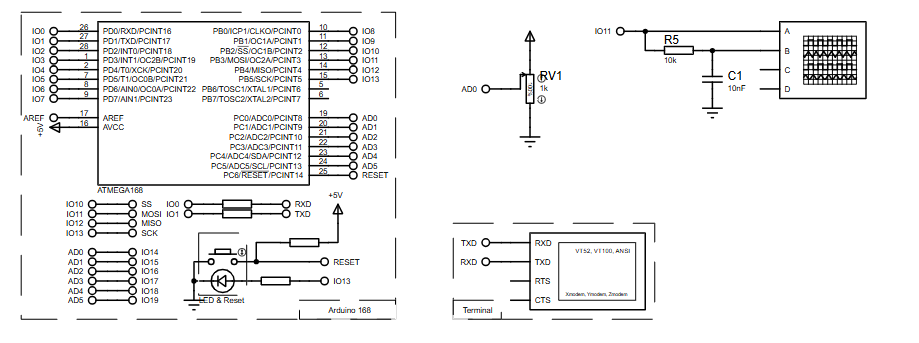
This project demonstrates a DDS (Direct Digital Synthesis) sinewave generator implemented using an ATmega168 microcontroller in a Proteus simulation environment.
The system generates a clean, adjustable sinewave using a lookup table and high-speed timer interrupts.
By combining PWM output, timer-based sampling, and direct digital synthesis, this project shows how precise waveforms can be created using low-cost hardware.
It’s a great microcontroller project for learning signal generation, timers, interrupts, and embedded math.
This design is widely applicable in embedded systems, test signal generation, and DIY electronics experimentation.
How the Project Works (Overview)
The sinewave is generated using the DDS principle, where a phase accumulator advances at a rate proportional to the desired output frequency.
A 256-point sine lookup table stored in flash memory represents one full sine cycle.
Timer2 overflows at a fixed reference clock, and each interrupt updates the phase accumulator.
The upper bits of the accumulator select a sine value, which is output via PWM to form an analog-like sinewave after filtering.
A potentiometer connected to ADC0 controls the output frequency in real time.
Block Diagram / Workflow Explanation
-
Timer2 runs in phase-correct PWM mode to generate a stable reference clock
-
Timer2 overflow interrupt triggers at ~31.37 kHz
-
32-bit phase accumulator increments by a tuning word
-
Upper 8 bits of the accumulator index the sine lookup table
-
Sine value is written to OCR2A (PWM duty cycle)
-
RC filter smooths PWM into an analog sinewave
-
ADC input adjusts frequency dynamically
Key Features
-
Direct Digital Synthesis (DDS) based sinewave generation
-
256-point sine lookup table stored in flash (PROGMEM)
-
High-resolution 32-bit phase accumulator
-
Adjustable output frequency using analog input
-
High-speed Timer2 interrupt-driven waveform synthesis
-
PWM-based digital-to-analog conversion
-
Serial output for debugging and frequency monitoring
Components Used
-
ATmega168 microcontroller
-
Arduino-compatible board (ATmega168 based)
-
Potentiometer (frequency control via ADC)
-
RC low-pass filter (PWM smoothing)
-
Resistors and capacitors
-
Virtual terminal (Proteus)
-
Oscilloscope (Proteus)
Applications
-
Function generator for labs and education
-
Embedded signal generation experiments
-
Audio waveform synthesis basics
-
DDS learning and prototyping
-
Microcontroller timer and PWM training
-
DIY electronics test equipment
Explanation of the Code (High-Level)
The code uses Timer2 as the DDS reference clock and runs entirely inside an interrupt-driven architecture.
Main Functional Blocks
-
Sine Lookup Table
A 256-byte sinewave table stored in program memory for fast access. -
Phase Accumulator (32-bit)
Advances by a tuning word that determines output frequency. -
Timer2 Configuration
Configured in phase-correct PWM mode to provide both timing and DAC output. -
Interrupt Service Routine (ISR)
Updates phase, fetches sine value, and writes PWM output. -
ADC Frequency Control
Reads analog input to adjust the tuning word dynamically. -
Serial Output
Displays current frequency and tuning word for debugging.
Source Code
Download
 * DDS Sine Generator mit ATMEGS 168
 * Timer2 generates the  31250 KHz Clock Interrupt
 *
 * KHM 2009 /  Martin Nawrath
 * Kunsthochschule fuer Medien Koeln
* Academy of Media Arts CologneProteus Simulation
In Proteus, the ATmega168 runs with Timer2 generating periodic interrupts.
The PWM output on OC2A produces a variable-duty waveform that is filtered into a smooth sinewave.
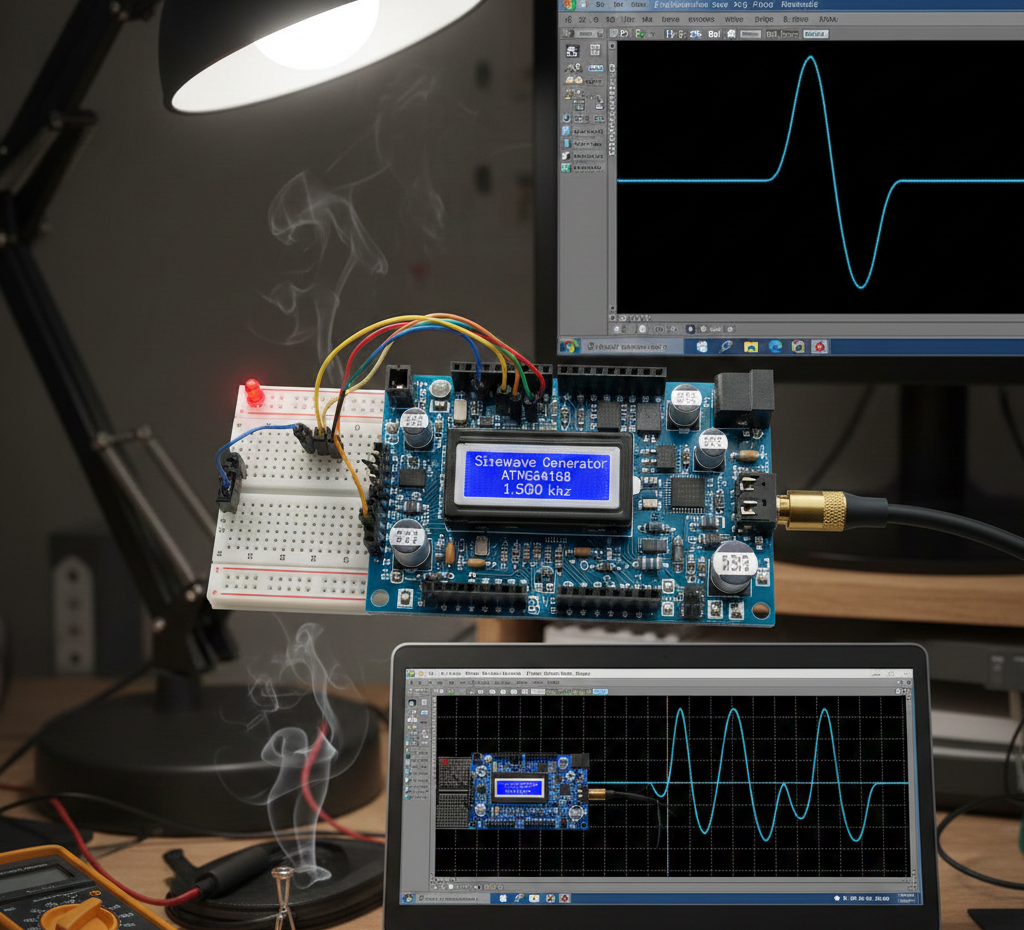
An oscilloscope confirms waveform shape, while the potentiometer adjusts frequency in real time.
The virtual terminal displays frequency and tuning word values for verification.
FAQs
[ultimate-faqs Include_category=”arduino-168-dds-sinewave-generator”]Conclusion
This Arduino 168 DDS sinewave generator is a powerful example of how advanced signal generation can be achieved with simple hardware.
It combines timers, interrupts, PWM, and embedded math into a clean and educational Proteus simulation project.
Ideal for learning DDS fundamentals, waveform synthesis, and real-time embedded systems design.
Complete File
Arduino 168 DDS Sinewave Generator using ATmega168 with Proteus Simulation
- How is the sinewave generated?
Using DDS: a 32-bit phase accumulator steps through a 256-point sine lookup table and outputs values via PWM which are filtered to form the sinewave. - Can the output frequency be adjusted in real time?
Yes; a potentiometer on ADC0 adjusts the tuning word, changing frequency dynamically. - What provides the timing reference for the DDS?
Timer2 overflows at about 31.37 kHz and its interrupt serves as the DDS reference clock. - How is the digital PWM converted to an analog sine?
An RC low-pass filter smooths the PWM duty cycle from OC2A into an analog-like sinewave. - Where is the sine lookup table stored?
The 256-point sine lookup table is stored in flash memory (PROGMEM). - What role does the phase accumulator play?
The 32-bit phase accumulator increments by a tuning word each interrupt; its upper 8 bits index the sine table to control output frequency. - Does the project include serial debugging?
Yes; serial output is used for debugging and frequency/tuning word monitoring. - What simulation tools are used to verify the design?
Proteus simulation with virtual terminal and oscilloscope is used to observe waveform and debug values.
