
Summary of The Arduino CLI just got some new exciting features
The Arduino CLI 0.11.0 adds command-line completion, external programmer support, and internationalization/localization (i18n). Completion lets the CLI auto-fill partially typed commands via the Tab key by generating a shell-specific completion file with the new completion command; users can redirect output to a file, place it in the shell's completion location, reopen the shell, and use Tab for suggestions. Future releases will add completion for core names, libraries, and boards.
Parts used in theArduino CLI 0.11.0 update:
- arduino-cli tool (version 0.11.0)
- completion command
- shell (user's command shell for installing completion file)
- redirect output operator (>) for saving files
- Tab key for triggering completion
The arduino-cli tool just got some new exciting features with the release of 0.11.0:
- Command-line completion
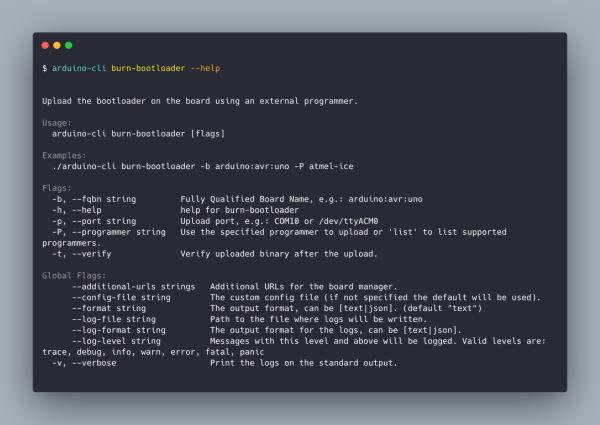
- External programmer support
- Internationalization and localization support (i18n)
Command-line completion
Finally, the autocompletion feature has landed!
With this functionality, the program automatically fills in partially typed commands by pressing the tab key. For example, with this update, you can type arduino-cli bo:
And, after pressing the <TAB> key, the command will auto-magically become:
There are a few steps to follow in order to make it work seamlessly. We have to generate the required file — to do so, we have added a new command named “completion.”
To generate the completion file, you can use:
By default, this command will print on the standard output (the shell window) the content of the completion file. To save to an actual file, use the “>” redirect symbol. Now you can move it to the required location (it depends on the shell you are using). Remember to open a new shell! Finally, you can press <TAB><TAB> to get the suggested command and flags.
In a future release, we will also be adding the completion for cores names, libraries, and boards.
Read more: The Arduino CLI just got some new exciting features
- What new features arrived in arduino-cli 0.11.0?
Command-line completion, external programmer support, and internationalization and localization support (i18n). - How do I enable command-line completion for arduino-cli?
Use the new completion command to generate the completion file, redirect output to a file if desired, move it to the shell's required location, open a new shell, then press Tab to get suggestions. - What does the completion command output by default?
It prints the content of the completion file to standard output (the shell window) by default. - How do I save the completion output to a file?
Use the redirect operator > to save the completion command output to a file. - Do I need to restart my shell after installing the completion file?
Yes, you should open a new shell to make the completion available. - Can completion suggest core names, libraries, and boards now?
Not yet; those will be added in a future release.
