
Summary of How to Deal with Noisy Neighbors with Arduino device
This article details a DIY Arduino project designed to automatically retaliate against noisy neighbors. The device monitors ambient sound levels via a microphone; when noise exceeds a threshold for ten seconds, it triggers a CD player to blast annoying music back at the source. It includes visual feedback with LED bar graphs and cycles between monitoring and playing modes indefinitely until the noise stops.
Parts used in the Noisy Neighbors Retaliation Device:
- Breadboard
- Arduino Uno
- 5v power source
- Electret microphone
- Green 10 LED bar graph
- Red 10 LED bar graph
- Orange LED
- NPN Transistor 2N3904
- 0.1uF capacitor (2 units)
- 100k ohm resistor
- 10k ohm resistor (2 units)
- 220 ohm resistors (13 units)
- CD player
- Big speakers (2 units)
- Connector wire
My next door neighbors have recently been playing their music really loud so that I can hear it through the walls. I’ve gotten tired of having to bang on the walls each time to get them to quiet down, so I decided to automate some payback. The premise is that my device will listen for loud music playing through the wall, and when the volume breaks a pre-defined threshold and hears sustained music for 10 seconds it will start playing a CD player with annoying music and blast it back at them. After playing for a certain period of time it will pause the music and go back into monitoring mode. If the neighbors are still loud it will blast the music again and again indefinitely.
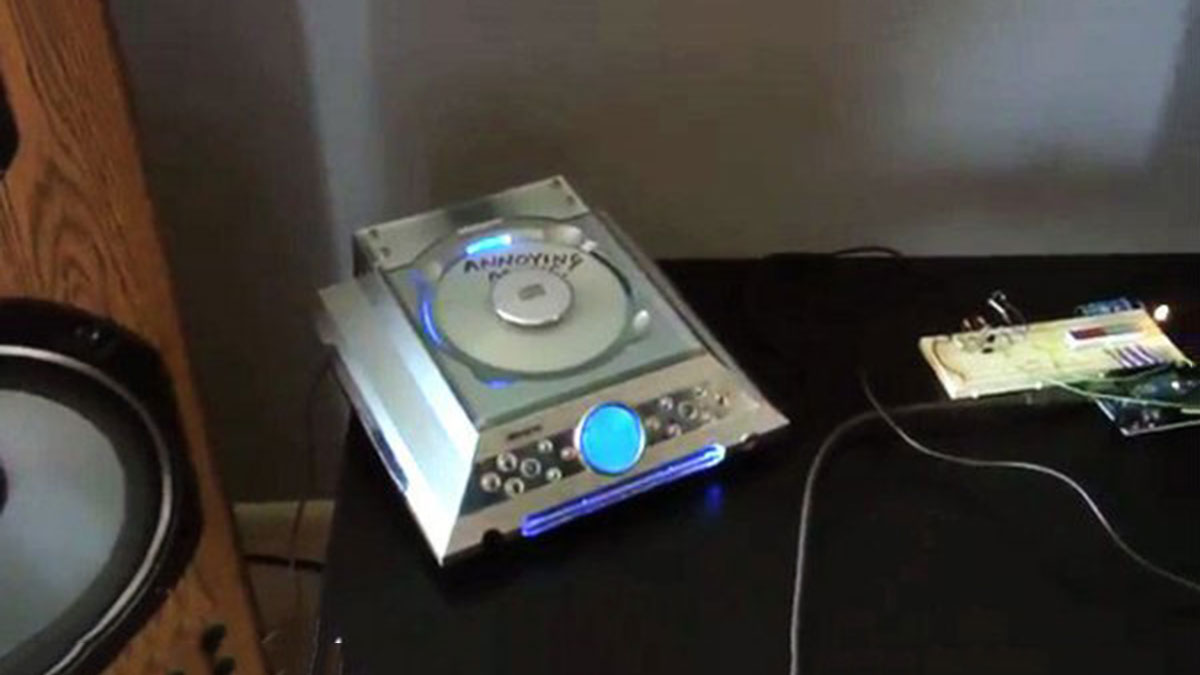
Step 1: Supplies
1 Breadboard
1 Arduino Uno
1 5v power source to power the Arduino (I powered it through USB from my laptop)
1 Electret microphone
1 Green 10 LED bar graph (individual LEDs will work too)
1 Red 10 LED bar graph (individual LEDs will work too)
1 Orange LED (or any other color)
1 NPN Transistor 2N3904 or similar
2 0.1uF capacitor
1 100k ohm resistor
2 10k ohm resistor
13 220 ohm resistor (Or whatever will run your LEDs at 5v)
1 CD player
2 Big ol’ speakers
Connector wire
I ran out of outputs with the Arduino Uno so my volume meter only uses 2 of the red bars. An Arduino Mega would provide more outputs and make a better volume meter.
Step 2: Setting Up the Circuit
You can download the Fritzing file of the circuit I set up.
 NoisyNeighbors.fzz20 KB
- How does the device detect loud music?
The device uses an electret microphone connected to a preamp circuit that feeds into an analog input on the Arduino to monitor volume. - What triggers the CD player to start playing?
The system starts playing music when the volume breaks a pre-defined threshold and detects sustained music for 10 seconds. - Can I use individual LEDs instead of bar graphs?
Yes, the article states that individual LEDs will work in place of the green or red 10 LED bar graphs. - Does the device play music continuously?
No, it pauses the music after a certain period and returns to monitoring mode, only restarting if the neighbors are still loud. - What is the best way to control the CD player button?
You tap an output from the Arduino into the play/pause button, holding the signal high at 5V to activate and dropping it to ground to trigger the button. - Why did the author mention an Arduino Mega?
An Arduino Mega would provide more outputs than the Uno, allowing for a better volume meter with more than just two red bars. - How is the circuit powered?
The author powered the Arduino through USB from their laptop using a 5v power source. - Where can I find the circuit diagram?
A Fritzing file named NoisyNeighbors.fzz20 KB is available for download to view the specific circuit setup.
