
Summary of Headless Ghost – HDMI emulator
Headless Ghost is a software solution that simulates an attached display to unlock full graphics card capabilities, including power and resolutions often disabled when no monitor is connected. This tool ensures hardware performs optimally even in headless configurations.
Parts used in Headless Ghost:
- Graphics card hardware
- HDMI emulator
- Attached display simulation
It fixes a problem you probably didn’t even know you had – unlocking the full potential of your graphics card hardware.
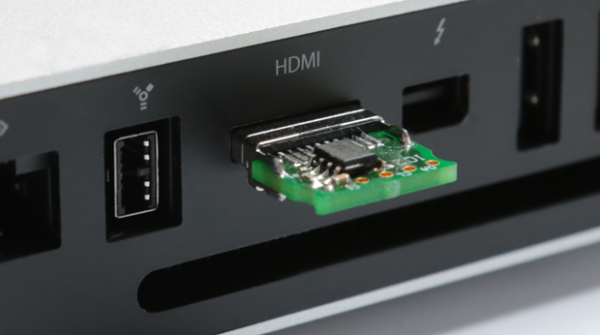
By simulating the presence of an attached display, Headless Ghost allows you to use all of the power and available resolutions locked away inside your graphics hardware, which might otherwise be disabled when there is no screen available.
For more detail: Headless Ghost – HDMI emulator
- What problem does Headless Ghost fix?
It fixes the issue of locked potential in graphics card hardware by unlocking full power and available resolutions. - How does Headless Ghost work?
It works by simulating the presence of an attached display to the graphics hardware. - Can Headless Ghost enable resolutions normally disabled without a screen?
Yes, it allows you to use all available resolutions that might otherwise be disabled when there is no screen available. - Does this tool utilize the full power of graphics hardware?
Yes, it enables the use of all power and available resolutions locked away inside your graphics hardware. - Is Headless Ghost suitable for setups with no physical monitor?
Yes, it is designed for scenarios where there is no screen available to activate the hardware fully. - What is the primary function of the HDMI emulator mentioned?
The HDMI emulator is used as part of the process to simulate an attached display for the graphics card. - Why might graphics hardware performance be limited without a screen?
Performance can be limited because certain power and resolution features are disabled when no display is detected.
