
Summary of The Smuggie: Tweet straight from your Snuggie using arduino
The Smuggie project modifies a Snuggie to tweet user satisfaction via Twitter. It uses an Arduino board connected to Processing software, which sends status updates when a custom soft switch is activated. The build involves integrating conductive tape and wire into the fabric to create a button that triggers a tweet through a registered Twitter account.
Parts used in the Smuggie:
- Processing IDE
- Arduino IDE
- A Twitter account
- At least one Snuggie
- 1 Arduino Main Board
- 1 Solderless Breadboard
- About 5-10 feet of 22AWG Solid Core Wire
- A needle and thread
- About a foot of foam core
- About a foot of Conductive Tape
Want to tweet how satisfied you are cuddled up in your Snuggie? The Smuggie is a modified Snuggie, designed specifically for those who feel the need to express their smug satisfaction with a Snuggie to their friends on Twitter.
Here’s a list of everything you’ll need:
– Processing IDE (http://processing.org/)Arduino IDE (http://arduino.cc/)
– A Twitter account (https://twitter.com/)
– At least one Snuggie”
– 1 Arduino Main Board (http://www.sparkfun.com/commerce/product_info.php?products_id=666)
– 1 Solderless Breadboard (any size, the smaller the better)
– About 5-10 feet of 22AWG Solid Core Wire
– A needle and thread
– About a foot of foam core
– About a foot of Conductive Tape
By: Justin Blinder
http://blog.justinblinder.com
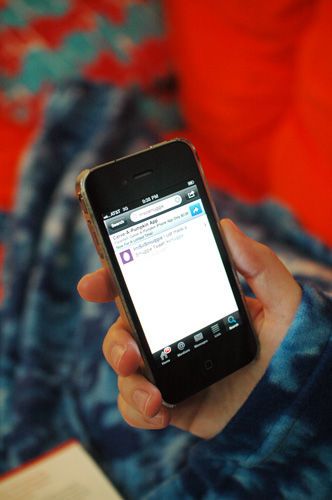
Step 1: Writing the Code
Code
1) Download and Install Arduino/Processing (there are tutorials on each website on how to get setup).
2) Open up Arduino. The code below is basically going to program our Arduino to wait for a button press, and send a message to Processing every time the button is pressed. Copy the code into the Arduino window and plug your Arduino into your computer. Click the upload button at the top of the window. You’ll see a message on the bottom of the window that says “Done” once everything’s finished. Now our Arduino is all ready for coding.
Arduino Code
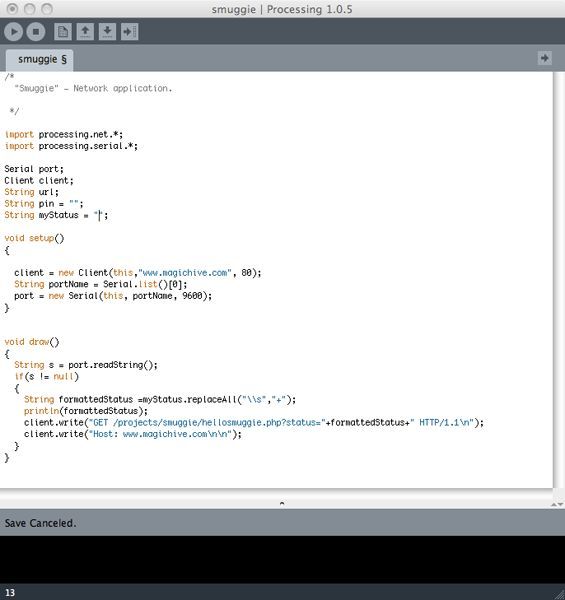
2) Now let’s pen up Processing. The following code is going to handle the following:- Connect to a remote Twitter client (so you can tweet from your very own Twitter account)
– Listen for a button press from our Arduino- If it sees that a button is pressed, send Twitter our status update
3) Copy and paste the code below into the Processing window. On the line that says:
String myStatus = “enter your status update here”;
replace the text “enter your status update here” with the message you’d like to tweet (leaving the quotes intact). Make sure your message is a maximum of 140 charecters, otherwise your Smuggie’s won’t tweet!
Step 2: Twitter Setup
Twitter Setup
Now let’s register our Twitter account with the Smuggie Twitter Client. This will allow us to tweet from our processing application, using our desired Twitter name.
1) Go to the Twitter website and log into your account. Once your at the homepage, open the following link:
http://magichive.com/projects/smuggie/register.php
2) You’ll be asked to click a link will then be redirected to a page with a 7-digit number. Copy the number and insert it at the end of the following link, then load the link in your browser:
http://magichive.com/projects/smuggie/validate.php?pin=
Now we’re ready to start making our Smuggie.
Step 3: Cut the Fabric
Alright, now we’re going to make a “soft switch”, which in this case is essentially two strips of wire wrapped in conductive material, that will be housed in fabric. When we press down on the fabric, the switch will close, which is what our arduino will be listening for in order to send a tweet.
For more detail: The Smuggie: Tweet straight from your Snuggie
- What software is required for the Smuggie project?
You need to download and install the Processing IDE and the Arduino IDE. - How do you set up the Twitter connection?
You must register your account by clicking a link on the MagicHive website and validating it with a 7-digit number. - What creates the trigger mechanism in the Snuggie?
A soft switch made from two strips of wire wrapped in conductive material housed in fabric acts as the trigger. - Can I send any length of message with the Smuggie?
No, the message must be a maximum of 140 characters or the tweet will fail. - How does the Arduino interact with the computer?
The Arduino waits for a button press and sends a message to the Processing application every time the button is pressed. - What happens when the button is pressed?
The system listens for the press and then sends the pre-programmed status update to Twitter. - Where can I find tutorials for the setup?
Tutorials are available on the official websites for both Arduino and Processing. - What is the function of the solderless breadboard?
It is used as part of the hardware assembly to connect the components without soldering.
