
Summary of Sensory Feedback Bracelet Using Arduino
This project describes building a Sensory Feedback Bracelet: a wearable that delivers gentle wrist vibrations via a microcontroller and vibration motor to help users—especially children with sensory challenges—self-regulate, focus, and feel emotionally comforted in overstimulating environments.
Parts used in the Sensory Feedback Bracelet:
- Arduino Nano or ATTiny85 microcontroller
- Vibration motor (commonly found in smartphones)
- Battery pack (e.g., rechargeable LiPo battery)
- On/Off switch
- Elastic strap or Velcro
- Resistors
- Wires
- Connectors
- Small PCB for assembly
Wearable technology has revolutionized accessibility, providing tools to support individuals with sensory challenges. This project outlines how to create a Sensory Feedback Bracelet, combining features from an Arduino-based navigation bracelet and sensory-focused wearables. This bracelet sends soft tactile feedback to help users stay calm, focused, and connected to their surroundings.
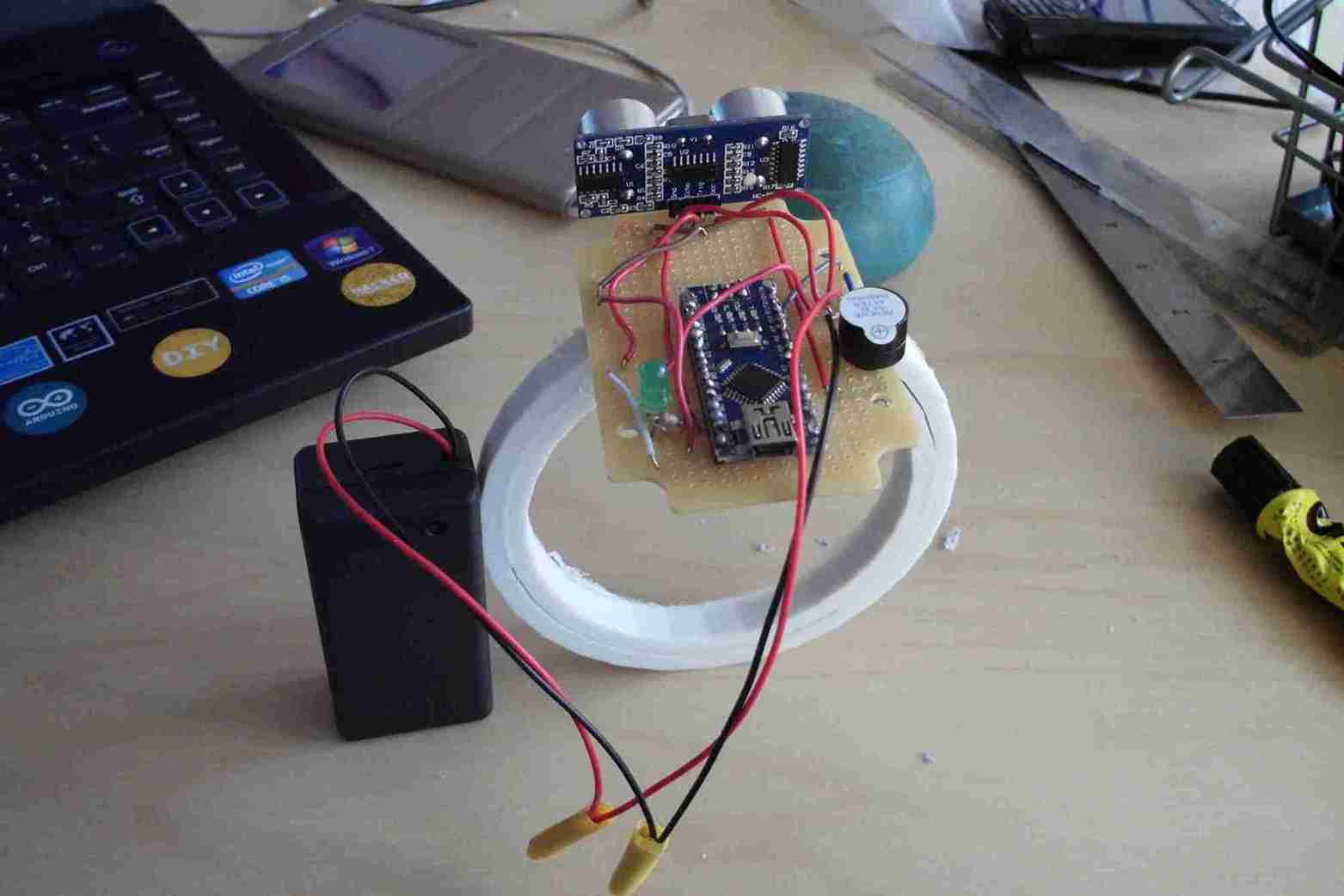
What Is a Sensory Feedback Bracelet?
A Sensory Feedback Bracelet is a compact wearable device that delivers light vibrations to the wrist, offering tactile vibrations. This device is especially beneficial for children with sensory processing challenges, helping to regulate their reactions and emotions in overstimulating environments.
Main Features
- Tactile Feedback: Sends gentle vibrations to promote calmness and focus.
- Customizable Settings: Vibration intensity and patterns can be adjusted to suit individual needs.
- Lightweight & Portable: Comfortable for all-day wear and easy to carry anywhere.
How This Bracelet Benefits Children with Sensory Issues
- Self-Regulation: Provides calming tactile feedback to help manage anxiety and overstimulation.
- Enhanced Focus: Reduces sensory overload by grounding the user through gentle vibrations.
- Emotional Comfort: Helps children associate sensory cues with a sense of calm and safety.
- Wearable Convenience: Acts as a discreet, portable tool for sensory support in any environment.
What You’ll Need
To create your sensory feedback bracelet, gather these materials:
- Arduino Nano or ATTiny85 microcontroller
- Vibration Motor (commonly found in smartphones)
- Battery Pack (e.g., rechargeable LiPo battery)
- On/Off Switch
- Elastic Strap or Velcro for wearability
- Additional components: resistors, wires, connectors, and a small PCB for assembly
How It Works
- Vibration Mechanism: A motor generates light tactile feedback.
- Microcontroller Control: Arduino or ATTiny85 regulates vibration patterns and intensity.
- User-Friendly Design: An elastic strap ensures a secure and comfortable fit.
The wearable delivers continuous feedback, helping users feel grounded and connected.


Step-by-Step Guide to Building the Bracelet
1. Assemble the Electronics
- Connect the vibration motor to the Arduino Nano or ATTiny85 microcontroller.
- Attach the battery pack to power the circuit.
2. Program the Microcontroller
- Write a simple program in the Arduino IDE to control vibration patterns and intensity.
- Upload the code to the microcontroller.
3. Secure the Components
- Fix the motor, microcontroller, and battery onto a small PCB or directly onto the strap.
4. Attach the Strap
- Use elastic or Velcro to create an adjustable, comfortable wristband.
5. Test and Refine
- Fine-tune the vibration intensity and patterns to suit the user’s sensory needs.
Files:
Why Build This Bracelet?
Creating a sensory feedback bracelet isn’t just a DIY project—it’s a way to empower individuals with sensory challenges. By tailoring the device to their unique needs, users gain a tool that supports emotional well-being and enhances their ability to navigate sensory-rich environments.
This cost-effective, customizable wearable is a simple yet impactful solution for sensory support. Whether for children with sensory processing issues or adults seeking calming feedback, the Sensory Feedback Bracelet is a practical and meaningful innovation.
Quick Solutions to Questions related to the Sensory Feedback Bracelet:
- What is a Sensory Feedback Bracelet?
A compact wearable that delivers light tactile vibrations to the wrist to help regulate reactions and emotions for users with sensory processing challenges. - How does the bracelet provide tactile feedback?
A vibration motor generates gentle vibrations controlled by a microcontroller to deliver light tactile feedback to the wrist. - Which microcontrollers can be used in this project?
The article specifies using an Arduino Nano or an ATTiny85 microcontroller. - What power source is recommended?
A battery pack such as a rechargeable LiPo battery is recommended to power the circuit. - How are vibration patterns and intensity controlled?
The microcontroller is programmed (via the Arduino IDE) to regulate vibration patterns and intensity. - How should components be secured on the bracelet?
Fix the motor, microcontroller, and battery onto a small PCB or directly onto the strap for secure assembly. - What strap options are suggested for wearability?
Use an elastic strap or Velcro to create an adjustable, comfortable wristband. - How do you fine-tune the bracelet for the user?
Test and refine the vibration intensity and patterns to suit the user's sensory needs. - Why build a sensory feedback bracelet?
It is a cost-effective, customizable wearable that empowers users with sensory challenges by supporting emotional well-being and navigation of sensory-rich environments.
