
Summary of Playing Wave file using arduino
This project describes a simple Arduino Nano V3.0 circuit that plays specific WAV files from an SD card using four buttons. The system requires formatting the SD card and converting audio files to 16kHz mono 8-bit WAV format before use.
Parts used in Arduino WAV Player:
- Arduino Nano V3.0
- SD card Module
- SD card
- Bread Board
- Four push Buttons
- Four 22K resistors
- One 4.7K resistor
- BC546B NPN transistor
- Speaker
- Wires
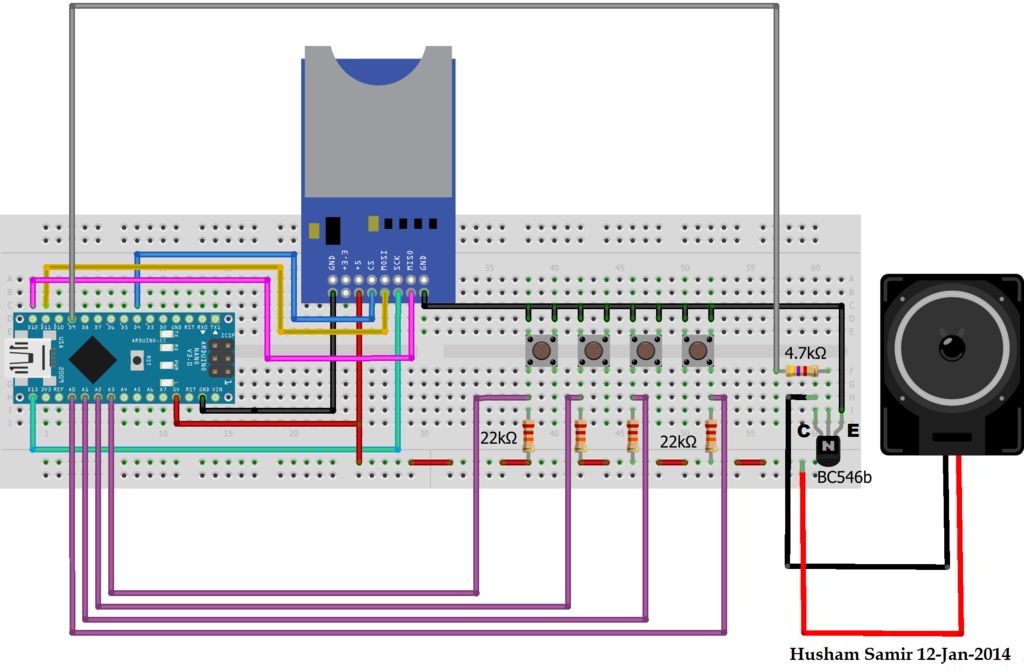
This is a simple circuit to play wav files using arduino Nano V3.0 ,it consist from 4 buttons ,each one play specific wav file loaded to SD card.
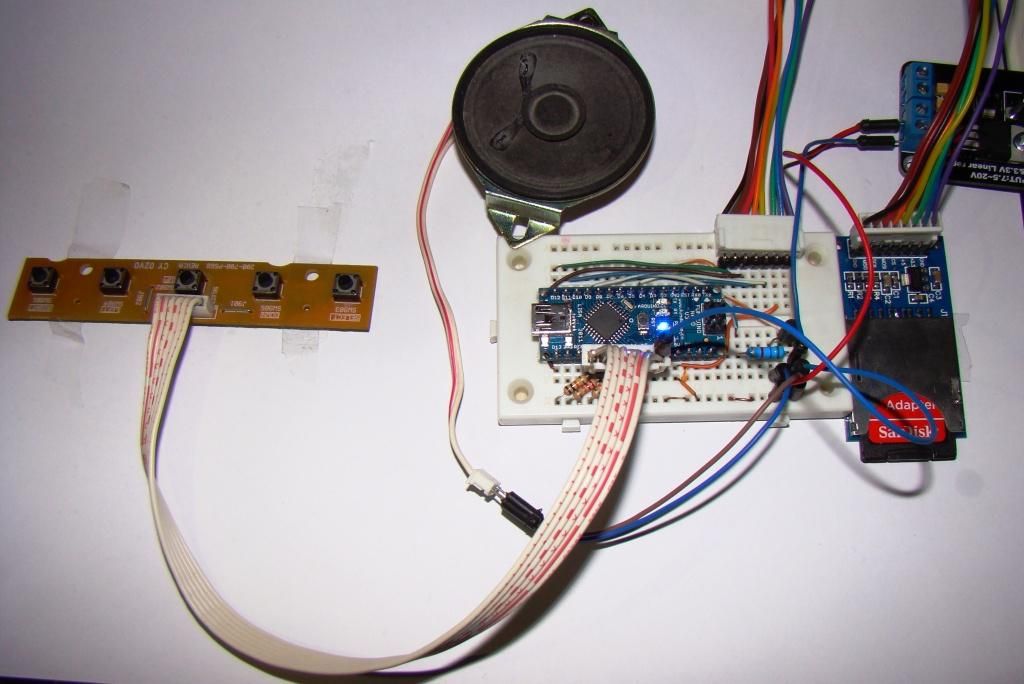
Step 1: Parts
1- Arduino Nano V3.0 (I used the chines version called Funduino Nano).
2- SD card Module.
3- SD card.
4- Bread Board.
5- four push Button .
6- four 22K resistors.
7- one 4.7K resistor.
8- BC546B NPN transistor.
9- Speaker.
10- wires.
 WAV files.zip1 MB
2- SD card Module.
3- SD card.
4- Bread Board.
5- four push Button .
6- four 22K resistors.
7- one 4.7K resistor.
8- BC546B NPN transistor.
9- Speaker.
10- wires.
Step 2: Prepare your SD card
1- Format SD card and make sure the setting as attached picture.
2- Convert your music to .WAV files and make sure the below:
-Samples Per second(Hz):16000
-Channel :Mono
– Bits Per Sample: 8
I use Wav Sample rate converter software (picture attached).
3- Wave files samples attached.
2- Convert your music to .WAV files and make sure the below:
-Samples Per second(Hz):16000
-Channel :Mono
– Bits Per Sample: 8
I use Wav Sample rate converter software (picture attached).
3- Wave files samples attached.
WAV files.zip1 MBFor more detail: Playing Wave file using arduino
-
What microcontroller is used for this project?
The project uses an Arduino Nano V3.0, specifically noting the use of a Chinese version called Funduino Nano. -
How many buttons are required to play the files?
The circuit consists of four push buttons, with each one playing a specific wav file. -
What are the required settings for the WAV files?
Files must be set to 16000 Hz sample rate, Mono channel, and 8 bits per sample. -
Which resistor values are needed for the circuit?
You need four 22K resistors and one 4.7K resistor. -
What type of transistor is specified in the parts list?
The project specifies a BC546B NPN transistor. -
Can I use any software to convert my music files?
The author used Wav Sample rate converter software to prepare the files. -
Does the SD card require specific formatting?
Yes, the SD card must be formatted according to the settings shown in the attached picture referenced in the article.
