
Summary of Design a romantic PCB using a free PCB design tool – EasyEDA
This article introduces a romantic LED PCB project featuring 35 flash LEDs powered by a CR1220 battery and resistors. Designed using the EasyEDA platform, the project allows users to insert custom images into the PCB layout for personalization. The guide explains how to use EasyEDA's image insertion tools, adjust layers, and order fabricated boards directly through the website. It highlights EasyEDA as a free, web-based tool suitable for hobbyists and professionals alike.
Parts used in the Romantic LED PCB:
- 35 flash LEDs
- CR1220 type battery
- Resistors
- PCB board
Have you ever tried to design a romantic PCB for your lover or an interesting PCB for your children or friends on special day? Why not? PCB also could be an amazing gift which comes from your creativity. Here I’d like to share a romantic and practical PCB to you.
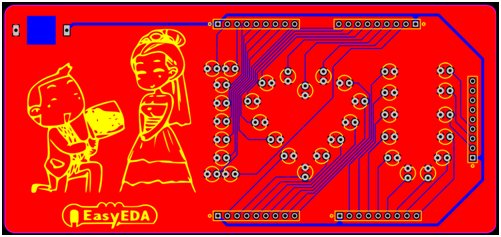
This is my PCB Board. It looks very simple but interesting, meaningful, romantic…..
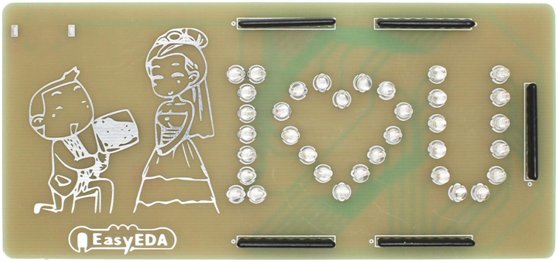
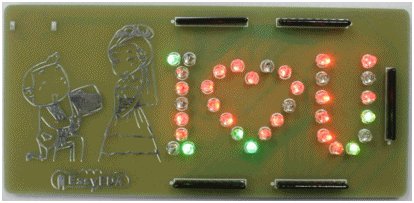
You can access this interesting project here:
https://easyeda.com/Luo/Design_a_romantic_PCB_with_flash_LED-MOICwOI0h
It is a romantic LED board. It consists of 35 flash LEDs and a CR1220 type battery and some resistors. It does not require professional skills of circuit, as long as you can connect the LED, it is very simple and romantic.
The circuit is very easy to understand and very few components are required to build this flash LED circuit. https://easyeda.com/editor#id=XVd7NHmgW
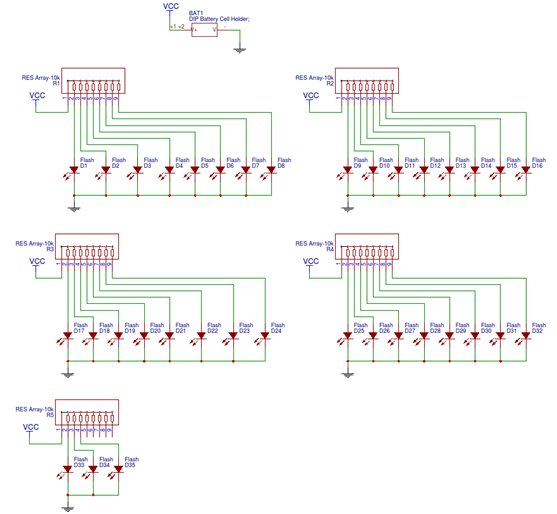
When PCB layout is completed on EasyEDA, it looks monotonous so it still needs more steps to make it vivid and nice.
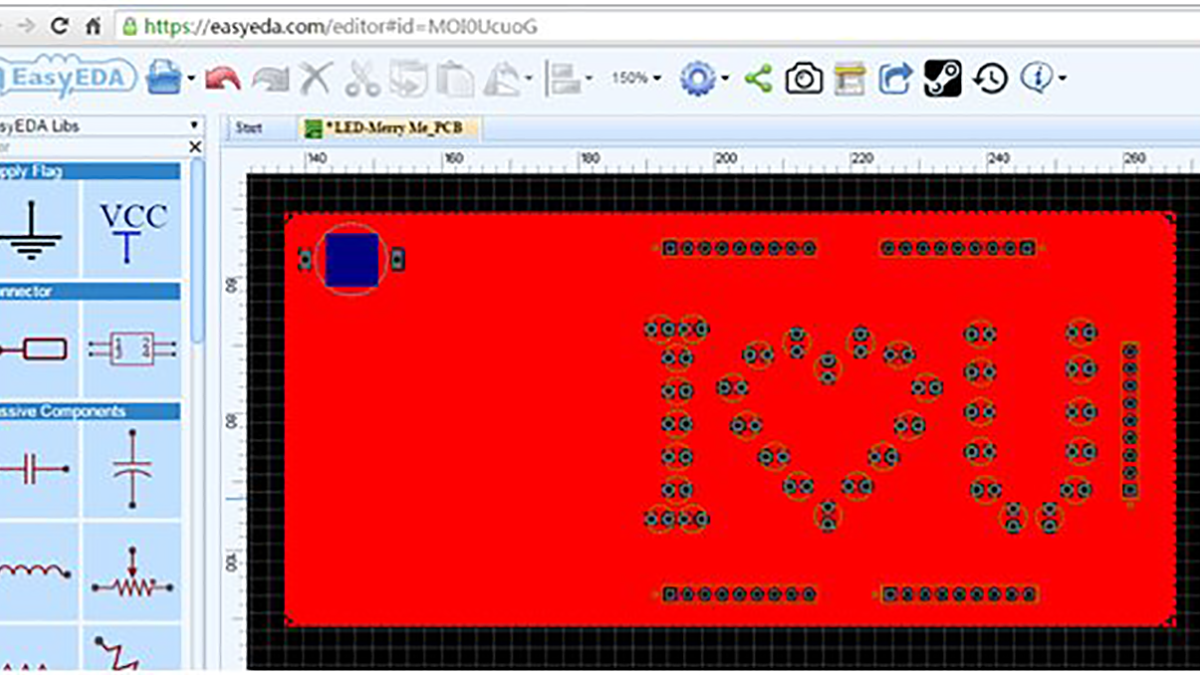
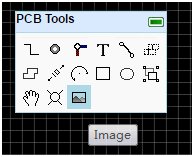
You could click the ‘image’ button in the PCB Tools menu on EasyEDA, and select an image in the new window of ‘Insert Image to PCB’, also, you can use Color Tolerance or Simplify Level function to adjust your image. When complete the above steps, you could press the button ‘Insert Image to PCB’, then you will see your image that have been already inserted to PCB.
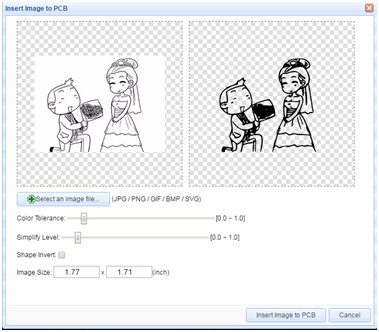
Next, move the inserted image to the left of PCB, you can see and edit it online at
https://easyeda.com/editor#id=MOI0UcuoG
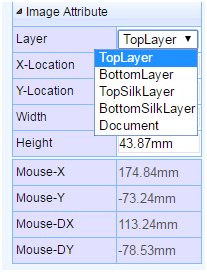
Of course, you can change the layer you like and insert the image you like. If you decide to choose a new layer, you could operate as following image showed and the menu is on the right side.
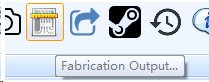
If you want to gain this romantic PCB, you also could directly order it from EasyEDA. Just need to click “Fabrication Output” button then redirect to the page of “PCB order”. In that page you can place an order quickly and easily.
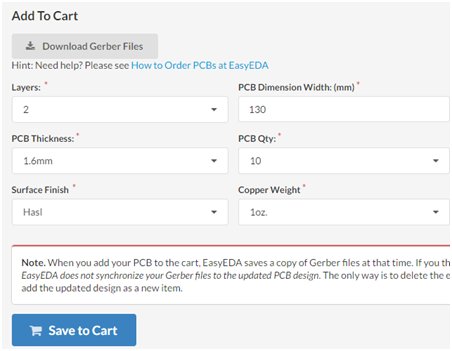
Finally, fill in the form, save to cart, and complete you order, then you will get your PCBs a few days later.
If it’s the first time you notice and use EasyEDA which is the keynote of the above design, you could learn how to use EasyEDA quickly and easily after reading the tutorial. The tutorial is completed with videos that explain the operations, such as the diagram creation. About EasyEDA, it is is a free, web-based and easy-to-use EDA tool integrating powerful circuit design, mixed-mode circuit simulator and PCB design. EasyEDA is designed to give electrical engineers, educators, engineering students and electronics hobbyists an Easier EDA Experience.
The following video briefly presents the features of EasyEDA tool.
https://www.youtube.com/watch?v=fhGYMZgFtho
We recommend EasyEDA for electronic circuit design.
Free Circuit Simulation Software – EasyEDA
Powerful circuit design, mixed-mode circuit simulation and PCB design
- What components are required to build this flash LED circuit?
The circuit consists of 35 flash LEDs, a CR1220 type battery, and some resistors. - Can I customize the appearance of the PCB with an image?
Yes, you can click the image button in the PCB Tools menu to insert an image and adjust it using Color Tolerance or Simplify Level functions. - How do I change the layer for the inserted image?
You can choose a new layer by operating the menu located on the right side of the interface. - Is professional circuit design skill required for this project?
No, the circuit is very simple and does not require professional skills as long as you can connect the LED. - How can I obtain the physical PCB after designing it?
You can click the Fabrication Output button to redirect to the PCB order page and place an order quickly. - What is EasyEDA?
EasyEDA is a free, web-based EDA tool that integrates powerful circuit design, mixed-mode circuit simulation, and PCB design. - Who is EasyEDA designed for?
It is designed to give electrical engineers, educators, engineering students, and electronics hobbyists an easier experience. - Does EasyEDA offer video tutorials?
Yes, the tutorial includes videos that explain operations such as diagram creation.
