
Summary of Basic Weather Station using Arduino Mega with Proteus Simulation
This article details a Basic Weather Station project using an Arduino Mega, simulated in Proteus. It integrates multiple sensors to monitor temperature, humidity, pressure, wind speed/direction, rainfall, and light intensity. The system processes data locally on a display and transmits it via an IoT module (AR9331). Designed for educational purposes, it demonstrates sensor interfacing, data acquisition, and firmware logic through a visual flowchart approach, allowing virtual testing before physical assembly.
Parts used in the Basic Weather Station:
- Arduino Mega 2560
- MPL3115A2 Barometric Pressure Sensor
- SI7021 Temperature & Humidity Sensor
- Wind Speed Sensor (Anemometer)
- Wind Direction Sensor (Analog vane)
- Rain Gauge Module
- Light Sensor (ALS-PT19)
- AR9331 IoT Communication Module
- Resistors (1k, 4.7k, 10k)
- Capacitors (100nF)
- Power supply (+3.3V, +5V)
Introduction
Building a microcontroller project like a weather station is one of the best ways to understand real-world embedded systems and IoT-based monitoring. This project demonstrates a Basic Weather Station using the Arduino Mega, simulated entirely in Proteus simulation software.
The system collects environmental data such as temperature, humidity, pressure, wind speed, wind direction, and rainfall, then processes and sends it to an IoT interface. It’s a great example of DIY electronics applied to practical weather monitoring.
Whether you’re a student or an enthusiast, this project helps you understand sensor interfacing, data acquisition, and firmware logic in a clean and visual way.
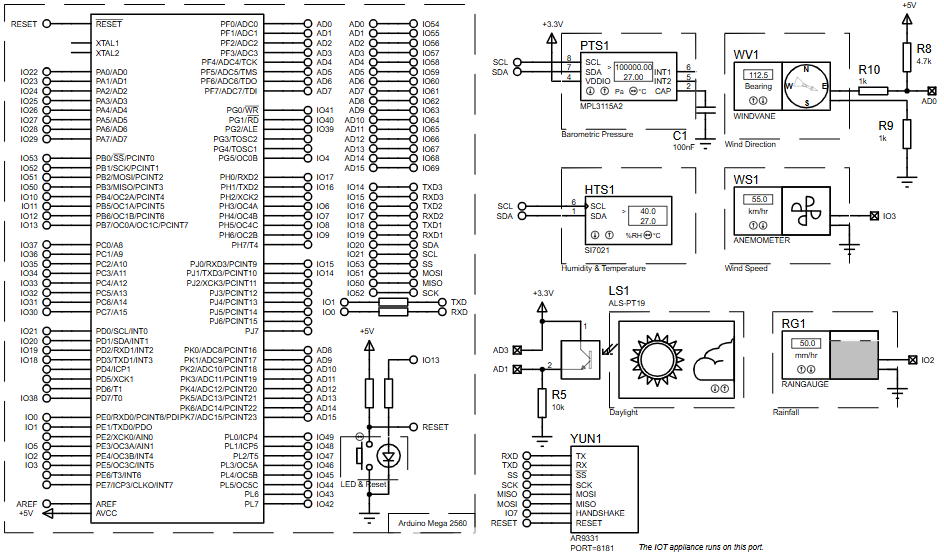
How the Project Works (Overview)
The system continuously reads data from multiple environmental sensors connected to the Arduino Mega.
-
Temperature & humidity are measured using a digital sensor (SI7021)
-
Pressure data comes from a barometric sensor (MPL3115A2)
-
Wind speed and direction are calculated using analog/digital inputs
-
Rainfall is tracked using a rain gauge module
-
Light intensity (daylight) is monitored via a light sensor
The microcontroller processes all sensor inputs and updates:
-
A local display panel (simulation)
-
An IoT interface for remote monitoring
Based on the flowchart , the firmware follows a loop where it reads all weather parameters, updates values, and sends them to the IoT system.
Workflow Explanation
System Flow:
-
Initialization (Setup)
-
Configure sensors (I2C, analog, digital)
-
Initialize communication (UART / IoT module)
-
-
Main Loop Execution
-
Read temperature
-
Read pressure
-
Read humidity
-
Read wind direction
-
Read wind speed & gust
-
Read rainfall (hourly)
-
-
Processing
-
Convert raw sensor data into usable values
-
-
Output
-
Update display panel
-
Send data to IoT interface (server via AR9331 module)
-
-
Repeat Cycle
Key Features
-
Multi-parameter weather monitoring system
-
IoT-enabled data transmission
-
Wind speed and direction measurement
-
Rainfall tracking (hourly data)
-
Daylight detection using light sensor
-
Real-time continuous monitoring loop
-
Fully testable in Proteus simulation
-
Uses I2C, Analog, and Digital interfaces
Components Used
-
Arduino Mega 2560
-
MPL3115A2 Barometric Pressure Sensor
-
SI7021 Temperature & Humidity Sensor
-
Wind Speed Sensor (Anemometer)
-
Wind Direction Sensor (Analog vane)
-
Rain Gauge Module
-
Light Sensor (ALS-PT19)
-
AR9331 IoT Communication Module
-
Resistors (1k, 4.7k, 10k)
-
Capacitors (100nF)
-
Power supply (+3.3V, +5V)
Applications
-
Smart weather monitoring stations
-
Agricultural climate monitoring systems
-
Environmental data logging systems
-
IoT-based remote weather dashboards
-
Educational embedded systems labs
-
Smart city weather tracking
Explanation of Code
The firmware is designed using a flowchart-based programming approach (Visual Designer for Arduino AVR).
Main Functional Modules:
-
Sensor Interface Module
-
Reads data via I2C (pressure, temp, humidity)
-
Reads analog signals (wind direction, light)
-
Reads digital pulses (wind speed, rainfall)
-
-
Data Processing Module
-
Converts raw sensor values into meaningful units
-
Stores variables like
temp,pressure,humidity,windDir,gustSpeed
-
-
IoT Communication Module
-
Sends processed data to IoT server (via AR9331)
-
Handles request-response mechanism
-
-
Display Update Module
-
Updates simulation panel with live data
-
-
Main Loop
-
Continuously executes reading → processing → updating → transmitting
-
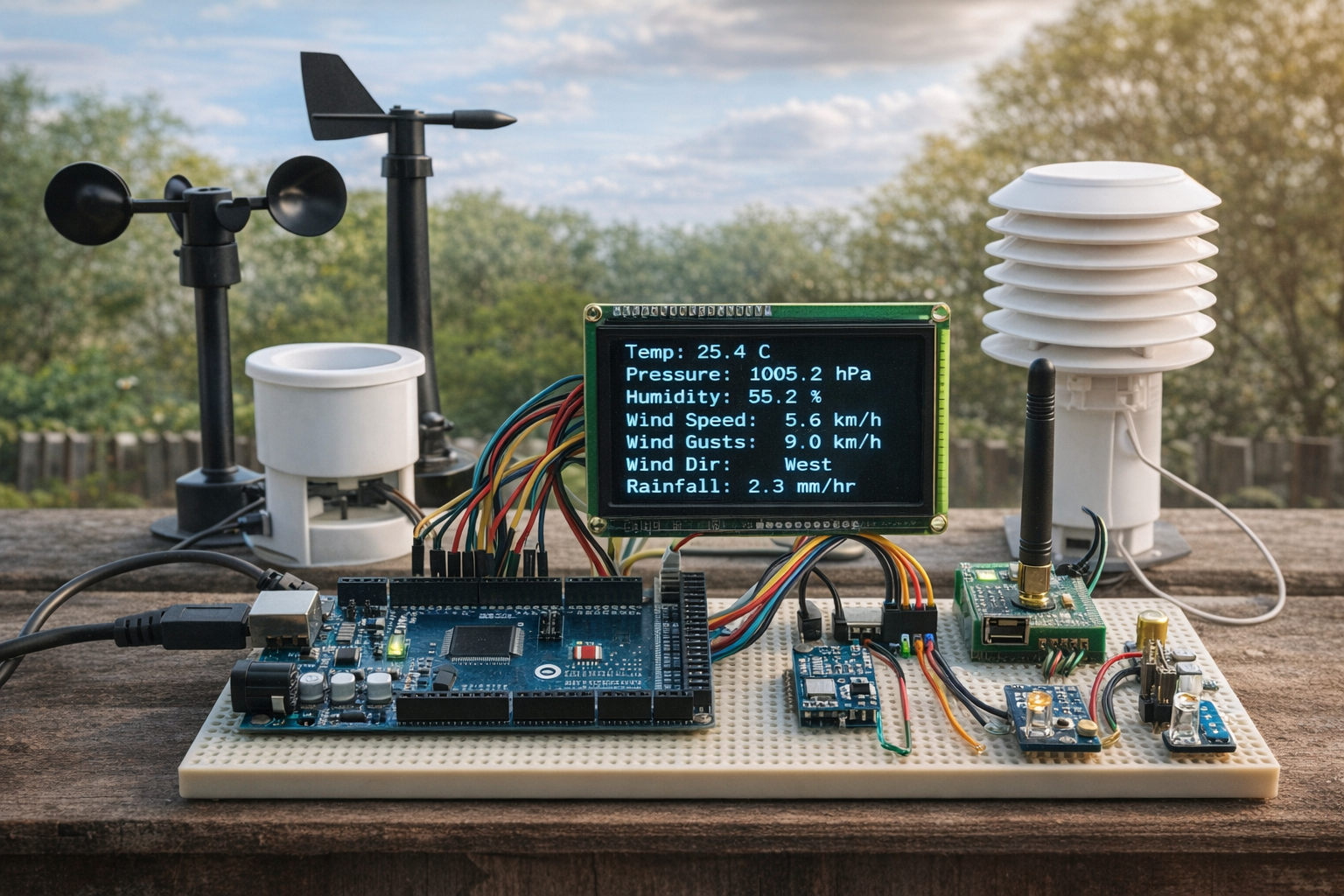
FlowChart
Proteus Simulation
In the Proteus simulation, all sensors are virtually connected to the Arduino Mega.
-
Sensor values dynamically change (e.g., wind speed, temperature)
-
The system continuously reads and updates values
-
IoT communication is simulated through the AR9331 module
-
You can observe real-time data flow across the system
This makes it ideal for testing without physical hardware.
Conclusion
This Arduino Mega-based weather station is a solid embedded systems project that combines multiple sensors, real-time data processing, and IoT communication into one system.
It’s perfect for learning how microcontroller projects evolve into real-world solutions. With Proteus simulation, you can test everything virtually before building the hardware — making it an excellent stepping stone into advanced DIY electronics and IoT systems.
Complete File
Basic Weather Station using Arduino Mega with Proteus Simulation
- What sensors are used to measure temperature and humidity?
The SI7021 digital sensor is used to measure temperature and humidity. - How does the system track rainfall?
Rainfall is tracked using a rain gauge module that sends digital pulses. - Which module handles IoT communication?
The AR9331 IoT Communication Module sends processed data to the IoT server. - Can this project be tested without physical hardware?
Yes, the entire system can be simulated and tested virtually in Proteus software. - What interfaces are used for sensor connections?
The system uses I2C, Analog, and Digital interfaces for connecting sensors. - How is wind direction measured?
Wind direction is calculated using an analog vane connected to an analog input. - Does the system monitor light intensity?
Yes, a light sensor (ALS-PT19) is used to monitor daylight intensity. - What programming approach is used for the firmware?
The firmware uses a flowchart-based programming approach with Visual Designer for Arduino AVR. - What data is sent to the IoT interface?
Processed weather parameters including temperature, pressure, humidity, wind, and rainfall are sent.
