
Summary of DIY RGB Tube Lights
This DIY project transforms standard tube lights into a multi-functional RGB lighting system suitable for photography, light painting, and gaming. It utilizes an Arduino Nano and WS2812B LED strips to create two synchronized tubes. Users can control the lighting effects via Prismatik software or a physical push button, allowing for dynamic color changes and VU meter displays.
Parts used in the DIY RGB Tube Light:
- Arduino Nano
- WS2812B LED Strip (2 meters)
- White Tube Lights or Aluminum Light Fittings with Diffuser
- 5V 5A Power Supply
- Push Button
- Wires
- DC Connector
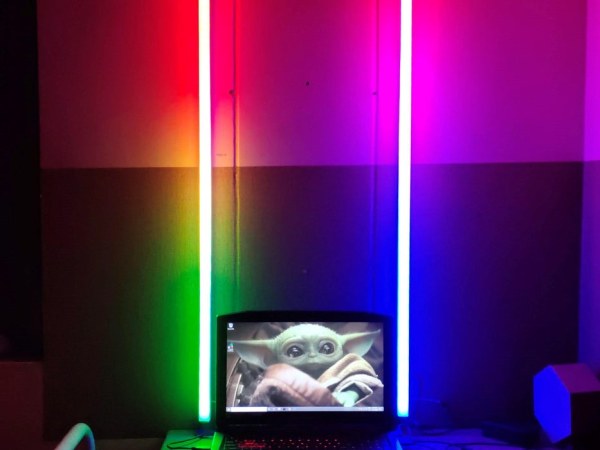
DIY RGB Tube light is a multi functional tube light which can be used in photography, light painting photography, film making, gaming, as a VU meter and more. The tube light can be controlled by Prismatik software or by a push button. These tub lights are made using a Arduino Nano and WS2812B LED strip.
Step 1: Supplies:
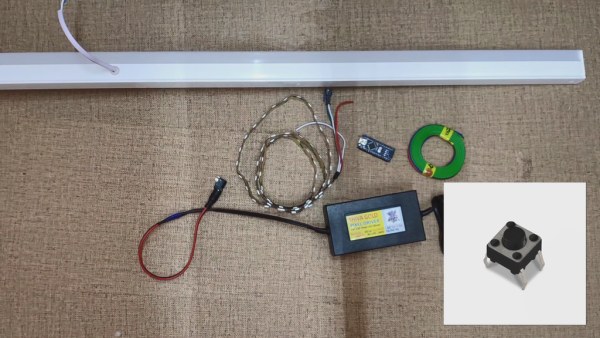
- (1) Arduino Nano : https://amzn.to/3r2x4sY
- (2mt) WS2812B LED Strip: https://amzn.to/2Kwe70O
- (2) White Tube Lights Or Aluminum Light Fittings with Diffuser : https://amzn.to/38fF6Gu Or https://amzn.to/38fF6Gu
- (1) 5V 5A Power Supply : https://amzn.to/3nqCvQi
- (1) Push Button : https://amzn.to/3mpNEPK
- (1) Wires : https://amzn.to/3npgYrh
- (1) DC Connector : https://amzn.to/3nocDV2
Step 2: Tube Lights Disassembling:
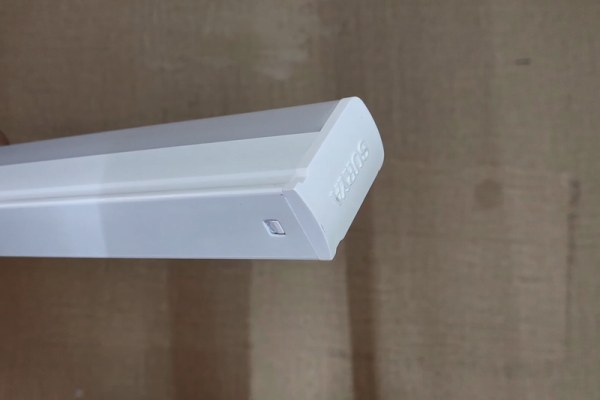
Disassemble the tube light by removing end caps, separating diffuser and removing whites LED strip from the tube.
Step 3: Circuit Connection:
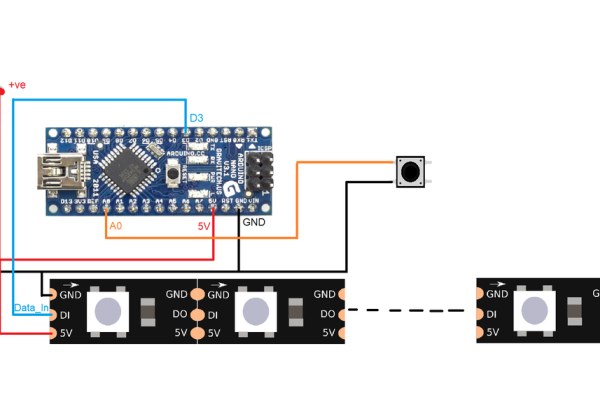
Make all the connections as shown in circuit diagram.
Step 4: Assembling:
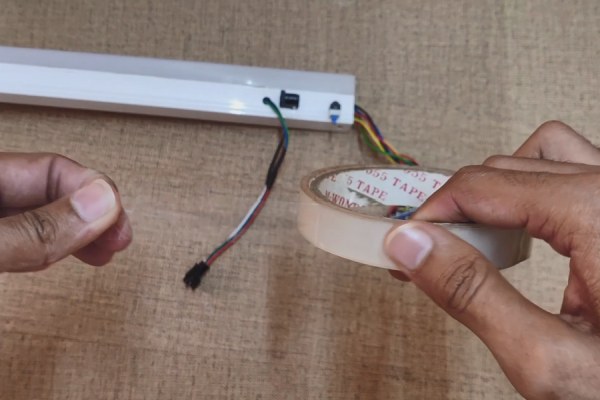
Put all the electronics in the tube, put back the end caps and seal the diffuser using clear tape.
Step 5: Tube Light 2:
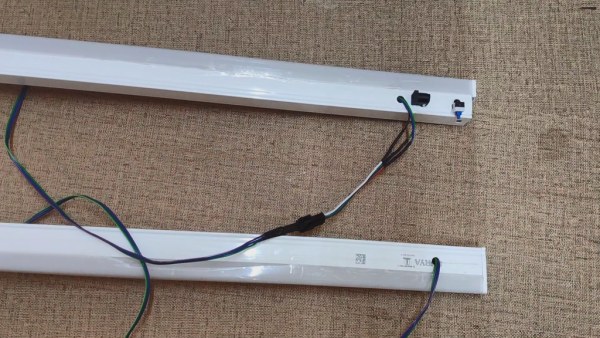
Similarly make the second tube but this time use only WS2812b LED strip, connector, wires and connect the tube lights.
Step 6: Code for Software:
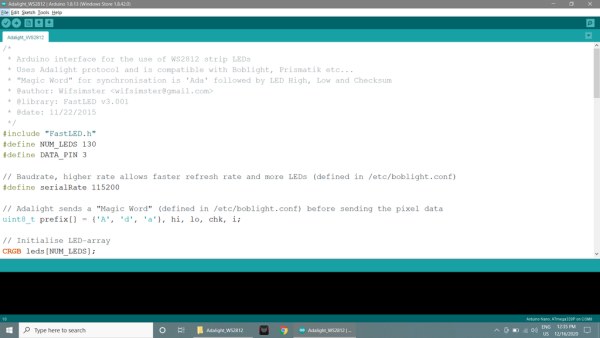
- Download the given zip files and extract them.
- RGB_Tube_code & software zip
- Open the RGB Tube code & software file, open the code given in Arduino IDE.
- Install the FastLED library in Arduino IDE.
- You can enter the number of LEDs you used in your tube lights, I used 65 LEDs in each tube lights, i.e. 130 LEDs in both tube lights.
- #define NUM_LEDS 130
- Remember the port number. (for example: com8)
- Connect the Arduino to your PC, select the board type, select the port and upload the code.
Step 7: Software Setup:
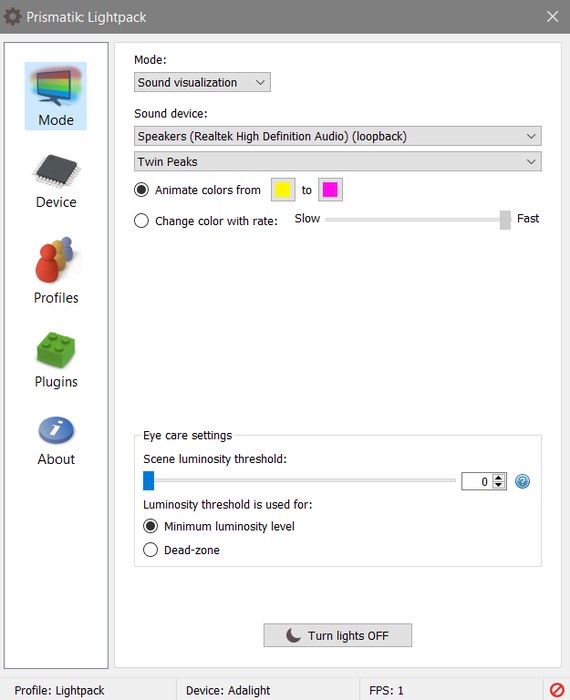
- Install the prismatik software in your PC.
- Open the software and click on device.
- Click on Run configuration wizard and simply click on Next -> Next.
- Enter the Serial Port number and click Next -> Next
- Enter the number of LEDs at sides (i.e. in my case top=0, side=65, bottom=0) and click on custom -> Next.
- Adjust the sliders to get white color on the tube lights and click on finish.
- Now you can choose different mode in the software and display on tube lights.
NOTE: The Arduino should be connected to the PC.
Step 8: Button Code:
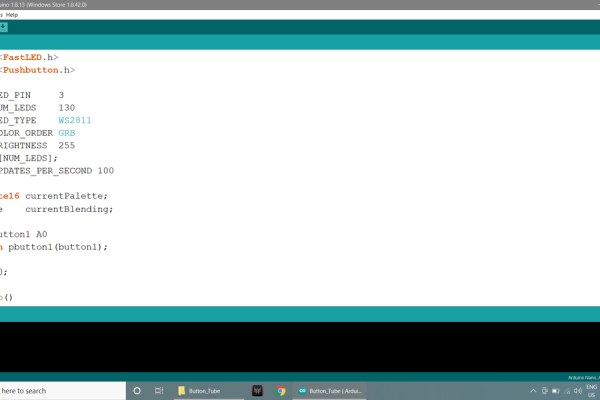
- Button_Tube.zip
- Open the Button_Tube code in Arduino IDE.
- With this code you can change the color of the Tube Lights with the push of button.
- Install the Pushbutton library by clicking on sketch ->Include library -> Add zip library and select the Pushbutton-2.0 zip file in Button_Tube file.
- Enter the number of LEDs.
- #define NUM_LEDS 130
- In this code you can enter the values of the colors at CRGB(—-, —–, —–);
- for(int i = 0; i < NUM_LEDS; i++){ <br> leds[i] = CRGB(0, 100,255); FastLED.show();
- You can copy paste the color values from color picker.
- Connect the Arduino to your PC, select the board type, select the port and upload the code.
Source: DIY RGB Tube Lights
- What is the DIY RGB Tube light used for?
It is used in photography, light painting photography, film making, gaming, as a VU meter, and more. - How can the tube light be controlled?
The tube light can be controlled by Prismatik software or by a push button. - What components are required to build this project?
You need an Arduino Nano, WS2812B LED strip, white tube lights or fittings, power supply, push button, wires, and a DC connector. - Can I use only one tube light for this project?
Yes, you can make a second tube using only the WS2812b LED strip, connector, wires, and connect them together. - Which library must be installed in Arduino IDE for software control?
You must install the FastLED library in Arduino IDE. - How do I configure the number of LEDs in the code?
You enter the total number of LEDs in the #define NUM_LEDS line, such as 130 for two tubes. - What steps are needed to set up Prismatik software?
Install the software, click device, run configuration wizard, enter the serial port, specify LED count per side, and adjust sliders for white color. - How do I change colors using the push button method?
Open the Button_Tube code, install the Pushbutton library, and modify CRGB values to desired colors. - Does the Arduino need to be connected during software operation?
Yes, the Arduino should be connected to the PC to use the software features.
