
Summary of Wing Tip Extensions for Arduino
This article describes a DIY project called "Wing Tip Extension," created to learn Eagle PCB layout software as a cheaper alternative to commercial 45-degree extension boards. The author designed the board to fit an Arduino UNO R3, printed the layout on transparency sheets, exposed it using a fluorescent lamp, and etched it with standard techniques before cutting it to size.
Parts used in the Wing Tip Extension:
- Eagle PCB layout software
- Arduino UNO R3 board
- Laser printer
- Transparency sheets
- Pre-sensitized Board
- Fluorescent lamp
Greetings,
One late night of web surfing I came across some 45 Degree Extension boards.
Thinking to myself “Wow!” that’s cool and then I looked at the price…$27.00 before S&H.
“Yikes!”
I’ve been looking for an excuse to learn Eagle PCB layout software and this was the project I decided to cut my teeth on…”Wing Tip Extension” was born!
Step 1: Layout
PCB Layout, I’m sure this took longer than it should have but I did learn a lot building this simple board.
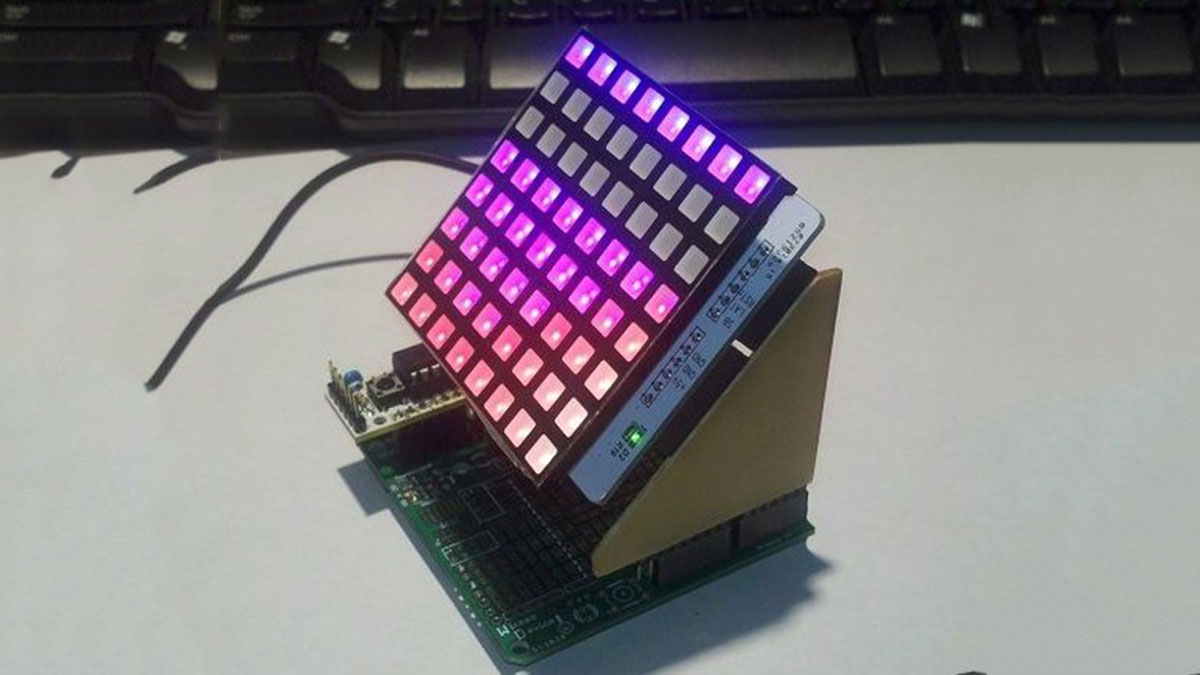
I designed this to work with the Ardunio UNO R3 board so that’s why there are extra pads than normal.
 Wing Tip Layout.brd138 KB
Step 2: Etch
Printed the layout on transparency sheets with my laser printer.
Used a Pre-sensitized Board, and 10 min exposure with a fluorescent lamp.
Standard etching technique were used.
Step 3: Cut
Cut the boards to size
For more detail: Wing Tip Extensions for Arduino
- Why did the author create this project?
To learn Eagle PCB layout software and avoid the high price of commercial 45 Degree Extension boards. - Which microcontroller board is compatible with this design?
The design works specifically with the Ardunio UNO R3 board. - What type of paper was used for printing the layout?
Transparency sheets were used with a laser printer. - How long was the exposure time during the etching process?
The board required 10 minutes of exposure with a fluorescent lamp. - What material was used to make the PCB board?
A Pre-sensitized Board was used for the project. - Did the design include extra pads compared to normal boards?
Yes, there are extra pads because it was designed for the Ardunio UNO R3 board.
