
Summary of Arduino Chiptunes usnig arduino
This article guides users in building an Arduino-based chiptune synthesizer that plays music upon resetting the board. The project utilizes a ported version of Linus Åkesson's hardware design, optimized for Arduino by Stimmer. It requires minimal programming knowledge beyond uploading code and connecting basic components like speakers and jumper wires to specific pins.
Parts used in the Arduino Chiptunes:
- An Arduino
- A speaker (with or without a built-in amp)
- Possibly an amplifier
- 2 jumper wires
- LEDs (for the updated code)
- Resistors (for the LEDs)
I am not a big fan of programming. I may like it but, I try to keep it down to a 555 timer like in this ible. However, when it comes to synths, well, I just NEED programming. One day, while exploring Synthesizers, I came across something known as chiptunes.
I decided to listen and found the music just totally awesome. And so I tried to make it with Arduino. Unfortunately, it didn’t fit the Arduino code. Fortunately, Stimmer in the Arduino Forums had ported Linus Åkesson’s Hardware Chiptune Project and made it to fit the Arduino.
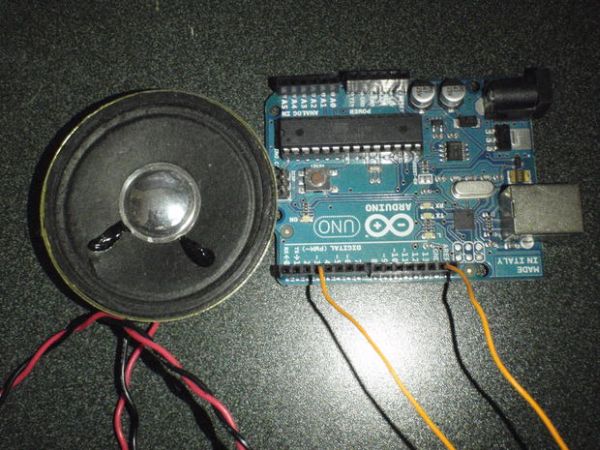
UPDATE: THERE HAS BEEN AN UPDATE TO THE CODE. REPROGRAM THE ARDUINO WITH THE NEW CODE AND PUT AN LED ON PIN 12 AND PIN 10 (WITH RESISTORS) AND THEY WILL PLAY ALONG WITH THE “DRUMS”
Step 1: Gains and Losses.
You will gain:
An Arduino
A speaker+possibly an amp
2 jumper wires (If your speaker doesn’t already have them)
Step 2: What Type of Speakers Should I Use???
There are many speakers available on the market these days.
Some have built in amps with 3.5mm jacks.
Some have tne cone, the magnet, the coil and then the wire.
Even headphones woud work!
Now I’m sure you want to use the one with a built in amplifier and so, I am developing a way so that you won’t have to cut the cable on your expensive amp
Step 3: Programming.
Start by downloading the code from below.
Then, copy and paste the code into the Arduino editor and compile, then hit upload.
You’re done with the software!
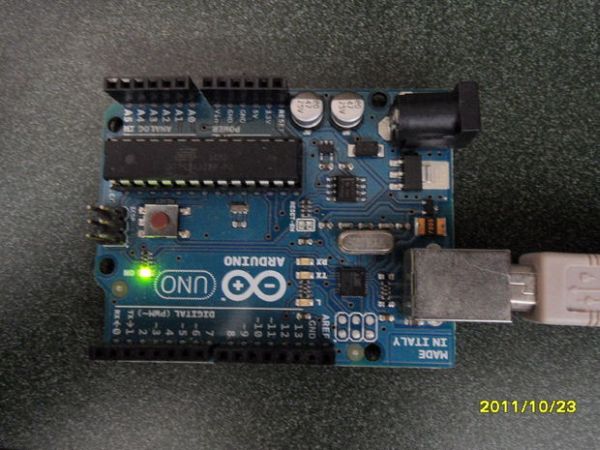
Step 4: Assembly.
You may be done with the software but the hardware is not finished.
Now, take one of your speaker wires, and then plug it into pin 3 which is a PWM pin. Then, plug it into ground or power (5 volts or you bust you Arduino. )
You should hear music playing.
Now, hit the reset button to here it from the beginning.
Everytime you hit the reset button, it will play.
Here is the code in case the download is unsuccessful:
Step 5: Done.
Now listen to it play the tune.
For more detail: Arduino Chiptunes
- What is the main benefit of this project?
You gain a machine capable of playing a tune every time you push a button to activate it. - Can headphones be used instead of a speaker?
Yes, the article states that even headphones would work. - How do I start the programming phase?
Start by downloading the code, copying and pasting it into the Arduino editor, compiling, and then hitting upload. - Which pin should the speaker wire be plugged into?
Plug one of your speaker wires into pin 3, which is a PWM pin. - How do I make the music play from the beginning?
Hit the reset button to hear it from the beginning; every time you hit it, it will play. - What changes are required for the updated code?
Reprogram the Arduino with the new code and put an LED on pin 12 and pin 10 with resistors. - What happens if I plug the speaker wire into power instead of ground?
Plugging it into power (5 volts) might bust your Arduino. - Where can I find more details about this project?
More detail is available at the link provided for Arduino Chiptunes.
