
Summary of Arduino ADS1110 16-bit ADC using Arduino Uno with Proteus Simulation
This article details a Proteus simulation project using an Arduino Uno and an ADS1110 16-bit ADC. The system reads adjustable voltage via a potentiometer, communicates over I2C, and displays raw digital data alongside millivolt conversions on a UART terminal. It serves as an educational tool for learning external ADC interfacing, sensor integration, and embedded system testing without physical hardware.
Parts used in the Arduino ADS1110 16-bit ADC:
- Arduino Uno
- ADS1110 Breakout Board
- RV1 1k potentiometer
- Grove Terminal / UART terminal
- Voltage meter / schematic animation indicator
- +3.3V power connection
- Ground connection
- I2C SDA and SCL wiring
Introduction
This project demonstrates the simple use of an ADS1110 16-bit ADC with an Arduino Uno in a Proteus simulation.
It reads an adjustable voltage input and displays both the raw ADC value and the millivolt output on a UART terminal.
This is a useful microcontroller project for learning how external ADC modules work in embedded systems.
Instead of relying only on the Arduino’s internal ADC, the circuit uses the ADS1110 for 16-bit voltage measurement.
It is also a clean example for DIY electronics, sensor interfacing, and practical electronics testing in Proteus.
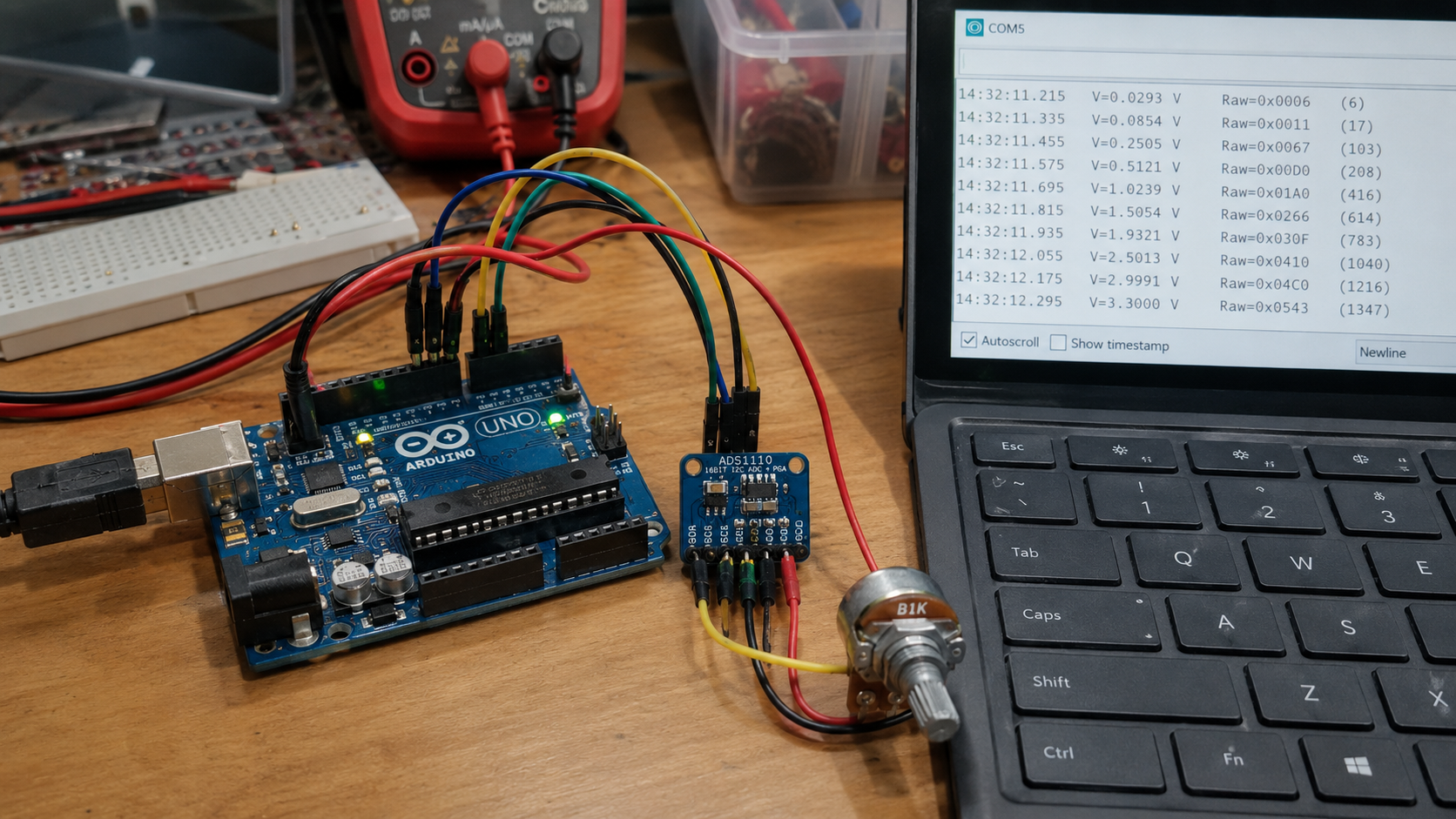
Illustrative View of the Concept.
Project Details
| Item | Information |
|---|---|
| Project Name | Arduino ADS1110 16-bit ADC |
| MCU / Board | Arduino Uno |
| Controller Family | Arduino |
| Compiler | Visual Designer for Arduino AVR |
| Category | Visual Designer for Arduino |
| Main Module | ADS1110 16-bit ADC |
| Simulation Tool | Proteus |
| Output Display | UART / Grove Terminal |
| Input Source | Adjustable voltage through RV1 potentiometer |
How the Project Works
The working principle of this project is straightforward. A variable voltage is created using the RV1 1k potentiometer. This voltage is applied to the input of the ADS1110 16-bit ADC breakout board.
The ADS1110 converts the analog voltage into digital data. The Arduino Uno communicates with the ADS1110 through the I2C lines, using SDA and SCL. Once the ADC value is received, the Arduino displays two types of readings on the UART terminal:
- Raw ADC data at 16-bit resolution
- Converted voltage data in millivolts
The firmware flowchart shows that the ADC is configured with gain, sample rate, conversion mode, and voltage reference before the main loop starts reading data repeatedly.
Workflow Explanation
RV1 Potentiometer
        ↓
Adjustable Voltage Input
        ↓
ADS1110 16-bit ADC Breakout Board
        ↓
I2C Communication: SDA + SCL
        ↓
Arduino Uno
        ↓
UART Output
        ↓
Grove Terminal / Virtual Terminal
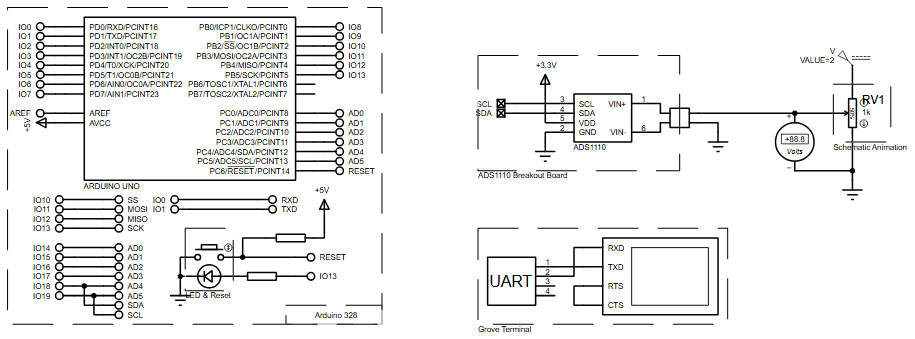
In the circuit diagram, the ADS1110 is powered from +3.3V and connected to the Arduino Uno through I2C. The potentiometer works as the voltage input source. A voltage meter is also shown in the Proteus schematic animation, which helps visualize the changing input voltage during simulation.
The Arduino reads the ADC output, processes it, and sends the result to the UART terminal. This makes the Proteus simulation easy to observe without needing physical hardware.
Key Features
- Uses Arduino Uno as the main controller
- Reads voltage input using an ADS1110 16-bit ADC
- Adjustable input voltage through RV1 1k potentiometer
- I2C-based communication using SDA and SCL
- ADC gain configured as GAIN_1
- Sample rate configured as SPS_15
- Conversion mode set to SINGLE
- Internal voltage reference selected in the ADC setup
- Displays raw ADC data on UART terminal
- Displays converted voltage value in mV
- Includes Proteus schematic animation with voltage indication
- Useful for learning ADC interfacing in embedded systems
Components Used
- Arduino Uno
- ADS1110 Breakout Board
- RV1 1k potentiometer
- Grove Terminal / UART terminal
- Voltage meter / schematic animation indicator
- +3.3V power connection
- Ground connection
- I2C SDA and SCL wiring
Applications
This type of microcontroller project is useful in many practical electronics and embedded systems applications, such as:
- Voltage monitoring systems
- Analog sensor reading projects
- Data acquisition circuits
- DIY electronics experiments
- External ADC learning projects
- Precision analog input measurement
- Sensor interface testing in Proteus
- Educational firmware and circuit diagram demonstrations
This exact schematic reads a voltage input, not a temperature sensor. However, the same ADC reading concept can be adapted for analog sensor-based projects, including a temperature sensor, if the circuit and firmware are modified.
Explanation of Code / Firmware Flow
The provided project input includes the flowchart logic instead of full Arduino source code. From the flowchart, the firmware is divided into two main parts: setup and loop.
Setup Section
In the setup stage, the ADS1110 ADC is configured before readings begin. The flowchart shows these configuration steps:
- ADC gain is set to GAIN_1
- Sample rate is set to SPS_15
- Conversion mode is set to SINGLE
- Voltage reference is set to INT
This prepares the ADS1110 for 16-bit voltage measurement.
Loop Section
In the main loop, the Arduino repeatedly reads data from the ADC and prints the results. The loop performs these actions:
- Waits for 250 ms
- Reads raw ADC data using
getData - Prints the raw value to the UART terminal
- Waits again for 250 ms
- Reads voltage value using
getVolt - Prints the millivolt value to the UART terminal
- Prints a blank line for cleaner output formatting
The firmware is simple, readable, and useful for understanding how Arduino communicates with an external ADC module.
Flowchart
Proteus Simulation
In the Proteus simulation, the Arduino Uno is connected to the ADS1110 breakout board. The input voltage comes from the RV1 potentiometer, and the voltage level can be observed using the schematic animation voltage display.
During simulation, the Arduino reads the ADS1110 output and sends the result to the UART/Grove terminal. The terminal displays the raw 16-bit ADC data and the converted voltage in millivolts. When the potentiometer value changes, the ADC reading also changes, making the behavior easy to test visually inside Proteus.
Conclusion
The Arduino ADS1110 16-bit ADC Proteus simulation is a clean and practical project for learning external ADC interfacing with Arduino Uno. It shows how analog voltage can be converted into raw digital data and millivolt readings using a simple circuit and readable firmware flow. For students, makers, and embedded systems learners, this is a useful starting point for ADC-based DIY electronics and sensor measurement projects.
Complete File
Arduino ADS1110 16-bit ADC using Arduino Uno with Proteus Simulation
- What is the main purpose of this project?
The project demonstrates reading adjustable voltage input and displaying raw ADC values and millivolt output on a UART terminal using an ADS1110 with an Arduino Uno. - How does the circuit receive its voltage input?
An RV1 1k potentiometer creates a variable voltage that is applied to the input of the ADS1110 breakout board. - Does the Arduino communicate with the ADC using SPI or I2C?
The Arduino Uno communicates with the ADS1110 through I2C lines using SDA and SCL. - Can you see the changing input voltage during simulation?
Yes, a voltage meter shown in the Proteus schematic animation helps visualize the changing input voltage. - What specific settings are configured for the ADC gain and sample rate?
The firmware configures the ADC gain as GAIN_1 and the sample rate as SPS_15. - How often does the loop read and print data?
The loop waits 250 ms between reading the raw ADC data and then another 250 ms before reading the voltage value. - What two types of readings are displayed on the UART terminal?
The terminal displays raw ADC data at 16-bit resolution and converted voltage data in millivolts. - Is this project suitable for learning about temperature sensors?
While the exact schematic reads voltage, the same ADC reading concept can be adapted for analog sensor-based projects like temperature sensors.
