
Summary of ARDUINO LIBRARY FILES PROTEUS
The Proteus simulation software is effective for evaluating Arduino microcontroller projects and provides models for various Arduino boards. To use Arduino libraries in Proteus, copy library files into Proteus' LIBRARY folder. Generate the Arduino .HEX file by enabling Compilation and Upload options in Arduino IDE preferences, verify (compile) the sketch, then attach the produced HEX to the Arduino component in Proteus via Edit Properties. The article lists multiple Arduino Proteus models and notes tested libraries and a sample LED application.
Parts used in the Proteus Arduino project:
- Proteus simulation software (Proteus 8)
- Arduino IDE
- Arduino board models (Arduino Mega1280)
- Arduino UNO model
- Arduino Pro Mini model
- Arduino Mega2560 model
- Arduino Nano model
- Tiny Arduino model
- Arduino library files (.LIB and related files)
- Generated Arduino HEX file
- Sample LED component (for LED application)
The Proteus simulation software is most effective for evaluating microcontroller projects, although it offers limited insight. Proteus libraries for Arduino include models for Arduino Mega1280, Arduino UNO, and Arduino Pro in Proteus. Projects that involve electronics, Arduino library files in Proteus – “Arduino projects.”
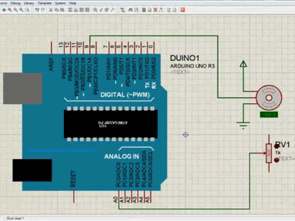
The Proteus simulation software is ideal for evaluating microcontroller projects, providing some level of understanding. Arduino libraries for Proteus
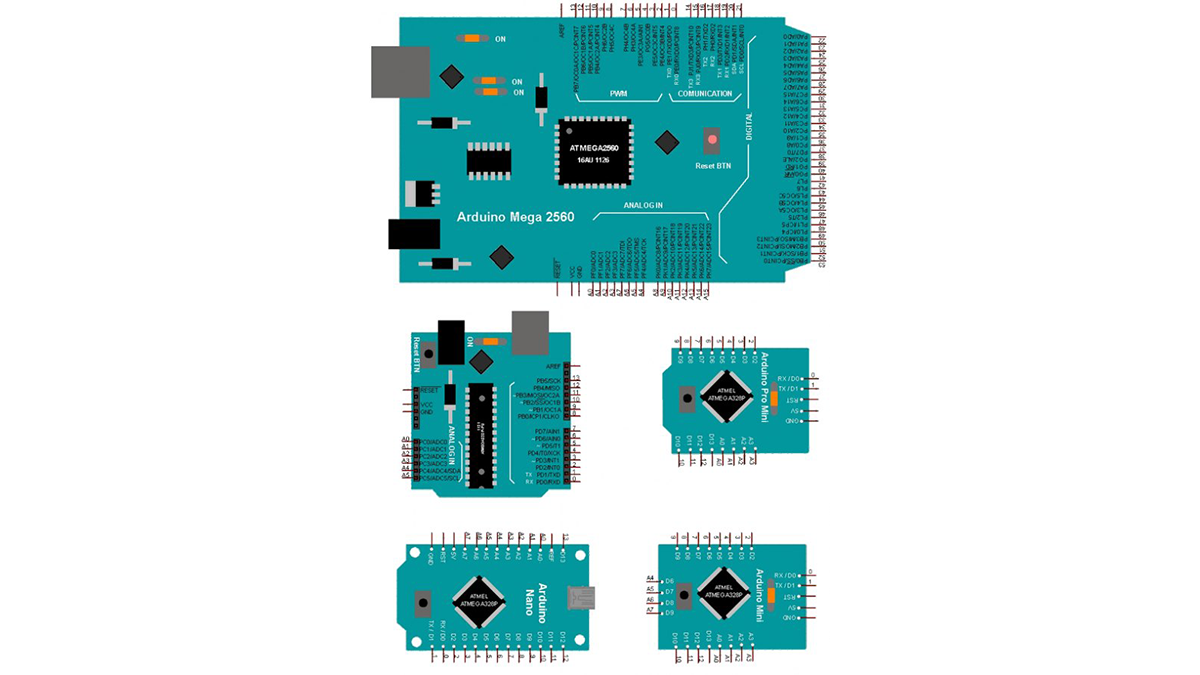
ARDUINO PROTEUS MODELS
Proteus for Arduino Mega1280
Proteus for Arduino UNO
Proteus for Arduino Pro Mini
Proteus for Arduino Mega2560
Arduino Nano Proteus
Proteus Tiny Arduino
Arduino Proteus library files need to be allocated to the Proteus LIBRARY folder within the C:\Program Files\Labcenter Electronics\Proteus X Professional\LIBRARY directory.
I conducted tests on Proteus 8 with three distinct Arduino libraries that were utilized for the experiments. The one currently being used is located in folder 2.
Proteus Arduino simülasyonunda kullanılabilmesi için, yazılımınızın .HEX dosyasına ihtiyaç vardır. Arduino IDE programında File / Preferences bölümünde Compilation ve Upload kutularını işaretlemelisiniz.
Launch the software in the Arduino IDE and check the Verify status. After the verification is done, the HEX file will be generated. Click the file on the Arduino card with the right mouse button and select Edit Properties. It is now prepared for use.
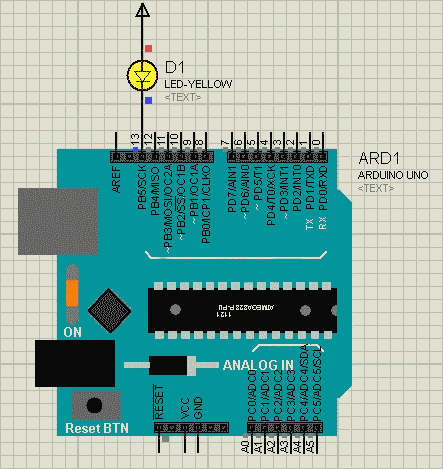
SAMPLE ARDUINO PROTEUS LED APPLICATION
Alternative File Download LINK list (in TXT format): LINKS-25957.zip
- What Arduino models are available in Proteus?
Proteus libraries include Arduino Mega1280, Arduino UNO, Arduino Pro Mini, Arduino Mega2560, Arduino Nano, and Tiny Arduino. - Where should Arduino Proteus library files be placed?
Library files must be allocated to the Proteus LIBRARY folder under C:Program FilesLabcenter ElectronicsProteus X ProfessionalLIBRARY. - How do I generate the HEX file for Proteus simulation?
In Arduino IDE enable Compilation and Upload in File / Preferences, then Verify the sketch to generate the HEX file. - How do I attach the HEX file to the Arduino component in Proteus?
Right-click the Arduino card in Proteus, select Edit Properties, and set the produced HEX file for use. - Is Proteus suitable for evaluating microcontroller projects?
Yes, Proteus is most effective for evaluating microcontroller projects and provides some level of understanding. - Which Proteus version was used for testing in the article?
Tests were conducted on Proteus 8 using three distinct Arduino libraries. - Do I need special settings in Arduino IDE to use HEX in Proteus?
Yes, you must enable Compilation and Upload checkboxes in Arduino IDE preferences to produce the HEX file. - Does the article provide a sample application?
Yes, a sample Arduino Proteus LED application is mentioned.
