
Summary of Electronic Chameleon
This article details building an "Electronic Chameleon" using an Arduino Nano, a TCS3200 color sensor, and a Neopixel LED strip. The system reads ambient colors via the sensor and replicates them on the LEDs to create dynamic ambient lighting, reducing eye strain for TVs or PCs.
Parts used in the Electronic Chameleon:
- Arduino Nano
- TCS3200 Colour Sensor
- Neopixel LED Strip
- Jumper wires and power source
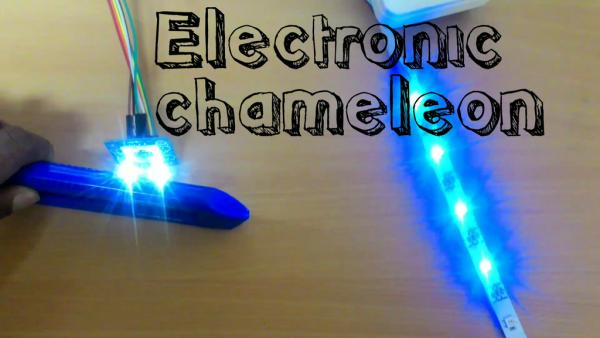
Ever wondered how the chameleon changes its colour through the changes in environmental colours?
There’s something called Melanocyte Stimulating Hormone or MSH. If you want to dig more into this please follow this Link. The stories apart, I wanted to build ambient lighting system or something like the chameleon. This looks cool and also it helps eyes. I had neopixel LED strip and a spare colour sensor. So I just built my Chameleon (Electronic) using Arduino (Microcontroller for everyone) as the brain.
Step 1: Things You Will Need
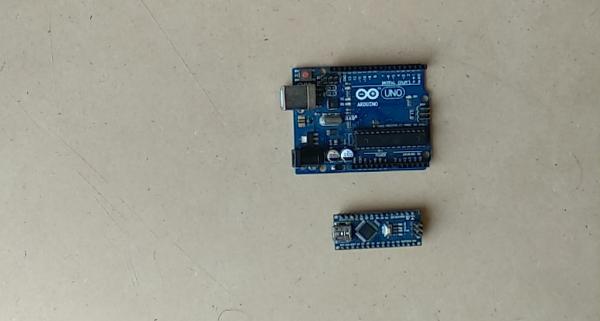
1. Arduino Nano (Any Arduino is fine) Amazon Link for Arduino Uno
2. Colour Sensor TCS3200 Amazon Link for Colour Sensor
3. Neopixel LED Strip Amazon Link for Neo Pixel LED
4. Jumper wires and power source
Step 2: Brief Intro to Parts
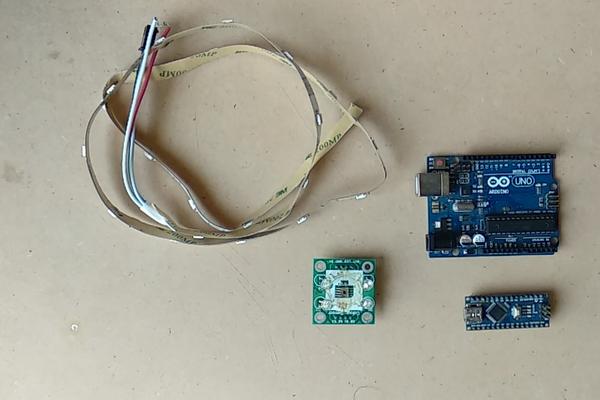
Arduino: Microcontroller which gets the RGB colour sensor data from TCS 3200 and generates the respective PWM signal to control the colour of Neopixel LED Lights.
TCS 3200 Colour Sensor: This sensor contains an array of photodiodes which respond differently to different colours hence it gives out the colour of light falling on the photodiode array. This data can be used to replicate those colours.
Neo Pixel LED: This can generate a lot of colours based on the signal given to it. The name of the IC is WS2812B.
Step 3: Connecting Everything
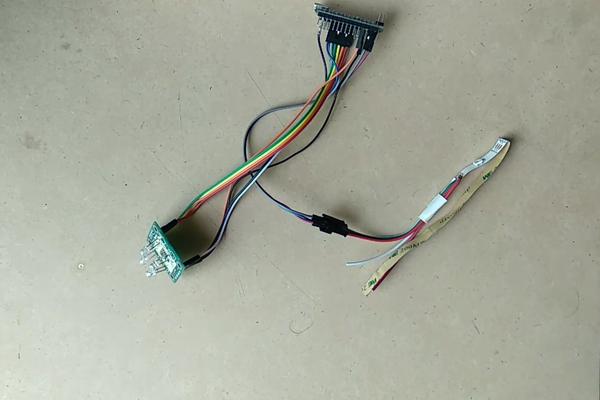
Connection – Reaction..
The connection has to be done in such a way that Arduino has to read the data from 4 different photodiodes in the TCS 3200.
And reflect back those value as data to neopixel LEDs to replicate the same colour.
4 photodiodes on the sensors are sensitive to 4 different colour combinations. These produce current signals which are converted into frequency signals i.e I to F conversion
This is read by Arduino pins and then given as input to the Neopixel LEDs.
I don’t want to go deep into the working of sensors. This can be understood by referring the data sheets of TCS 3200 sensor.
Step 4: Coding
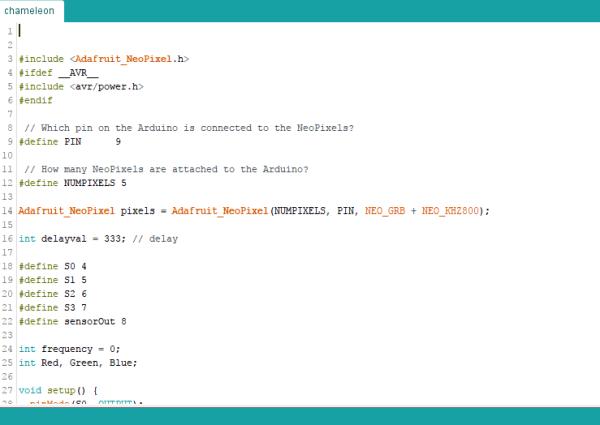
The code for this project is here.
You can download this and unzip the file to find necessary libraries and code. Please put the libraries into the libraries folder of Arduino IDE.
The compile the code and upload it.
The code is self-explanatory. I improve my coding by looking at others codes. Any suggestions to optimise the code are always welcome.
Step 5: Viola… It Works
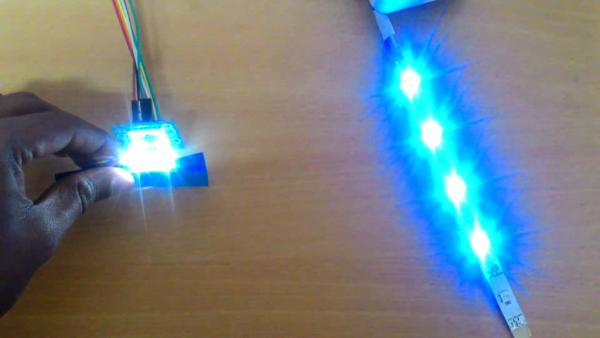
Here it works.
It’s now replicating any colours you are showing it to the sensor. Good applications are
1. Ambient lighting for TV’s and PC’s
this reduces eye strain as it mimics maximum colour in your screen.
2. Room lighting
3. Mood lighting
4. You can 3D print a chameleon and place all electronics to make it as a real 3D printed chameleon.
Please don’t forget to vote me in contests.
Source: Electronic Chameleon
- What is the main function of the TCS3200 sensor?
It contains photodiodes that respond differently to colors to detect light falling on the array. - How does the Arduino control the LED lights?
The Arduino generates PWM signals based on RGB data from the sensor to control the Neopixel color. - Can any Arduino board be used for this project?
Yes, the article states that any Arduino is fine, though the author used a Nano. - What is the IC name for the Neo Pixel LED?
The IC name is WS2812B. - What happens to the current signals produced by the sensor?
They are converted into frequency signals (I to F conversion) before being read by Arduino pins. - Does the code require manual library installation?
Yes, users must unzip the file and put libraries into the libraries folder of the Arduino IDE. - What is one benefit of using this system for TV or PC screens?
It reduces eye strain by mimicking the maximum color on your screen. - Can this project be integrated with a 3D printed model?
Yes, you can 3D print a chameleon and place all electronics inside to make a real model.
