
Summary of Control an iPod with the Arduino
This tutorial explains how to control an iPod using an Arduino and an unofficial remote. By sending specific pulses through a TIL116 opto-isolator, the system simulates button presses on the remote. Short pulses trigger play/pause functions, while long pulses can turn the iPod off, enabling easy audio integration into Arduino projects.
Parts used in Control an iPod with the Arduino:
- Arduino
- Unofficial iPod Remote
- TIL116 Opto-isolator
This tutorial will describe a way of controlling an iPod remote, and thus, an easy way of getting some music and sound out of your Arduino project. The remote we used was an unofficial remote I found on the worldwide auction site for around 10 USD, an opto-isolator can be found in your local electronics store.
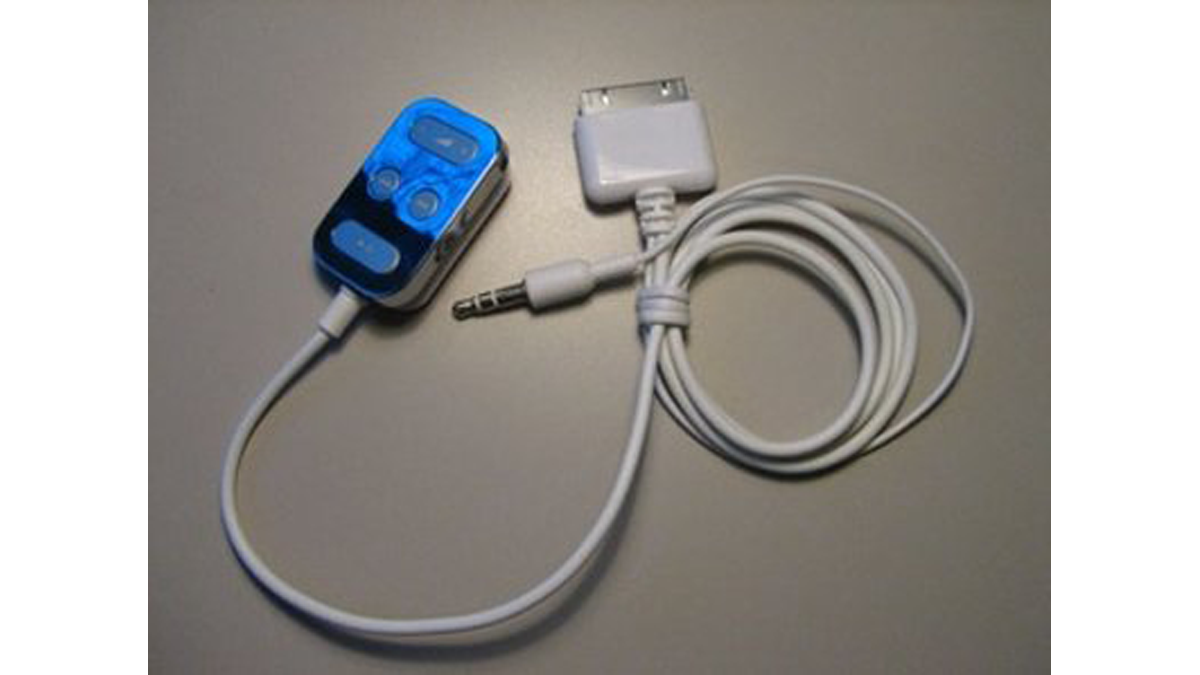
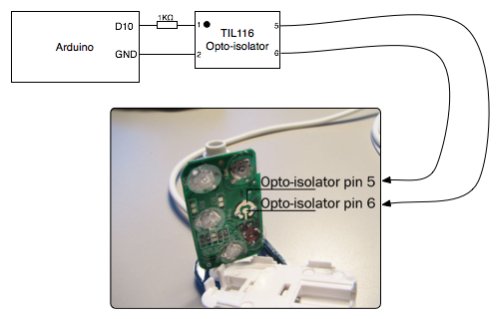
We used a TIL116 opto-isolator between the Arduino and the remote to safely send signals in between the two. The remote works by you pushing a button which closes a circuit and that is interpreted in a certain way by the iPod. What you need to do is to send a pulse to the opto-isolator that makes it close the button-circuit, and then open it again. Depending on what you want the iPod to do, you need to send a longer or shorter pulse, i.e.. a long pulse sent to the play/pause button will shut the iPod off, a short pulse will play/pause the track.
Arduino code
/* Control an iPod remote
* ————-
*
*Program to control an iPod remote through an TIL116 opto-isolator.
*The iPod is controlled by sending short pulses to the remote to activate the
*play/pause button or whichever button you may need.
*
*
* (cleft)2006 Jonas Olson & Robert White for Simon Fraser University
* http://www.JonasOlson.se | Http://www.sfu.ca/~rwhite/
*
* @author: Jonas Olson & Robert White
* @date: Dec. 3rd 2006
*
*/
For more detail: Control an iPod with the Arduino
- How do I control an iPod using an Arduino?
You control the iPod by sending short pulses to a remote via an opto-isolator to simulate button presses. - What component connects the Arduino to the remote safely?
A TIL116 opto-isolator is used between the Arduino and the remote to send signals safely. - Does a long pulse turn the iPod off?
Yes, sending a long pulse to the play/pause button will shut the iPod off. - Can I use any remote for this project?
The tutorial describes using an unofficial remote found on auction sites for around 10 USD. - How does the remote interpret button pushes?
The remote works by pushing a button which closes a circuit interpreted in a certain way by the iPod. - What determines if the track plays or pauses?
A short pulse sent to the opto-isolator activates the play/pause function. - Where can I find the opto-isolator?
An opto-isolator can be found in your local electronics store.
