
Summary of Indoor Air Quality Meter
This article outlines a DIY indoor air quality monitor using an ESP8266 NodeMCU and BME680 sensor to track temperature, humidity, and gas levels. The device calculates an Indoor Air Quality (IAQ) index and displays it on an OLED screen, alerting users when fresh air is needed. It includes wiring instructions for I2C connections and lists specific Arduino libraries required for operation.
Parts used in the Indoor Air Quality Meter:
- BME680 CJMCU
- OLED Display (128 x 64)
- ESP8266 Wi-Fi Chip (NodeMCU V1)
- Case
- Dupont wires
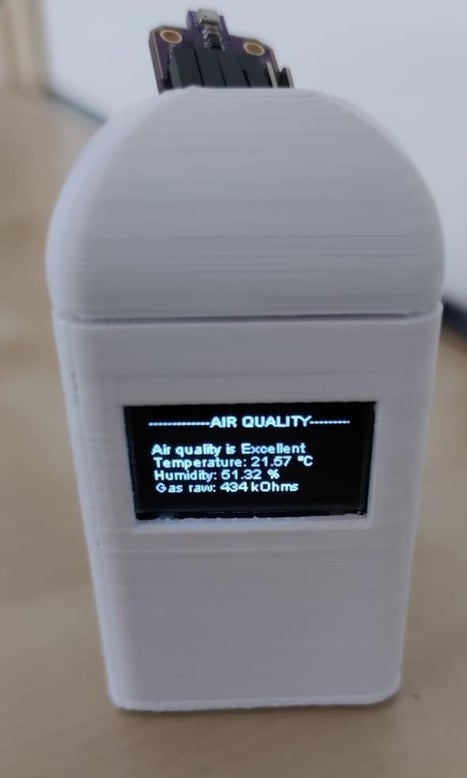
Simple project to check the air quality in your house.
Since we stay/work from home a lot lately, it might be a good idea to monitor the quality of the air and remind yourself when it’s time to open the window and get some fresh air in.
Step 1: Parts and Tools
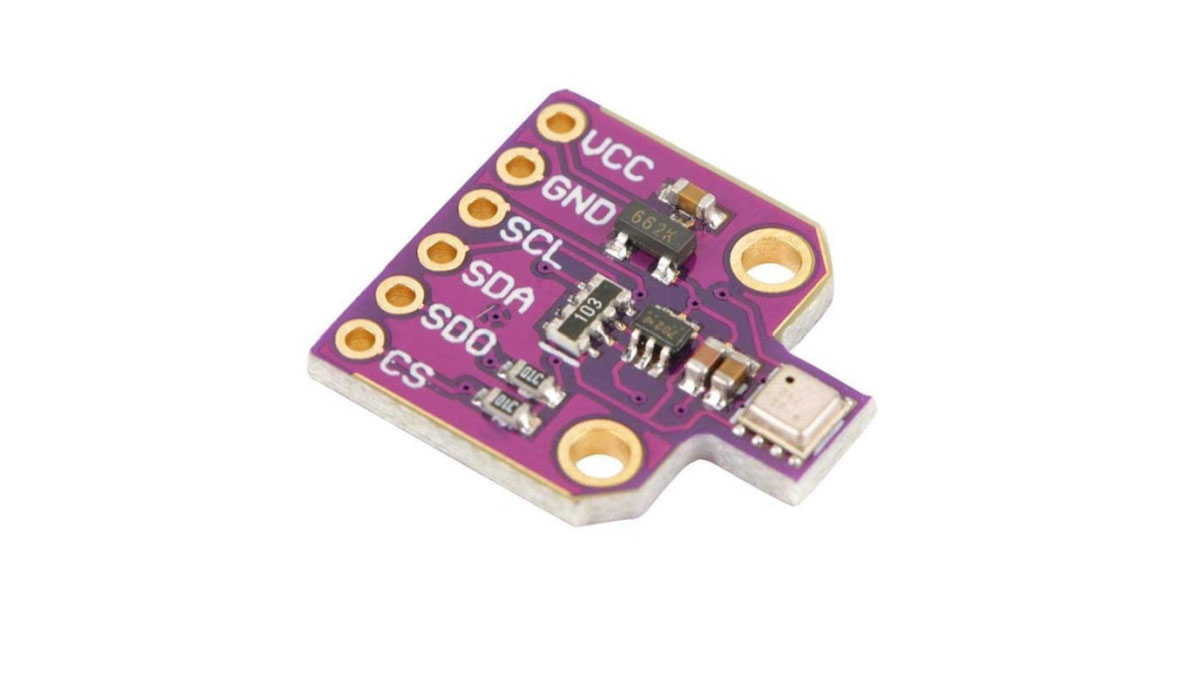
Parts
- BME680 CJMCU
- OLED Display (128 x 64)
- ESP8266 Wi-Fi Chip (NodeMCU V1)
- Case: https://www.thingiverse.com/thing:1720314 (or any other case you might like)
- Dupont wires
Tools
Soldering iron
Step 2: Wiring Diagram
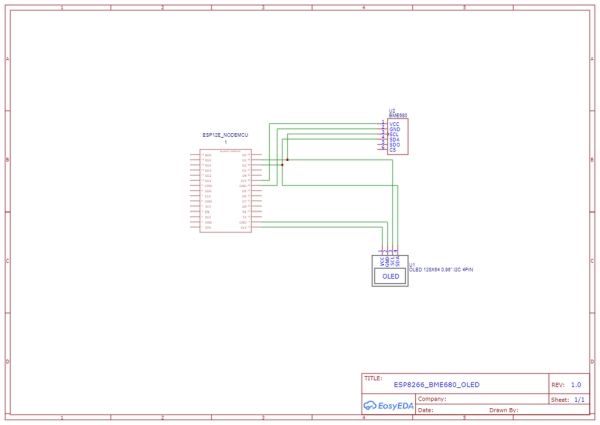
Wiring Diagram
Step 3: The Code

The code is available here: https://github.com/zangaby/ESP8266_BME680_air_quality
Based on https://github.com/3KUdelta/heltec_wifi_kit_32_BM…
Calculates IAQ with a BME680 sensor.
Reading of raw temperature, humidity and gas resistance Allow offset for temperature calibration Automatically calculate respective humidity using the August-Roche-Magnus approximation Calculate IAQ from temperature, humidity and gas resistance following Dr. Julie Riggs, The IAQ Rating Index, www.iaquk.org.uk
Code for those who are interested in using a BME680 sensor via I2C and Adafruit libraries to calculate IAQ without the proprietary libraries from Bosch.
Adafruit´s library: This is a library for the BME280 humidity, temperature & pressure sensor Designed specifically to work with the Adafruit BME280 Breakout —-> www.iaquk.org.uk These sensors use I2C or SPI to communicate, 2 or 4 pins are required to interface. The device’s I2C address is either 0x76 or 0x77. Adafruit invests time and resources providing this open source code, please support Adafruit andopen-source hardware by purchasing products from Adafruit! Written by Limor Fried & Kevin Townsend for Adafruit Industries. BSD license, all text above must be included in any redistribution
Libraries needed:
ThingPulse SSD1306 (https://github.com/ThingPulse/esp8266-oled-ssd1306)
General Adafruit Sensor (Arduino Library Manager)
Adafruit BME680 (Arduino Library Manager)
SoftwWire Steve Marple (Arduino Library Manager)
AsyncDelay Steve Marple (Arduino Library Manager)
Step 4: Connect Everything
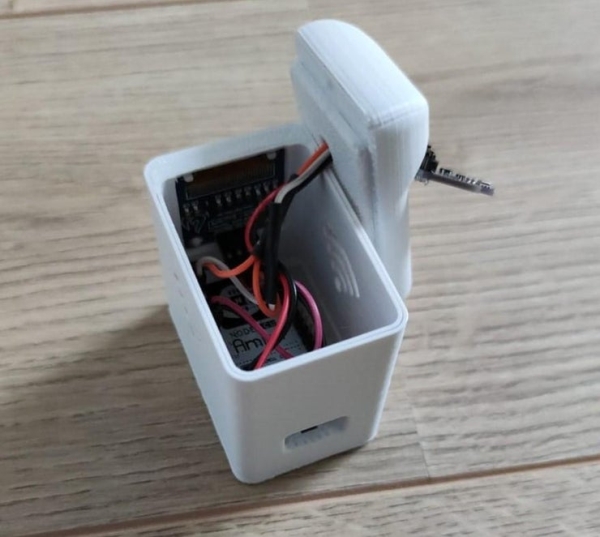
OLED
VCC – 3.3v
GND – GND
SCL – D1
SDA – D2
BME680
VCC – 3.3v
GND – GND
SCL – D1
SDA – D2
Since both the sensor and the OLED are connected using I2C, they are connected to the same pins. In order to do that you can cut a dupont cable in half, and solder the cables to have some Y shaped cables.
Step 5: Further Ideas

Further Ideas
- Send the data to MQTT/Blink/Thingspeak
- Add a battery
Hope you enjoyed this project and if you have any questions feel free to ask.
Source: Indoor Air Quality Meter
- What sensors are used to calculate IAQ?
The project uses a BME680 sensor to read raw temperature, humidity, and gas resistance. - How is the IAQ rating calculated?
It is calculated following Dr. Julie Riggs, The IAQ Rating Index, using temperature, humidity, and gas resistance data. - Which library is used for the OLED display?
The ThingPulse SSD1306 library is required for the OLED display. - Can the code work without Bosch proprietary libraries?
Yes, the code allows using the BME680 sensor via I2C and Adafruit libraries instead of Bosch's proprietary ones. - How are the sensor and OLED connected if they share pins?
You can cut a dupont cable in half and solder the cables to create Y shaped cables since both use I2C on the same pins. - What tools are needed for assembly?
A soldering iron is listed as the necessary tool for this project. - What are some further ideas for the project?
Further ideas include sending data to MQTT/Blink/Thingspeak or adding a battery. - Does the code allow for temperature calibration?
Yes, the code allows an offset for temperature calibration.
