
Summary of ESP8266 Wifi enabled 8×64 pixel LED matrix display
This project upgrades a previous Bluetooth LED display to a WiFi-enabled system using an ESP8266 NodeMCU as a standalone web server. It replaces the microcontroller dependency with the ESP8266, which drives eight cascaded 8×8 Easy Matrix modules (totaling 512 LEDs) via SPI communication. The display is powered by a dual regulated supply and housed in a custom enclosure, allowing users to send scrolling text messages directly through a web browser.
Parts used in the ESP8266 Wifi enabled 8x64 pixel LED matrix display:
- Easy Matrix modules (8 pcs)
- Dual power supply module (1 pc)
- NodeMCU ESP8266 board (1 pc)
- Wires
- Enclosures
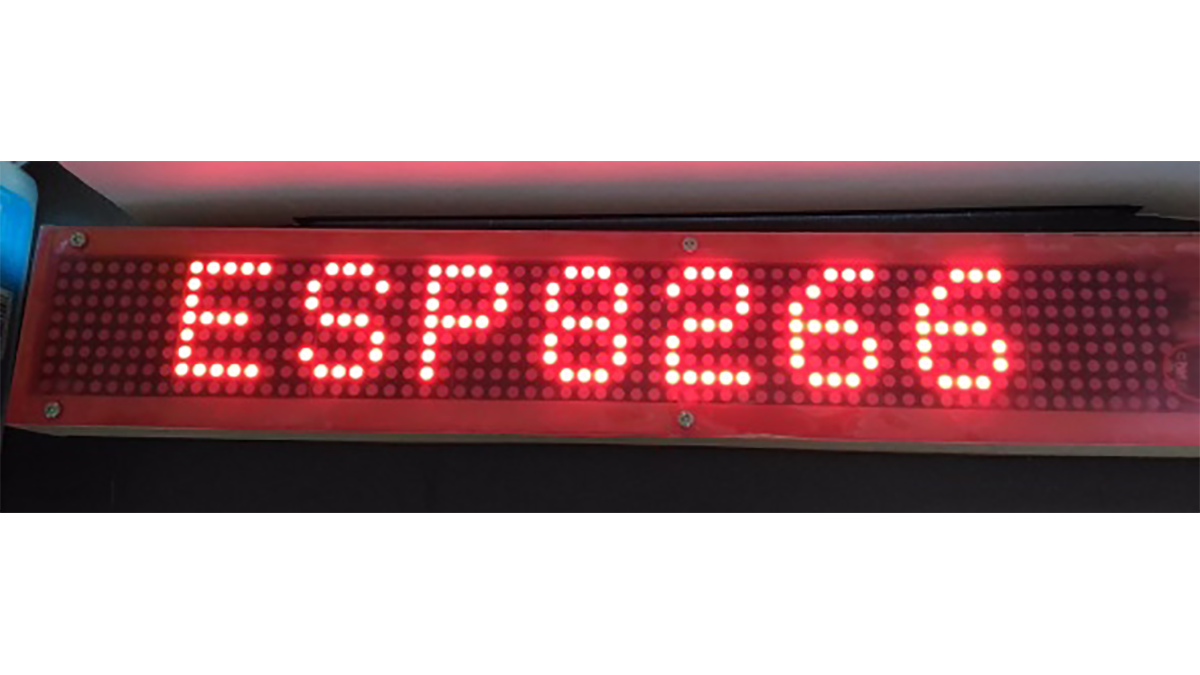
This project is a modification of my previous Bluetooth-enabled LED matrix display project, which used 8×64 monochromatic LED matrix (total 512 LEDs) for displaying scrolling text message. The original project used Bluetooth for display data transfer from a smartphone, but this one now uses Wifi. The display message is sent through web browser to a ESP8266 module that is configured as a web-server. No Arduino or any other microcontroller is used. ESP8266 alone works as a WiFi server and drives the MAX7219-based LED matrices.
Hardware Setup
Things needed (available on my Tindie Store):
- Easy Matrix modules (8 pcs)
- Dual power supply module (1 pc)
- NodeMCU ESP8266 board (1 pc)
- Wires, enclosures, etc
The 8×64 pixel display matrix is constructed using eight Easy Matrix display modules in a cascade.
What is Easy Matrix?
Easy Matrix is an easily cascadable 8×8 monochromatic LED dot matrix display module with onboard MAXIM’s MAX7219 LED driver chip. The MAX7219 allows you to drive the LED matrix using only three I/O pins of Arduino or any other microcontroller. The LED matrix module used in Easy Matrix has a bigger dot size (5mm) and has the overall display dimensions of 60.2mm x 60.2mm (2.4″x2.4″). It is easily cascadable in series with the help of precisely aligned male and female header pairs located on the left and right sides of the display module. With lots of freely available Arduino libraries for MAX7219 chip, this module is easy to use in any Arduino project for displaying basic text and animation.
Wiring
For this project, I used 8 Easy Matrix modules cascaded in series to construct a 8×64 LED matrix display. The input header of Easy Matrix are located on right side and consists of three signal lines (DIN, CLK and LOAD) and two power supply lines. The signal lines are driven using the ESP8266 SPI pins. So, connect DIN, CLK and LOAD pins of the rightmost Easy Matrix input to D7 (GPIO13), D5 (GPIO14), and D3 (GPIO0) pins of NodeMCU, respectively. The 5V DC supply for Easy Matrix and 3.3V for NodeMCU are provided using a Dual (+5V/3.3V) regulated power source. These components are all enclosed into a customized box made out of furring strip boards from Home Depot. Note that while programming the NodeMCU board, no external power supply is required as it is supplied from the USB port. But when it is placed inside the enclosure with other display modules, its 3.3V pin should be connected to the 3.3V pin of the dual power supply board. Following figure shows the connections between the power supply, NodeMCU, and LED matrix panel.
Read more: ESP8266 Wifi enabled 8×64 pixel LED matrix display
- How does this project differ from the original Bluetooth version?
This project uses WiFi instead of Bluetooth for data transfer. - What microcontroller is used to drive the display?
The ESP8266 NodeMCU board acts as the sole controller without Arduino. - How are the Easy Matrix modules connected?
Eight modules are cascaded in series to form an 8x64 pixel display. - Which pins on the NodeMCU connect to the LED matrix?
DIN connects to D7, CLK to D5, and LOAD to D3. - How is the display message sent to the device?
Messages are sent through a web browser to the ESP8266 configured as a web server. - What power supplies are required for the components?
A dual regulated power source provides 5V DC for the matrix and 3.3V for the NodeMCU. - Can the NodeMCU be programmed without an external power supply?
Yes, it can be powered via the USB port during programming.
