
Summary of Arduino Email Sender with Ethernet adapter/shield
This article describes a project to build an Arduino-based email sender using an Ethernet shield, addressing SSL connectivity issues with Gmail by leveraging the Temboo library pre-installed in the Arduino IDE. The author aims to replace complex setups involving PCs or Raspberry Pis with a standalone solution triggered by buttons, temperature sensors, or distance sensors.
Parts used in the Arduino Email Sender:
- Arduino board
- Ethernet shield
- Gmail account
- Temboo library
- Push button
- Temperature sensor
- Distance sensor
Not long ago, I reached 50 000 views on my ESP8266 Wi-fi module. I was quite amazed and wanted to thank everybody that watched it, liked it and commented on it. On September 2., I published instructable on Weather station and got featured only 15 min after publish. I was very motivated to do more as I see all the views, comments and wanted to say thank you all.
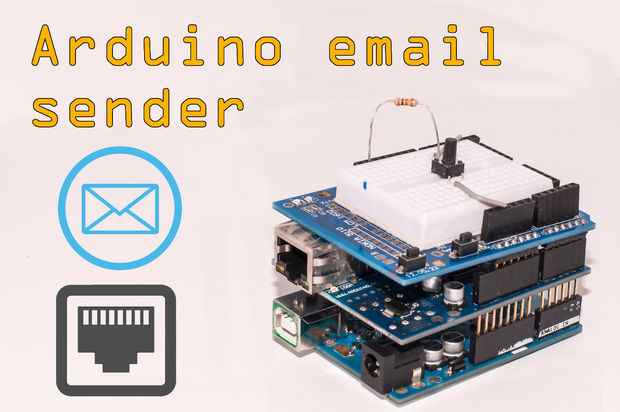
Now, let’s go to the meat of this project.
My father asked me to do a little project with Arduino that would send an e-mail when a push button is pressed or anything, can be based on temperature reading, so make sure you watch my previous instructable on that or to send that something has closed up on the distance sensor. Be sure to watch those tutorials on my profile.
So I started looking on the web for a way to send emails with bare arduino and an ethernet shield. I already did a mini project that was sending email by pushing a button, but was done with some python on a pc or Raspberry pi. That can be a waste of money, if you want to leave your Raspberry or any small computer inside of a project.
So as I wanted to do it with only and ethernet shield, I came upon an obstacle. A code for this very purpose can be found in first google searches on Arduino playground site, but it gave me errors as it works with smtp protocol but most email services like gmail want a more reliable connection with some safety like SSL. Arduino just might not be able to do that. Now correct me if I’m wrong, but those were some facts that I found on forums regarding the errors that I was getting. Now what.
Than I found this amazing site called Temboo. It spins around IoT and everything related to that. They also support sending mail by their library, that is believe it or not, already implemented inside Arduino IDE by default.
I will guide how to set up a GMAIL account, how to set the electronics and get the thing working.
For More Details: Arduino Email Sender with Ethernet adapter/shield
- How can I send emails with a bare Arduino?
You can use the Temboo library which is already implemented inside the Arduino IDE by default. - Why did previous SMTP code give errors?
Most email services like Gmail require a more reliable connection with safety features like SSL that standard Arduino SMTP code cannot handle. - What alternative exists to using a PC or Raspberry Pi?
Using only an Ethernet shield allows you to avoid wasting money on leaving a small computer inside your project. - Can this project be triggered by sensors?
Yes, it can be based on temperature readings or detecting if something has closed up on a distance sensor. - Does the Temboo library support sending mail?
Yes, the site supports sending mail and their library is included in the Arduino IDE. - What steps are required to get the system working?
The guide covers setting up a Gmail account, configuring the electronics, and getting the device operational.
